Sublime Forum

How can I set font.size for BOTH tabs and the status bar?

#1

Per the code provided in this other topic (Can we change font size for tabs in ST4?), I can change either the font.size for tab_label or status_bar.

However any way I try to code it, I have not figured out how to change both settings. Here is one example of what I tried:
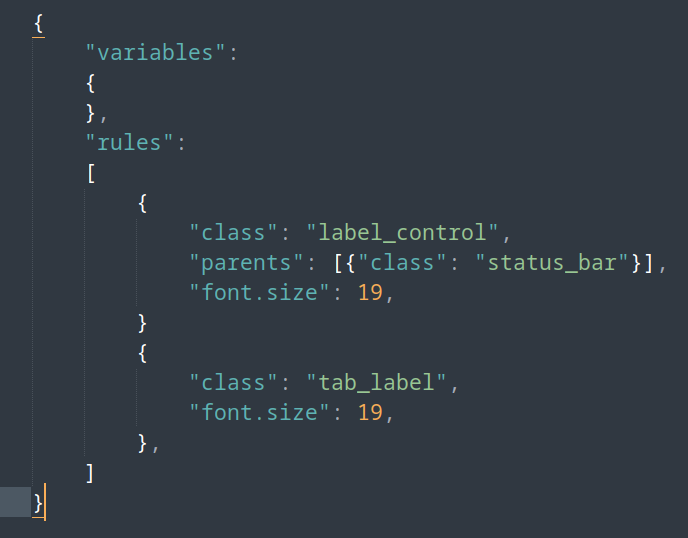
And I have tried other ways of arranging bracket sections, etc. to do this. My difficulty is that the linked example and the “Customization” section at the end of the manual’s Themes section show how to do it for making only one setting change, but not multiple ones.

Can you help me with this, please?
1 Like

#2

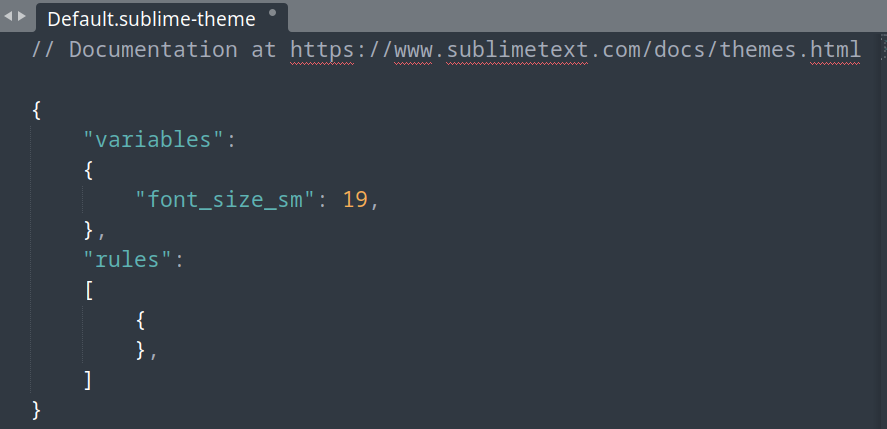
I found a solution. This enlarges all small text; including for tabs, hints and the status bar:

But I would still like to know how to use the Customization template to change more that one thing at time. Hoping someone can help with that.

1 Like

#3

This post was flagged by the community and is temporarily hidden.

0 Likes

#4

You’re missing a comma between those rules. Sublime Text shows you an error when it’s unable to read your file and suggests a comma.

            "font.size": 19,
        }, // - comma was missing here
        {
0 Likes

#5

Thank you! (I’m new at this.)

0 Likes

#7

Thanks! I’m new to JSON coding.

0 Likes