Sublime Forum

Can we change font size for tabs in ST4?

#1

For me, the font size on the tabs is difficult to read.
I did some Forum searching and found comments for ST3, including the disturbing comment

The tabs “label” font.size does not work properly, it’s a [well known bug in Sublime Community

but nothing for ST4.
In fact I did find the ‘tab_label: font.size’ command in Settings | Customize Theme and tried increasing it. And sure enough, it didn’t work.
Is this still an ongoing bug for ST4? Is there no way to adjust this?
I’m running version 4200.

1 Like

#2

Any label’s text size can be changed via theme.

	{
		"class": "tab_label",
		"font.face": "var(tab_font_face)",
		"font.size": 19, //  "var(tab_font_size)",
		"font.bold": false,
	},

Note however, changing font.size, only, may not be sufficient or may cause UI to look broken, as parent controls (the tab_control in this case) also needs to be adjusted in size.

Whether a simple rule, like illustraded above, applies, depends on whether your active theme specifies more specific selectors - those may take precedence. Order of rules is of relevance as well.

You may probably want to check out "ui_scale" preference, which scales whole UI with given factor, including labels and their parent UI controls - especially if it is not only a single control the text of which is too small.

2 Likes

#3

Thanks, deathaxe,

But while I get your basic point, that I may have to edit the parent controls as well, the details are still not clear to me.

I now have this in Customize Theme (Cobalt2.sublime-theme)
{
“class”: “tab_label”,
“font.face”: “var(tab_font_face)”,
“font.size”: 19,
“font.bold”: false
},
{
“class”: “tab_label”,
“parents”: [
{
“class”: “tab_control”,
“font.size”: 19
}]
}

The default Cobalt2 theme has tab_label font size 11. The edits I’ve added in Customize show no apparent change.

Whether a simple rule, like illustraded above, applies, depends on whether your active theme specifies more specific selectors - those may take precedence.

Okay. The only other place font.size appears in Cobalt2 is for the sidebar, and the default shows 11 for “settings”: [“sidebar_font_small”] and 15 for “settings”: [“sidebar_font_bigl”]. I don’t see a “settings”: [“tab_label_font_small”], so I expect it doesn’t exist.

Or are you suggesting I need to change the active theme?

The salient point here is that I haven’t been able to increase the font size in the tabs. Can you suggest another approach?

0 Likes

#4

The following simple customization works fine on my end:

// Documentation at https://www.sublimetext.com/docs/themes.html
{
	"variables":
	{
	},
	"rules":
	[
		{
		    "class": "tab_label",
		    "font.size": 19,
		},
	]
}
1 Like

#5

Woof! Works great. Many thanks.

Mark

0 Likes

#6

Thanks for this code.

I’m new to Sublime Text and am having a hard time finding my way through the documentation (I always “read the manual”, but this one is overwhelming).

Where do I need to place the code? (I’m using the Linux version.) My apology that I have been unable to figure that out.

0 Likes

#7

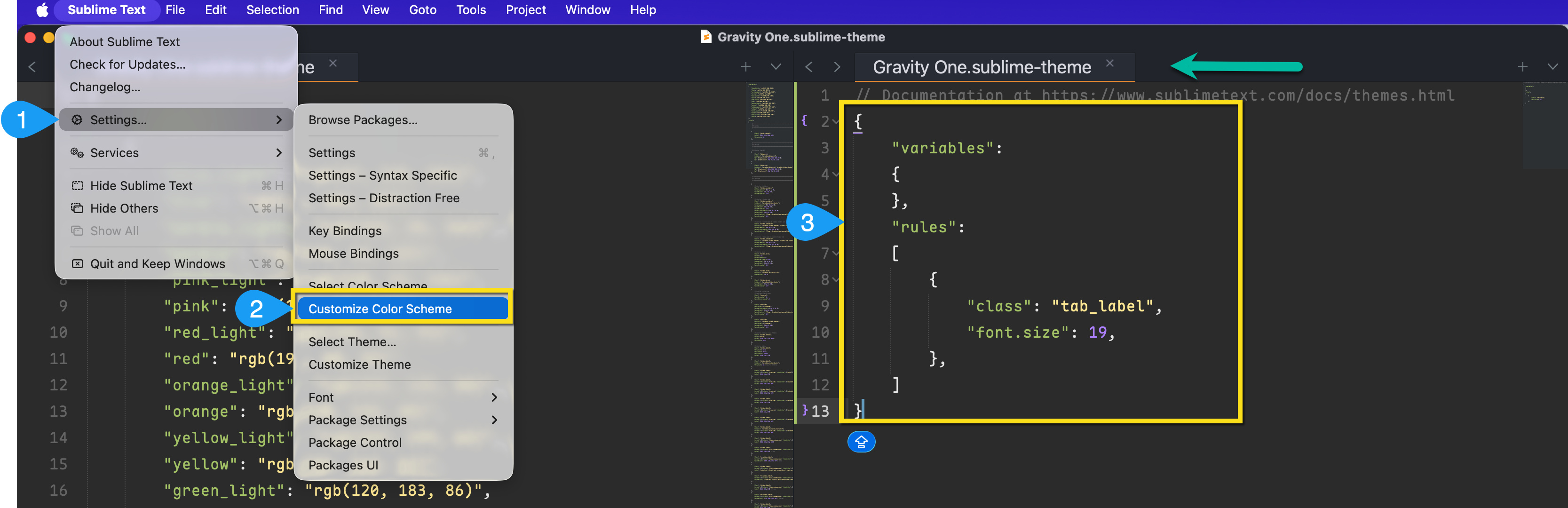
Visit Settings or Preferences (depending on your OS) > Customize Color scheme, then paste the code provided above. You should see the tab font size increase significantly.

1 Like

#8

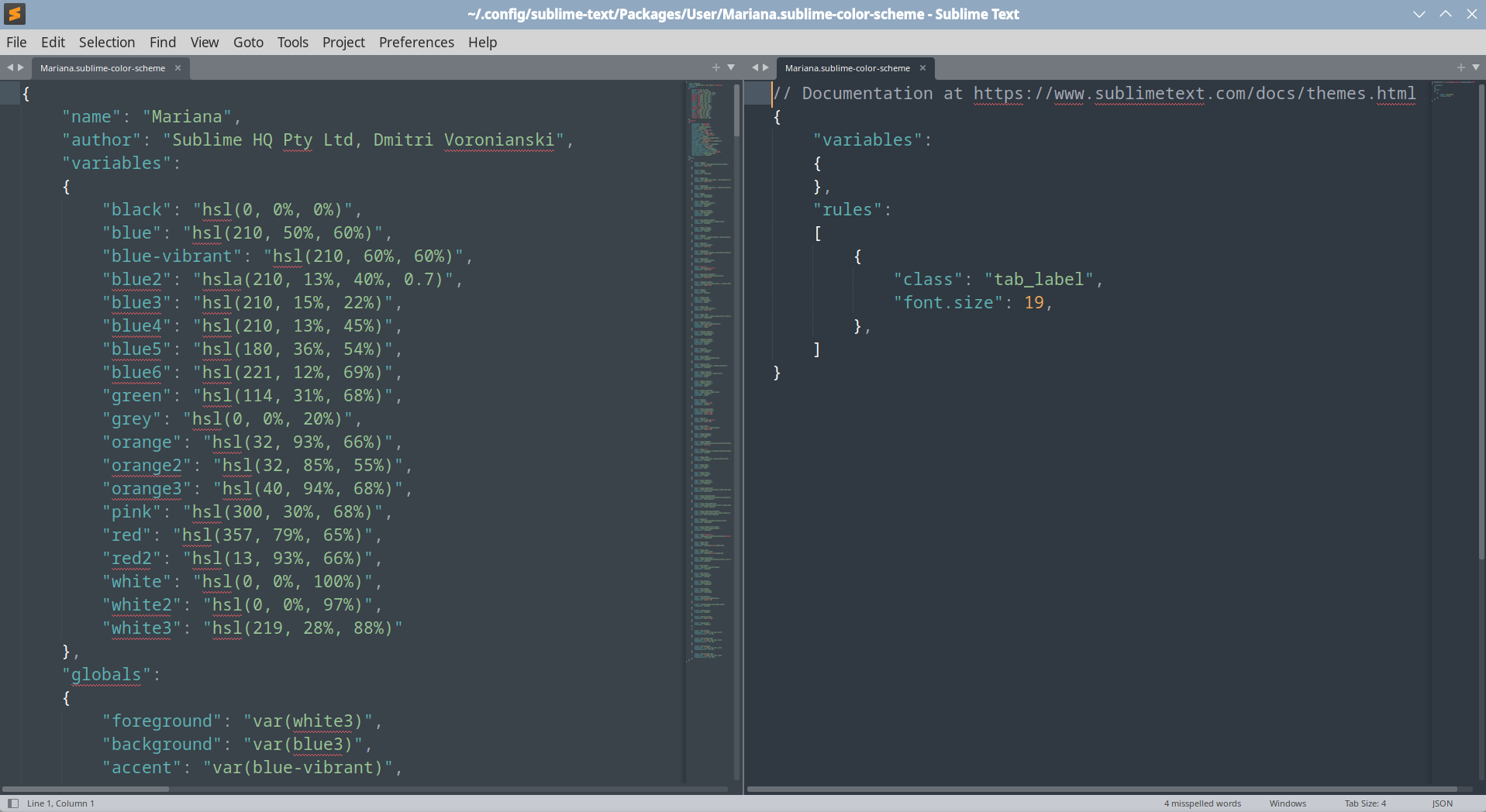
Thanks. That gets me one step closer, but it isn’t working for me. Here is a screen shot.

I saved this, closed both panes, restarted ST, selected another color theme, and then reselected Mariana. And this was a direct copy/paste of the code above.

What am I missing, or doing wrong?

1 Like

How can I set font.size for BOTH tabs and the status bar?
#9

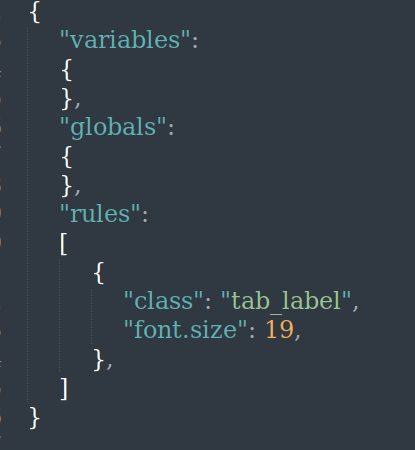
Tried, but no joy here either

image

0 Likes

#10

Hmmm. Not sure why, sorry. Perhaps it is a Linux Vs Mac thing? Or maybe the theme needs to support it? Works for me on a Mac, running the Gravity One theme.

Out of interest, have either of you tried these settings with a different theme?
Reading back to the original advice from @deathaxe

Whether a simple rule, like illustrated above, applies, depends on whether your active theme specifies more specific selectors - those may take precedence.

0 Likes

#11

Should we be looking at themes … reading here …
around 3:50 https://www.youtube.com/watch?v=H7Gv77BkTlE

0 Likes

#12

I believe gbird gave you the wrong menu on accident. In the screenshot you can see they’re editing the theme, not the color scheme. You want Customize Theme, not Customize Color Scheme.

0 Likes

#13

Ah, forgive me, yes. I think I was the cause of confusion. Sorry for that and thanks for the correction @bschaaf

1 Like

#14

Bingo! And thanks to all.

1 Like

#15

I also need to increase the text size for the status bar. I searched-up this code, which works, but I find that when I combine it with the above code only the increase for either tabs or the status bar is active.

So, how can I combine this:
{
“variables”:
{
},
“rules”:
[
{
“class”: “label_control”,
“parents”: [{“class”: “status_bar”}],
“font.size”: 19,
},
]
}
… with the code in this post for tabs?
(And I also need to increase the text size for the file location, when hovering over a tab label.)

[EDIT]: When I pasted, I lost the formatting; but that was like in the earlier examples.

1 Like