
I’ve got Windows 10 setup with Ease of Access->Make Text Bigger set to 140%.
Sublime Text version 4126.
I’m using color scheme ‘Breakers’ to demonstrate.
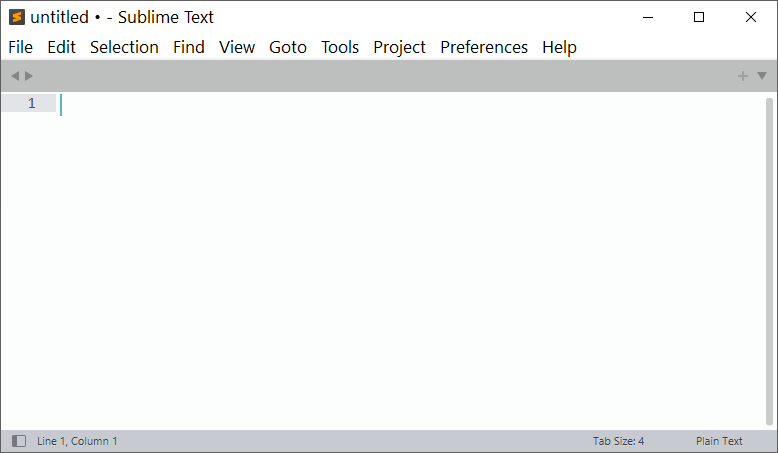
Theme default and everything is fine in the menus:
However, if I switch to the Default Dark Theme, the menu titles run into each other:
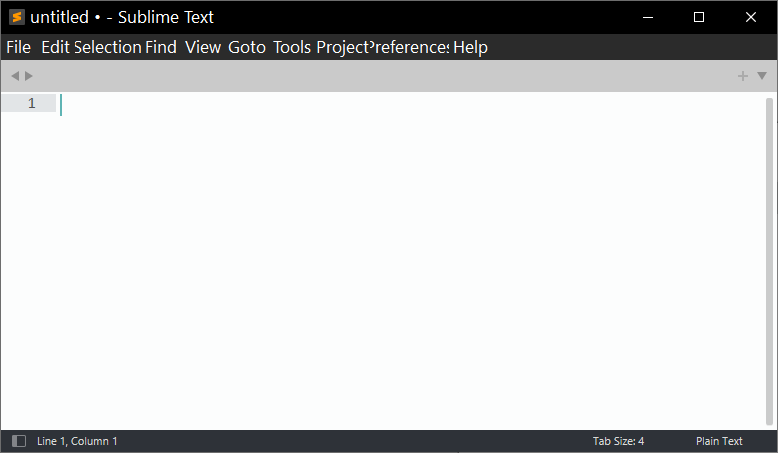
I notice the same thing if I tweak the Adaptive theme to show the menu bar per the trick here: Tweak Adaptive Theme to show menu bar
Is there some way to get this to work correctly with the Default Dark or Adaptive themes?