Sublime Forum

Window Buttons require Hover

#1

I just updated to version 4106 on Linux (CentOS 8, if it matters).

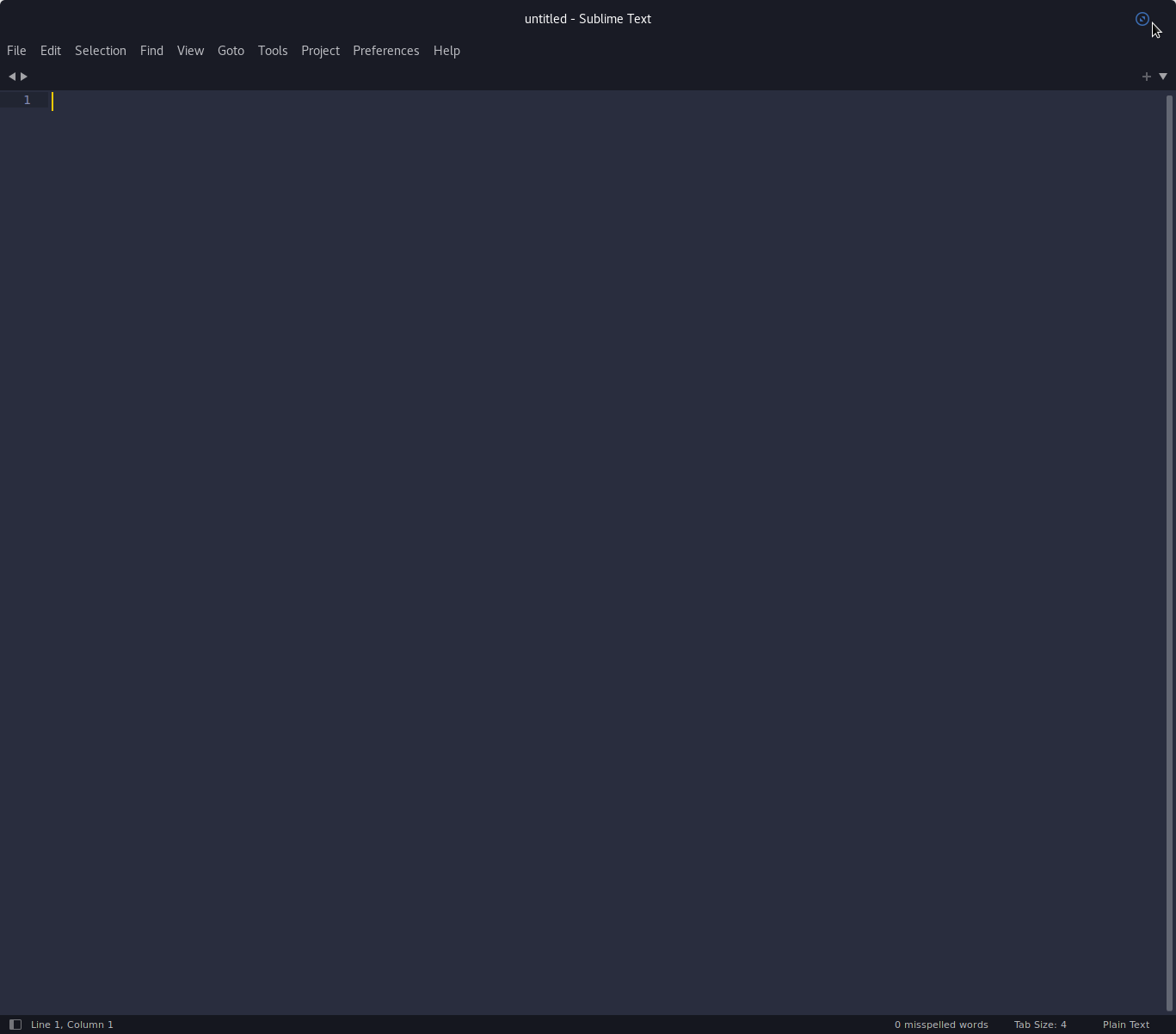
I use GNOME 3.32 and this is a very simple thing, but the buttons on the right only show when I hover over them. All my other GNOME apps have the button visible all the time.

I’m sure I am just missing the correct custom variable to able to set this option.

Anyone know the proper setting to make the title window buttons show all the time an not just on hover?

0 Likes

#2

Could you share a screenshot of that? Does it happen in other GTK apps like gedit or gnome terminal?

0 Likes

#3

It is not happening with other GTK apps.

Here is the screenshot:

0 Likes

#4

Here is a screenshot of gedit:

I suppose the issue could also be that the decoration color of the buttons could be set to black (the default for this theme is white). Blue is the hover color … so if black was the button color, they would also be invisible and blue on mouse over (What I am seeing).

0 Likes

#5

That could very well be it, we do have a custom GTK css override to color everything. Does it happen with the default theme? (The default theme has no css override) You can also disable the client side decorations using "gtk_client_side_window_decorations": false.

0 Likes

#6

Adding that variable and restarting gtk fixed the issue, thank you.

0 Likes