Sublime Forum

What Did I Do Now?! 2 New Boxes That Won't Easily Go Away For Me!

#1

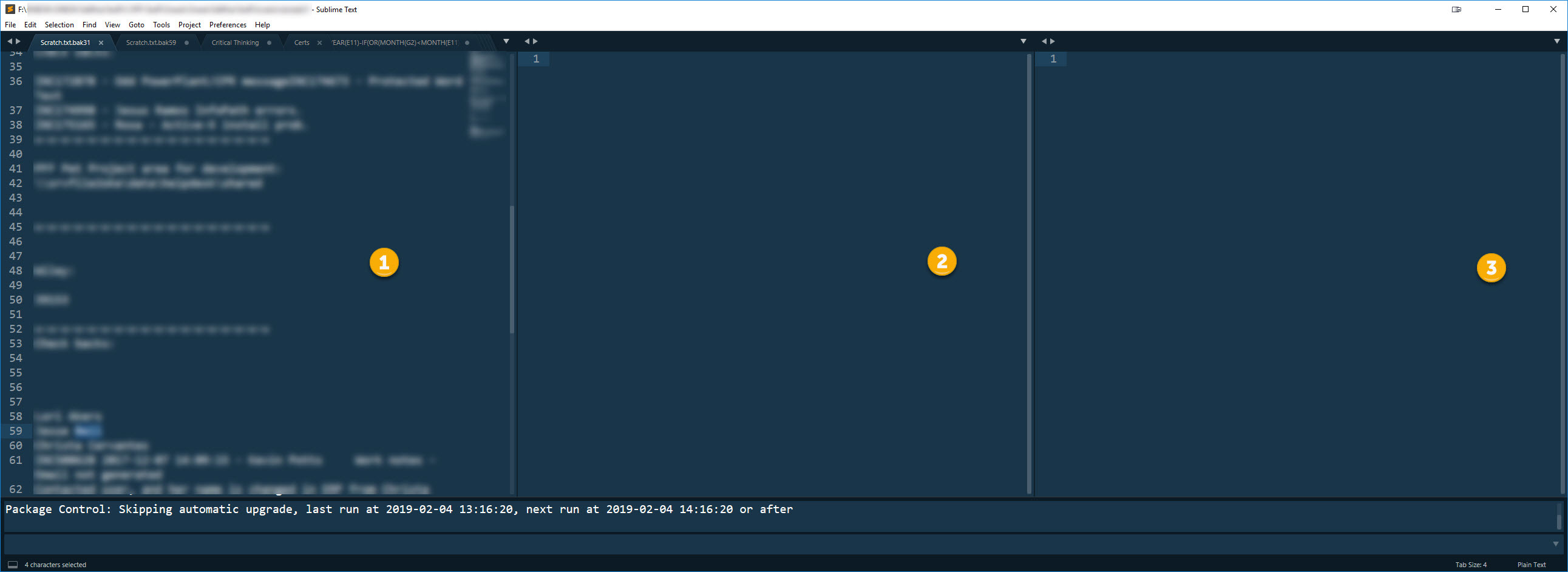
So I thought I was doing a keyboard shortcut for “Quick Find All” and somehow I managed to add two additional boxes to my Sublime Text. How do I nicely (or otherwise!) get rid of them… I just need one for now! :slight_smile:

Boxes #2 & #3 need to disappear please! Not sure what I did to make them appear in the first place (or what they would be used for anyhow? Stare & Compares? IDK!). ST neophyte.

Thanks for the assist & have a splendiferous week!

–Pete
0 Likes

#2

Use the menu View > Layout > Single.

3 Likes

#3

Sorry for belated reply - but yeah, that was it! Actually accidentally did it again, remembered I’d posted here. Thanks for your answer. Spot on perfect!

0 Likes

#4

For future posts, there is also a keybinding, under Win* Alt+Shift+(1-5, 8-9)sets the number of views, so:
Alt+Shift+1 resets to single view layout
Alt+Shift+(2 to 4) split into N views side by side
Alt+Shift+5 split into 4 views (2 rows with 2 cols)
Alt+Shift+(8-9) split vertical into 2 or 3 views

not sure if the keybinding is the same on other platform.

0 Likes