I have been having this weird double “<” bug when I type “<” is ST3 (Build 3103) here is a gif of what happens (open image in new tab if the gif doesn’t work in the forum)
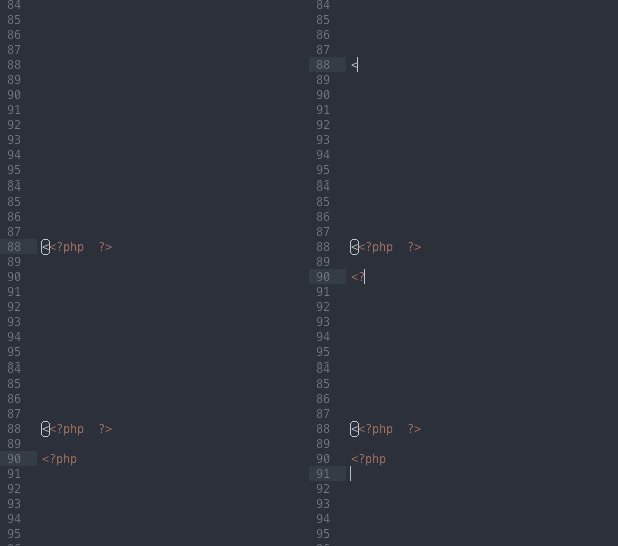
anyone know a fix? This issue has been posted a few times but has no replies…

I have been having this weird double “<” bug when I type “<” is ST3 (Build 3103) here is a gif of what happens (open image in new tab if the gif doesn’t work in the forum)
anyone know a fix? This issue has been posted a few times but has no replies…
wow thanks!
But it still comes up in the auto complete so surely it should remove the first < anyway right?
You’d think so, but due to the way ST handles word boundaries and auto completion triggers, it unfortunately doesn’t.
Even creating a snippet with a tab trigger of <php doesn’t work, because tab triggers can’t contain word separators I think.
tab triggers can contain word separators but you will get your “auto complete box” closed when you type any character setted in “Preferences - User”
// Characters that are considered to separate words

“word_separators”: “./\()”’-:,.;<>~!@#$%^&*|+=[]{}`~?",
to insert a explicit “<” or “>” in the tab trigger I recommend you to write the tabtrigger into a CDATA (xml) tag like this:
example:
“”
Of course, it’s better to avoid that kind of characters into a completion trigger but sometimes it’s usefull 
