
I have a directory containing a file test.jl with the following contents:
function __main__()
    println("revise is... magic.")
end

__main__()
If I save the file, Sublime seems to take several seconds to write it — after about a second I see “99%” appended to the bottom status bar:
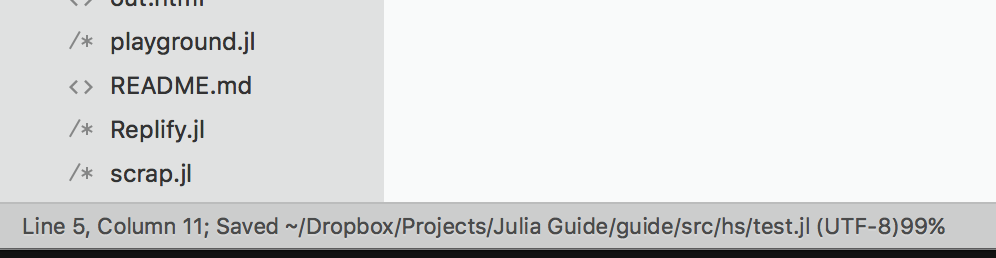
If I run a small program to watch files in the directory and report changes, there is a change reported immediately after the save, and the another one after the “99%” appears and disappears a few seconds later.
Opening the same file and modifying and saving it with Vim, the same program sees it changed only once.
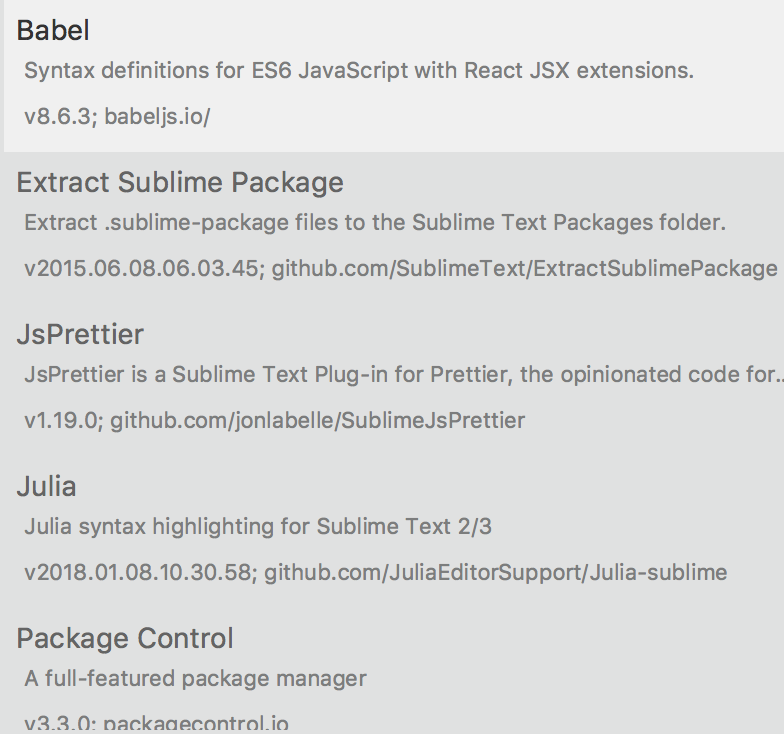
I searched but did not find this to be already-reported. The package list I have installed in Sublime is minimal (this is the entire list):
I also tested this in other directories and other file extensions (.txt) and the issue replicates reliably across restarts of Sublime.
Edit: Trying to track this further… I wonder if this might have to do with the file being in Dropbox.
Edit2: Nope, if dropbox is paused the extended saving 99% indicator still appears.