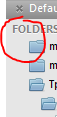
What should I write in theme file to remove this annoying arrows from sidebar (only from sidebar, not from everywhere)?


What should I write in theme file to remove this annoying arrows from sidebar (only from sidebar, not from everywhere)?
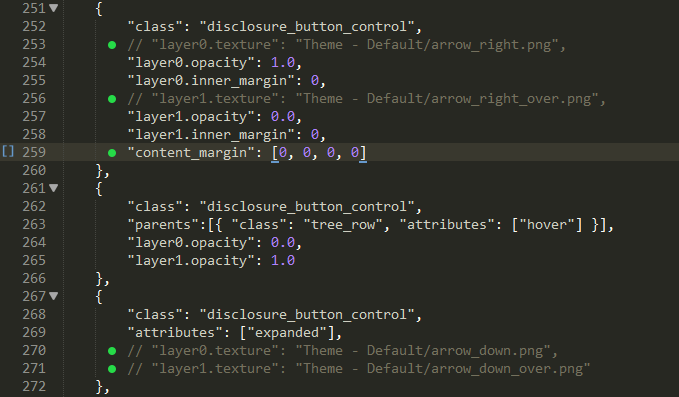
seems like this is covered by class disclosure_button_control:
{
    "class": "disclosure_button_control",
    "layer0.texture": "Theme - Default/arrow_right.png",
    "layer0.opacity": 1.0,
    "layer0.inner_margin": 0,
    "layer1.texture": "Theme - Default/arrow_right_over.png",
    "layer1.opacity": 0.0,
    "layer1.inner_margin": 0,
    "content_margin": [9, 7, 8, 6]
},
other places where arrow_right.png is used in the Default theme:
classes:
fold_button_controlscroll_tabs_right_buttonnot sure if disclosure_button_control is used for anything else, but at the very least it won’t affect code folding or tab scrolling buttons.
you could change opacity to 0 I guess to hide it, or alternatively use a blank image.