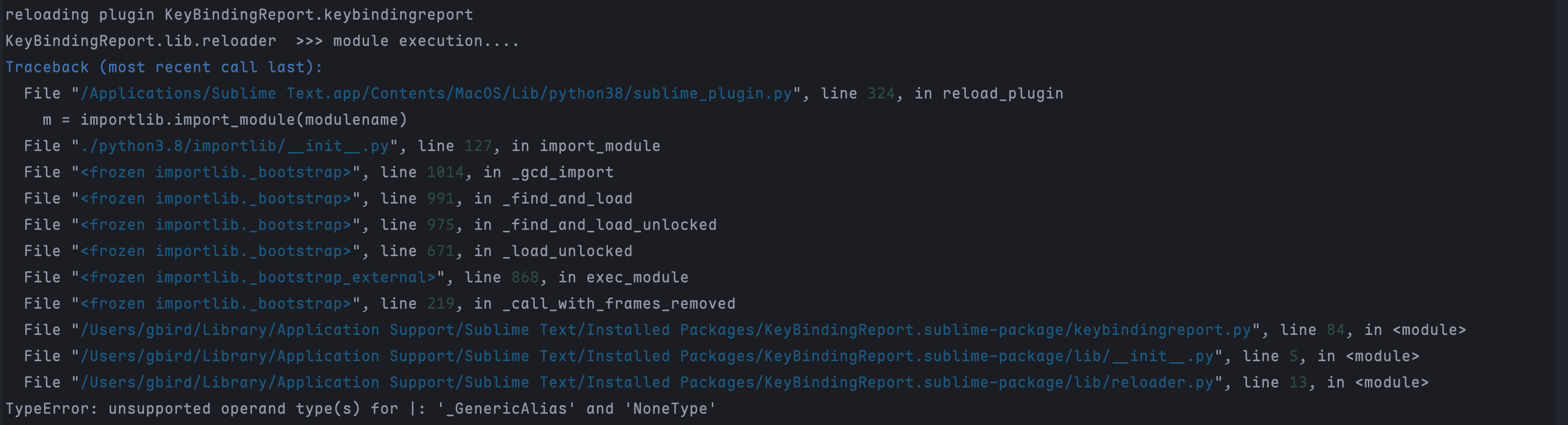
Hey @vwheeler63. I have fully removed your package, then performed a clean instal of 1.1.0.
On fresh install, this is what appears in my console:
Package Control: Installed package "KeyBindingReport" 1.1.0
Package Control: The library "lxml" is not available for Python 3.3
Package Control: Package KeyBindingReport successfully installed
ignored packages updated to: ["A File Icon", "AcademicMarkdown", "Chain of Command", "Color Highlight", "Data Wizard", "Emmet Css Snippets", "Extract Lines", "Filter Lines", "FolderAlias Rename Tool", "FoldFunctions", "FuzzyFilePath", "GitGutter", "GitHub Markdown Snippets", "Gutter Color", "Highlight", "Highlight Dodgy Chars", "Highlight Duplicates", "HighlightWords", "HTML Nest Comments", "HTML2Text", "Icon Fonts", "Idiomatic-CSS-Comments-Snippets", "IntelliDocs", "JavaScript Completions", "jQuery", "jQueryDocs", "JS Template String Converter", "Json Colors And Navigation", "JsPrettier", "Keymaps", "LanguageTool", "Libraries from CDN", "LiveReload", "LiveServer", "LiveServerPlus", "LiveStyle", "Markdown Table of Contents", "MarkdownLivePreview", "MarkdownPreview", "MarkerStack", "Monokai Neue", "MonokaiC", "More Python Completions", "Nord", "OpenUri", "PackageResourceViewer", "Pastery", "Pieces", "Prettierd Format", "Pretty JSON", "PrintDebugger", "Python Completions", "Python Flake8 Lint", "python-black", "QuickLineNavigator", "QuoteHTML", "rainbow_csv", "RainbowIndent", "Random Everything", "RawLineEdit", "RegexLab", "RegReplace", "RoadBookmarks", "SASS Build", "SassBeautify", "SasSubmit", "Schemr", "SCSS Compiler", "Select Quoted", "SimpleClone", "Slugify", "Smart Delete", "Smart Title Case", "SqlBeautifier", "Status Bar JsonPath", "StickySearch", "Stringify", "Sublime Tutor", "SublimeCodeIntel", "SublimeLinter", "SublimeLinter-contrib-scss-lint", "SublimeLinter-csslint", "SublimeLinter-flake8", "SublimeLinter-html-tidy", "SublimeLinter-jshint", "SublimeLinter-xmllint", "Table Editor", "TabSnippets", "Terminus", "Text Highlighter", "Theme - Monokai Pro", "Toggle Sidebar and Reveal Current File", "Unsplash", "Vintage", "xpath"]
reloading settings Packages/User/Package Control.sublime-settings
reloading settings Packages/User/Preferences.sublime-settings
reloading plugin KeyBindingReport.keybindingreport
AttributeError: module 'sublime_plugin' has no attribute 'create_text_commands'
AttributeError: module 'sublime_plugin' has no attribute 'create_window_commands'
AttributeError: module 'sublime_plugin' has no attribute 'notify_application_commands'
AttributeError: module 'sublime_plugin' has no attribute 'synthesize_on_activated_async'
AttributeError: module 'sublime_plugin' has no attribute 'on_hover'
Package Control: resuming indexer
reloading settings Packages/User/Preferences.sublime-settings
AttributeError: module 'sublime_plugin' has no attribute 'on_deactivated'
AttributeError: module 'sublime_plugin' has no attribute 'on_deactivated_async'
AttributeError: module 'sublime_plugin' has no attribute 'on_activated'
AttributeError: module 'sublime_plugin' has no attribute 'on_deactivated'
AttributeError: module 'sublime_plugin' has no attribute 'on_activated_async'
AttributeError: module 'sublime_plugin' has no attribute 'on_deactivated_async'
On restart, I get these errors (there is a fair bit of noise in this):
AttributeError: module 'sublime_plugin' has no attribute 'on_new_buffer'
AttributeError: module 'sublime_plugin' has no attribute 'on_new_buffer'
AttributeError: module 'sublime_plugin' has no attribute 'on_new_buffer'
AttributeError: module 'sublime_plugin' has no attribute 'on_new_buffer'
AttributeError: module 'sublime' has no attribute 'Syntax'

The above exception was the direct cause of the following exception:

Traceback (most recent call last):
  File "/Applications/Sublime Text.app/Contents/MacOS/Lib/python38/sublime_plugin.py", line 568, in on_api_ready
    attach_view(v)
  File "/Applications/Sublime Text.app/Contents/MacOS/Lib/python38/sublime_plugin.py", line 636, in attach_view
    check_view_event_listeners(view)
  File "/Applications/Sublime Text.app/Contents/MacOS/Lib/python38/sublime_plugin.py", line 627, in check_view_event_listeners
    listeners.append(cls(view))
  File "/Users/gbird/Library/Application Support/Sublime Text/Installed Packages/LSP.sublime-package/plugin/documents.py", line 226, in __init__
  File "/Users/gbird/Library/Application Support/Sublime Text/Installed Packages/LSP.sublime-package/plugin/documents.py", line 235, in _setup
  File "/Applications/Sublime Text.app/Contents/MacOS/Lib/python38/sublime.py", line 3505, in syntax
    return syntax_from_path(path)
  File "/Applications/Sublime Text.app/Contents/MacOS/Lib/python38/sublime.py", line 4224, in syntax_from_path
    return sublime_api.get_syntax(path)
SystemError: <built-in function get_syntax> returned a result with an error set
OmniMarkupPreviewer: [INFO] Bottle v0.11.6 server starting up...
OmniMarkupPreviewer: [INFO] Listening on http://127.0.0.1:51004/
Exception ignored in: <function DocumentSyncListener.__del__ at 0x10524d700>
Traceback (most recent call last):
  File "/Users/gbird/Library/Application Support/Sublime Text/Installed Packages/LSP.sublime-package/plugin/documents.py", line 229, in __del__
  File "/Users/gbird/Library/Application Support/Sublime Text/Installed Packages/LSP.sublime-package/plugin/documents.py", line 257, in _cleanup
  File "/Users/gbird/Library/Application Support/Sublime Text/Installed Packages/LSP.sublime-package/plugin/documents.py", line 1109, in _clear_session_views_async
AttributeError: 'DocumentSyncListener' object has no attribute '_session_views'
AttributeError: module 'sublime_plugin' has no attribute 'on_new_buffer'
AttributeError: module 'sublime_plugin' has no attribute 'on_new_buffer'
AttributeError: module 'sublime_plugin' has no attribute 'create_text_commands'
AttributeError: module 'sublime_plugin' has no attribute 'on_new_buffer'
AttributeError: module 'sublime_plugin' has no attribute 'on_new_buffer'
AttributeError: module 'sublime_plugin' has no attribute 'create_text_commands'
AttributeError: module 'sublime_plugin' has no attribute 'on_new_buffer_async'
AttributeError: module 'sublime_plugin' has no attribute 'on_new_buffer_async'
AttributeError: module 'sublime_plugin' has no attribute 'on_new_buffer_async'
AttributeError: module 'sublime_plugin' has no attribute 'on_new_buffer_async'
AttributeError: module 'sublime_plugin' has no attribute 'synthesize_on_activated_async'
AttributeError: module 'sublime_plugin' has no attribute 'on_new_buffer_async'
AttributeError: module 'sublime_plugin' has no attribute 'on_new_buffer_async'
AttributeError: module 'sublime_plugin' has no attribute 'on_new_buffer_async'
AttributeError: module 'sublime_plugin' has no attribute 'on_new_buffer_async'
AttributeError: module 'sublime_plugin' has no attribute 'create_text_commands'
AttributeError: module 'sublime_plugin' has no attribute 'create_window_commands'
AttributeError: module 'sublime_plugin' has no attribute 'on_window_command'
AttributeError: module 'sublime_plugin' has no attribute 'on_new_buffer'
AttributeError: module 'sublime_plugin' has no attribute 'on_deactivated'
AttributeError: module 'sublime_plugin' has no attribute 'on_activated'
AttributeError: module 'sublime_plugin' has no attribute 'on_post_window_command'
OmniMarkupPreviewer: [INFO] Loaded renderer: MarkdownRenderer
AttributeError: module 'sublime_plugin' has no attribute 'on_new_buffer_async'
AttributeError: module 'sublime_plugin' has no attribute 'on_deactivated_async'
AttributeError: module 'sublime_plugin' has no attribute 'on_activated_async'
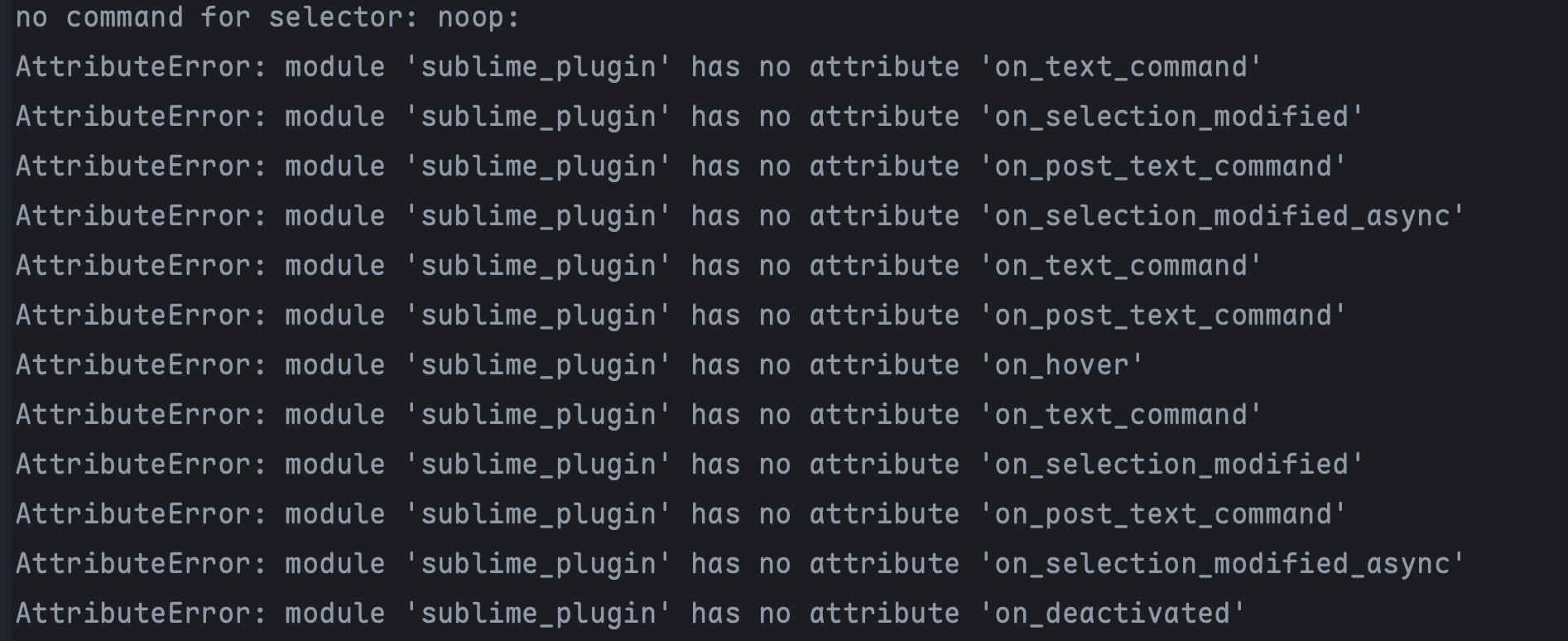
After restart, my console qickly fills up with these types of message. Almost all keybindings are broken (eg if I attempt ‘CMD + C’ for copy):
AttributeError: module 'sublime_plugin' has no attribute 'on_deactivated'
AttributeError: module 'sublime_plugin' has no attribute 'on_deactivated_async'
AttributeError: module 'sublime_plugin' has no attribute 'on_text_command'
AttributeError: module 'sublime_plugin' has no attribute 'on_activated'
AttributeError: module 'sublime_plugin' has no attribute 'on_selection_modified'
AttributeError: module 'sublime_plugin' has no attribute 'on_post_text_command'
AttributeError: module 'sublime_plugin' has no attribute 'on_activated_async'
AttributeError: module 'sublime_plugin' has no attribute 'on_selection_modified_async'
AttributeError: module 'sublime_plugin' has no attribute 'on_hover'
AttributeError: module 'sublime_plugin' has no attribute 'on_text_command'
AttributeError: module 'sublime_plugin' has no attribute 'on_post_text_command'
AttributeError: module 'sublime_plugin' has no attribute 'on_text_command'
AttributeError: module 'sublime_plugin' has no attribute 'on_post_text_command'
AttributeError: module 'sublime_plugin' has no attribute 'on_deactivated'
AttributeError: module 'sublime_plugin' has no attribute 'on_deactivated_async'
AttributeError: module 'sublime_plugin' has no attribute 'on_activated'
AttributeError: module 'sublime_plugin' has no attribute 'on_text_command'
AttributeError: module 'sublime_plugin' has no attribute 'on_selection_modified'
AttributeError: module 'sublime_plugin' has no attribute 'on_post_text_command'
AttributeError: module 'sublime_plugin' has no attribute 'on_activated_async'
AttributeError: module 'sublime_plugin' has no attribute 'on_selection_modified_async'
AttributeError: module 'sublime_plugin' has no attribute 'on_text_command'
AttributeError: module 'sublime_plugin' has no attribute 'on_selection_modified'
AttributeError: module 'sublime_plugin' has no attribute 'on_selection_modified'
AttributeError: module 'sublime_plugin' has no attribute 'on_post_text_command'
AttributeError: module 'sublime_plugin' has no attribute 'on_selection_modified_async'
AttributeError: module 'sublime_plugin' has no attribute 'on_selection_modified_async'
AttributeError: module 'sublime_plugin' has no attribute 'on_text_command'
AttributeError: module 'sublime_plugin' has no attribute 'on_post_text_command'
AttributeError: module 'sublime_plugin' has no attribute 'on_text_command'
AttributeError: module 'sublime_plugin' has no attribute 'on_selection_modified'
AttributeError: module 'sublime_plugin' has no attribute 'on_post_text_command'
AttributeError: module 'sublime_plugin' has no attribute 'on_selection_modified_async'
AttributeError: module 'sublime_plugin' has no attribute 'on_text_command'
AttributeError: module 'sublime_plugin' has no attribute 'on_selection_modified'
AttributeError: module 'sublime_plugin' has no attribute 'on_selection_modified'
AttributeError: module 'sublime_plugin' has no attribute 'on_post_text_command'
AttributeError: module 'sublime_plugin' has no attribute 'on_selection_modified_async'
AttributeError: module 'sublime_plugin' has no attribute 'on_selection_modified_async'
AttributeError: module 'sublime_plugin' has no attribute 'on_text_command'
AttributeError: module 'sublime_plugin' has no attribute 'on_post_text_command'
AttributeError: module 'sublime_plugin' has no attribute 'on_text_command'
AttributeError: module 'sublime_plugin' has no attribute 'on_post_text_command'
AttributeError: module 'sublime_plugin' has no attribute 'on_text_command'
AttributeError: module 'sublime_plugin' has no attribute 'on_post_text_command'
AttributeError: module 'sublime_plugin' has no attribute 'on_text_command'
AttributeError: module 'sublime_plugin' has no attribute 'on_post_text_command'
AttributeError: module 'sublime_plugin' has no attribute 'on_deactivated'
AttributeError: module 'sublime_plugin' has no attribute 'on_deactivated_async'
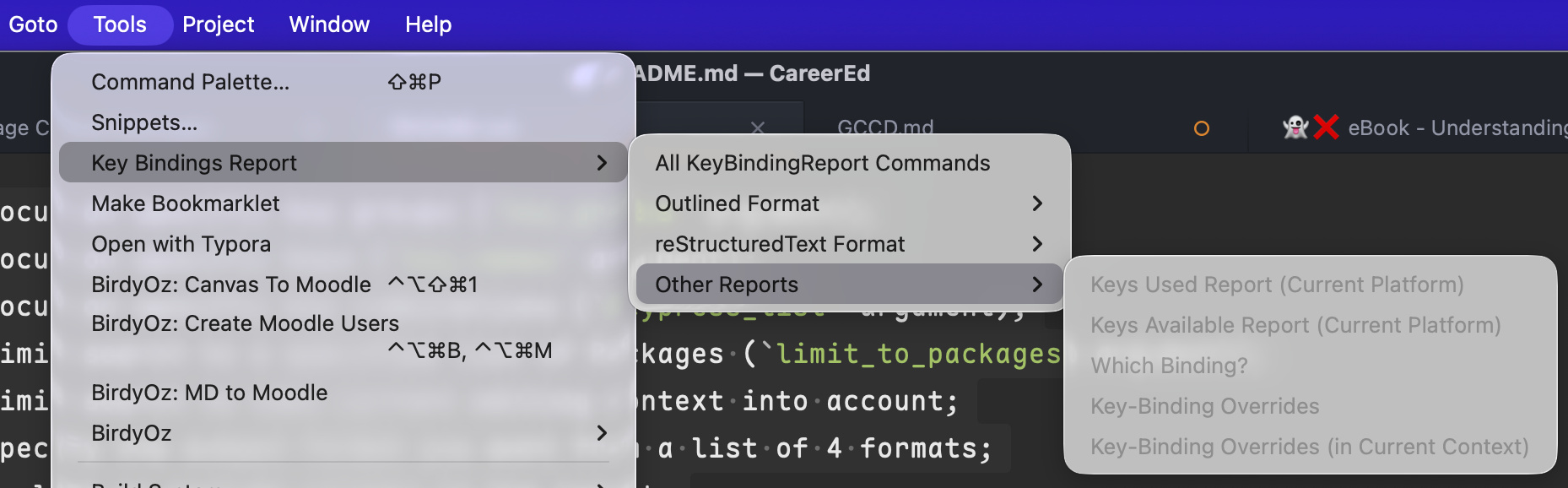
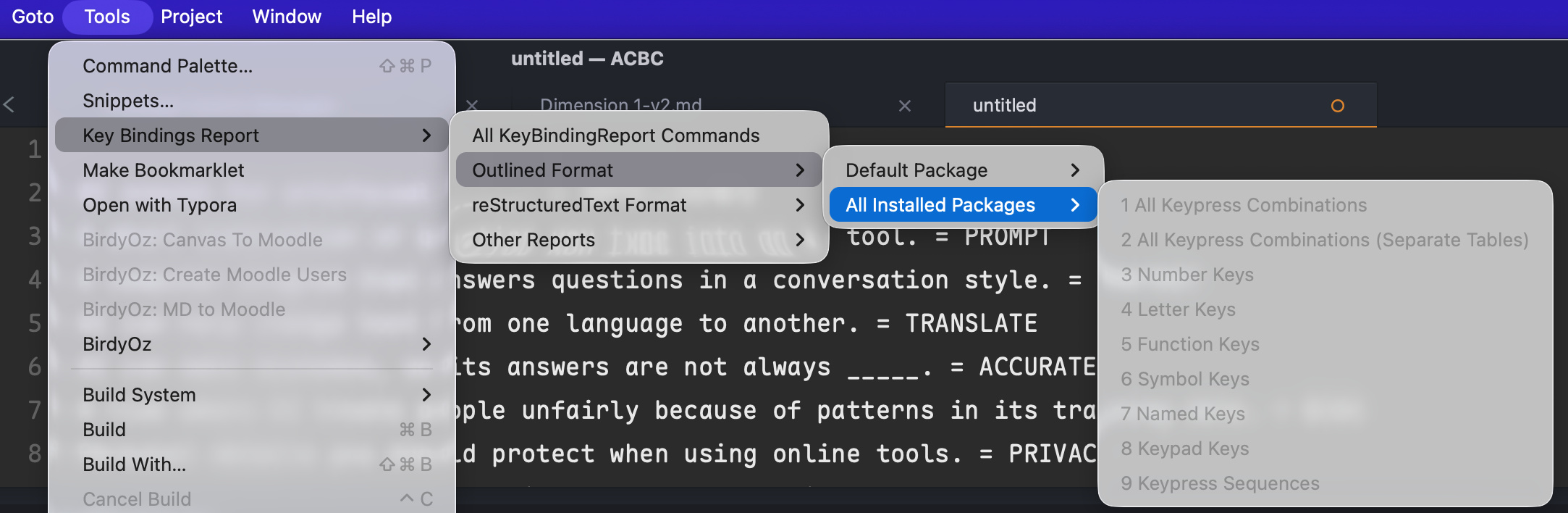
I am unable to run most of your commands as the menu systems are greyed out:
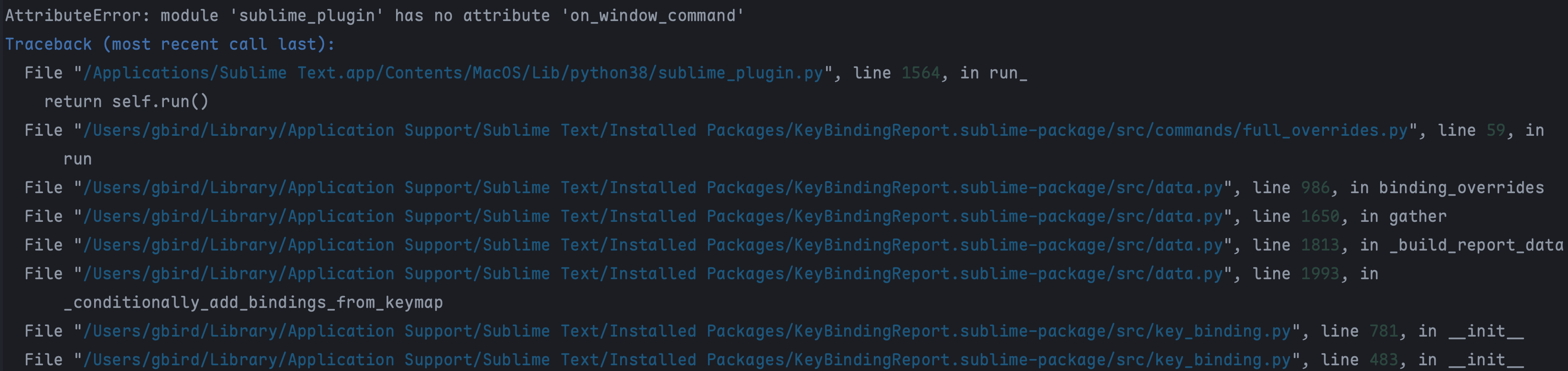
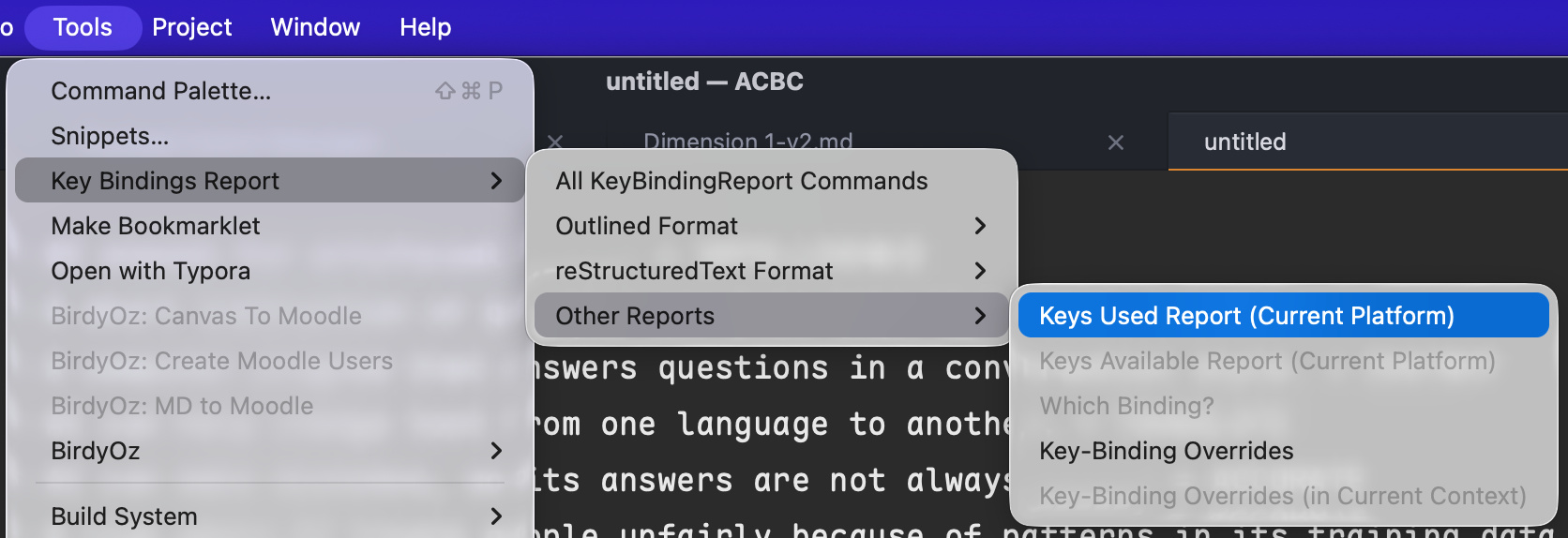
The only ones that are not greyed out do nothing: