Sublime Forum

Sublime Text Completions wrong behavior with hint

#1

Hello everyone.
I’ve working on my auto-complete functions and found strange behavior when I use hint symbol.


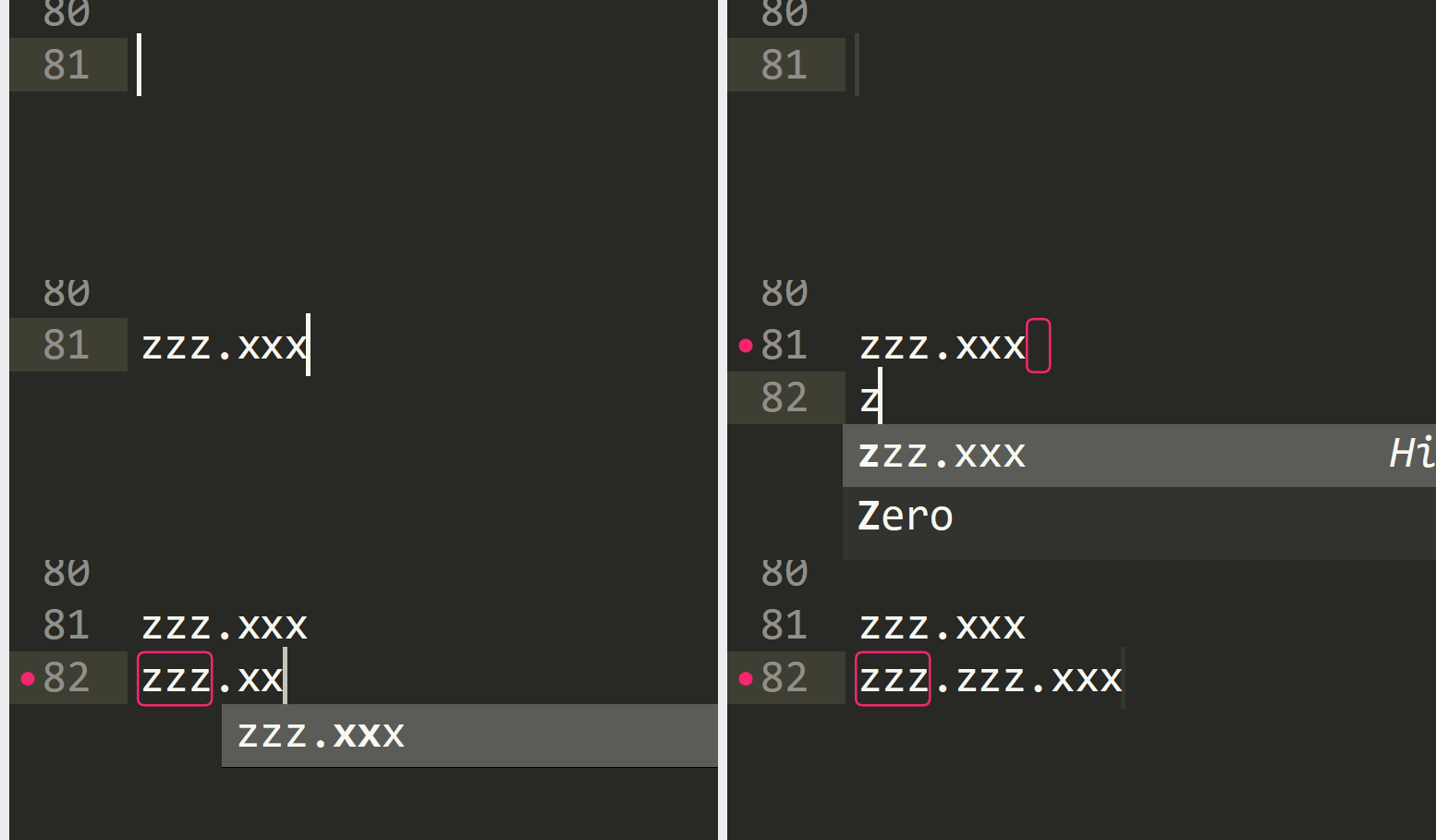
Example 1:
{ "trigger": "zzz.xxx", "contents": "zzz.xxx" },

Behavior:
Click here for picture (I can’t post more than one image)


Example 2:
{ "trigger": "zzz.xxx\tHint", "contents": "zzz.xxx" },

Behavior:
Click here for picture (I can’t post more than one image)


As you can see, when trigger has hint info and stop-symbols and user fills completion on second part, it prints same symbols over it.

Is it a bug or a feature?
Thanks.
0 Likes

#2

Without having tried it any further I’d quickly guess it’s not the hint causing the issue but the fact you don’t completely remove the string in Example situation. If you interrupt writing a word, partially delete it and continue, ST is known to do such things. To verify, just try to completely remove zzz.xxx before trying typing again.

0 Likes

#3

0 Likes

#4

A potential source of trouble is that your completion contains a . character.

There are known issues with completions that uses non-word characters in that they sometimes interfere with Sublime figuring out what part of the prior text is the completion prefix.

1 Like

#5

Everything breaks on hint marker. So that’s weird that this happened

0 Likes