
I got this issue on Sublime text 4 ever since it got updated.
Autocomplete when pressing enter it generates space beside it. Not quite a fan of having space after the attribute.
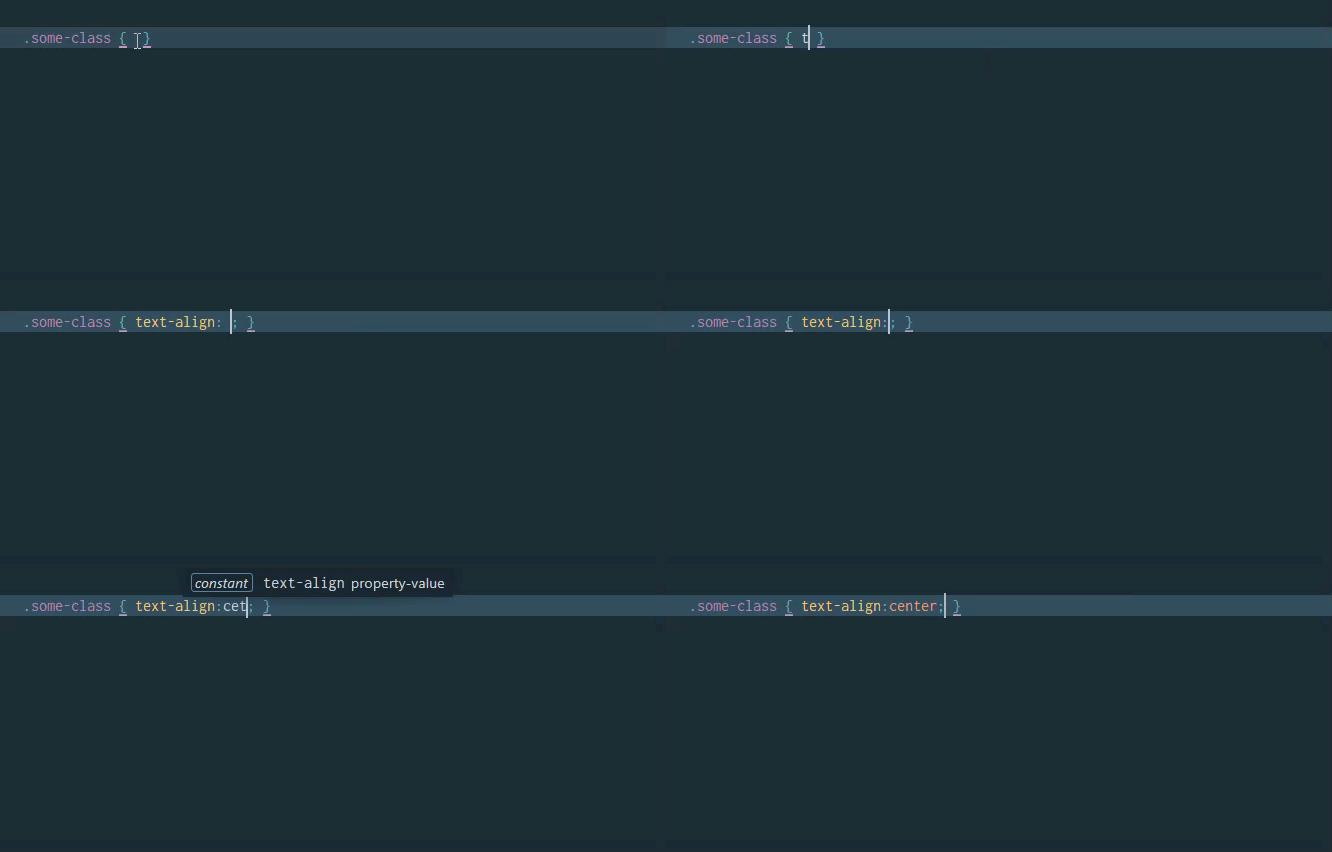
This is what I mean after pressing enter on autocomplete. What I didn’t like is having space generated for me, what I prefer doing is having no space.
I know what it’s just one press away from backspace but typing a lot of code with these can also waste some time as I’m already used to what the old version is doing and my style of code.

Can anyone help me prevent these from happening?
I tried to tinker the settings but no luck.
{
“extensions”:
[
“css”,
“css.erb”,
“css.liquid”,
“scss”,
],
“auto_complete_trailing_spaces”: false,
“trim_automatic_white_space”: false,
“draw_white_space”: false
}