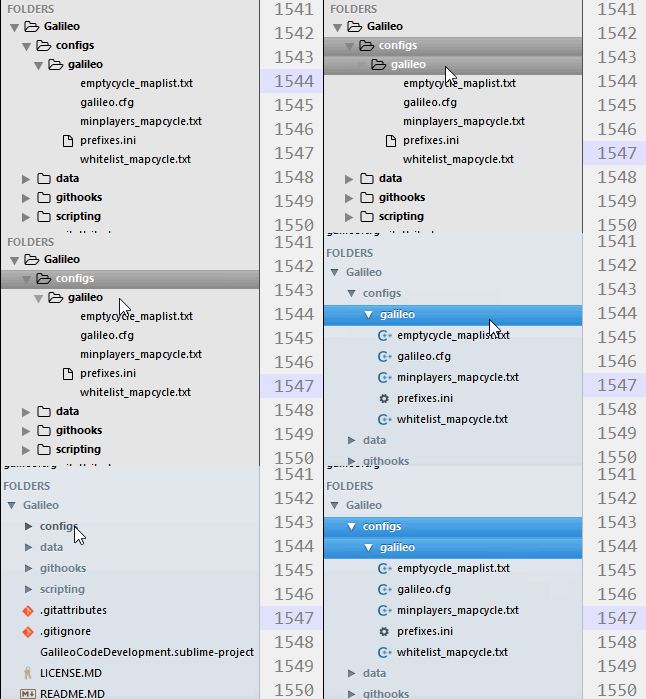
If you take a look at the video screenr.com/NAG7 it shows the folders are opening on the mouse up because of the same effect you are describing. Namely when a file is being clicked on and generates a new “open files” entry it is pushing the folder down to receive the mouse up event.
Do you have the Open Files in Side Bar option enabled also?
If you are using the Open Files in Side Bar option:
One work around, albeit long winded, that I have noticed is that if you:
- mouse down on the file
- while keeping the mouse down, move your mouse vertically away from the folder
- mouse up
Another work around might be to disable the “View: Toggle Open Files in Side Bar” option.