Sublime Forum

Space between paragraphs for plain text file editing

#1

I fully understand that Sublime Text is intended to be a code editor. However, I’ve become so comfortable with it that I use it for other things as well.

Sometimes I use it to edit plain text files (.txt extension on Windows), and it would be ideal if there was just this one extra feature to make text files easier to read and edit.

That is the ability to add spacial separation between paragraphs. This would be especially useful in distraction free mode.

I get that what I’m asking for here might appear to border on word processing, but, keep in mind that I am not proposing that spacing options, or any kind of visual formatting, be saved to the file. I want to keep .txt files entirely untouched by formatting. I am only talking about how the .txt file appears in Sublime Text as I am editing it.

Anyway, if there were a plugin that could enable this, or any other way, then Sublime Text would be pretty much perfect for me needs.

Thanks for reading, and I hope an option like this will be considered.
0 Likes

#2

A plain text file only contains newlines. An empty line is the only way to distinguish a normal linebreak from a new paragraph, isn’t it?

0 Likes

#3

What I would like to be able to do is enable a display option within Sublime text to make a text file more readable, without embedding extra lines into the file itself.

It’s no different than having the option to increase or decrease line height, except it acts on a paragraph level.

0 Likes

#4

And my point is just, that there’s nothing the editor could use to distinct a line-break from a pragraph-break.

The only option, I’d see would be to highlight auto-wrapped lines with different line hights. But assuming a paragraph only consisting of a single real line, which is just auto-wrapped, is probably not sufficient.

0 Likes

#5

Maybe write a plugin to show block phantoms at paragraph boundaries for some visual gap?

0 Likes

#6

In a plain text file, how are you defining the difference between a line break and a paragraph break? Or are you treating them as the same, and just seeking to increase the vertical whitespace?

eg. Are you asking that the vertical whitespace between linebreaks be increased, so that a single line break (\n) visually appears as if it is a double line break (\n\n) - ie paragraph break?

0 Likes

#7

At grave risk of being flagged again as OT I can explain how I ditched the “text” tag. But don’t blame me if it is disruptive or displeases some. I’m using it daily and would like to swap notes. But today it is Ubuntu, not yet Windows.

0 Likes

#8

Innovation deleted because it is viewed as OT. Sorry.

0 Likes

#9

This is totally off-topic!

0 Likes

#10

Reason for edit: to trim back on sking off-piste … but this is what I read …
Quote: “I get that what I’m asking for here might appear to border on word processing”

0 Likes

#11

Well, this quickly descended into a fever dream

1 Like

#12

Thanks for considering my request, and apologies for any confusion. I understand I might be not using preferred terms, creating confusion between what I mean by a “paragraph” and how that relates to line breaks or other things.

I just realized I can attach images, so hopefully this will clear up what I mean. Hopefully a visual demonstration will be worth a thousand words.

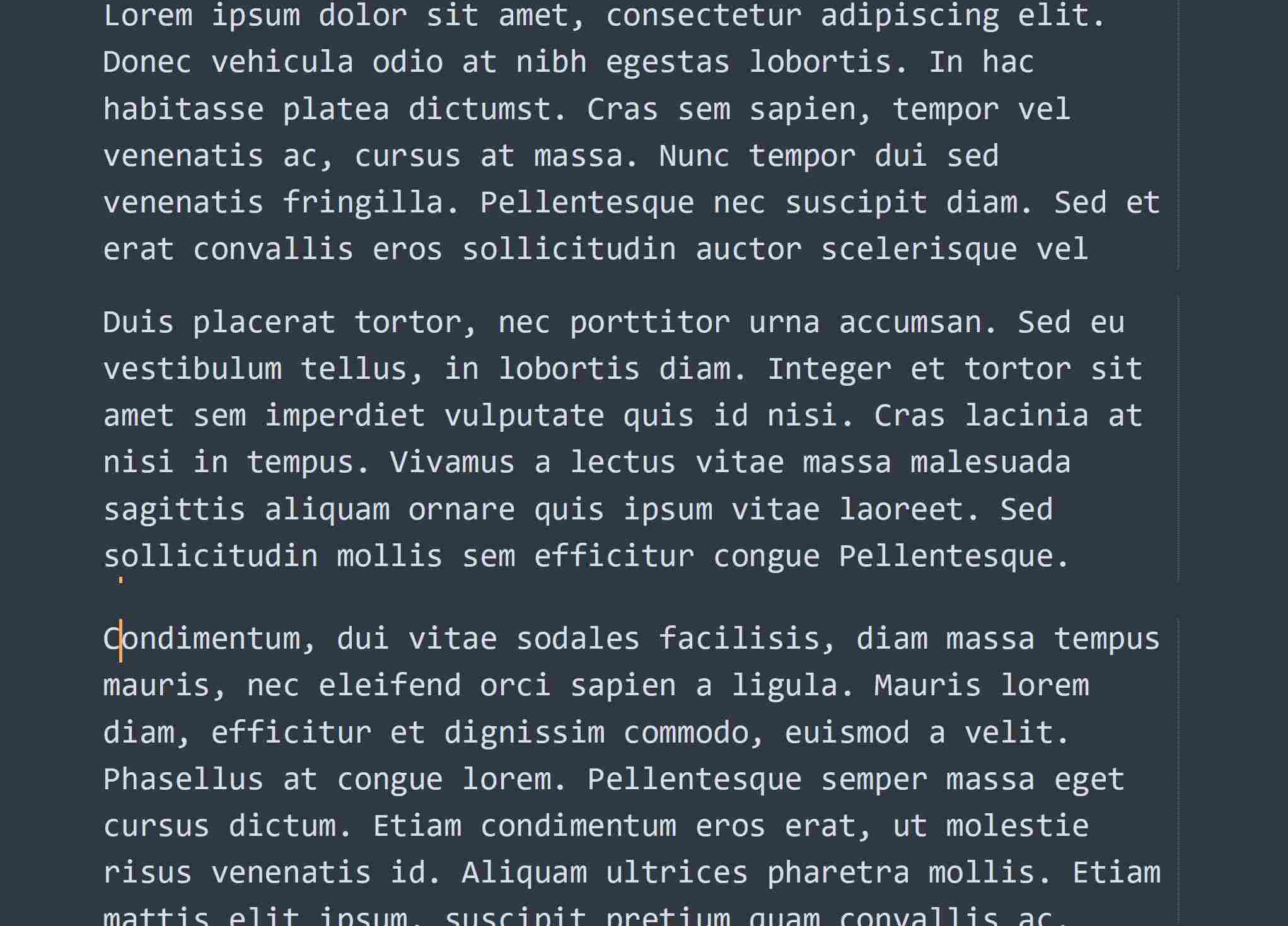
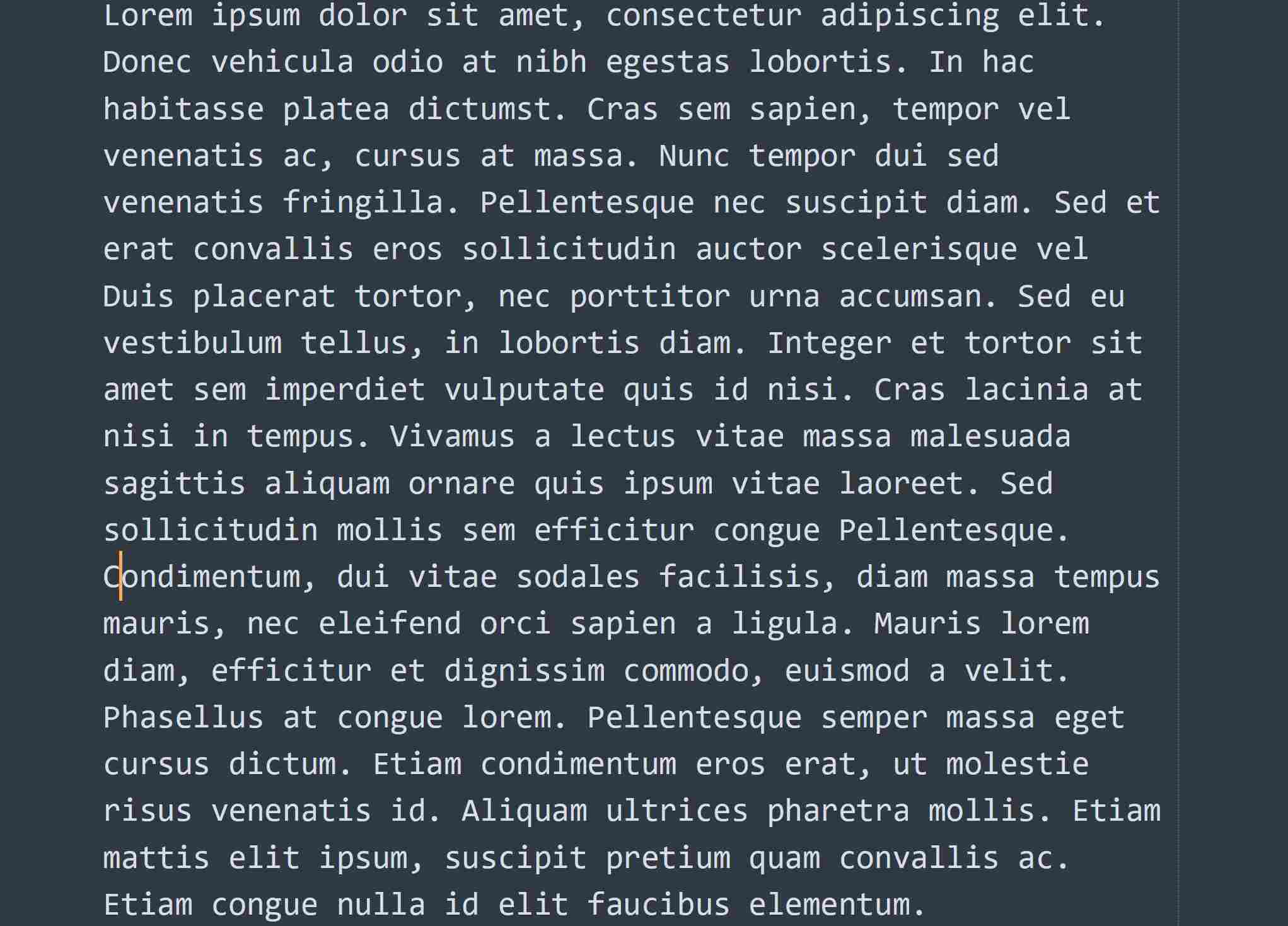
Take a look at this text document, in distraction-free mode:

There are 3 paragraphs there, but where do they begin and end? Who knows.

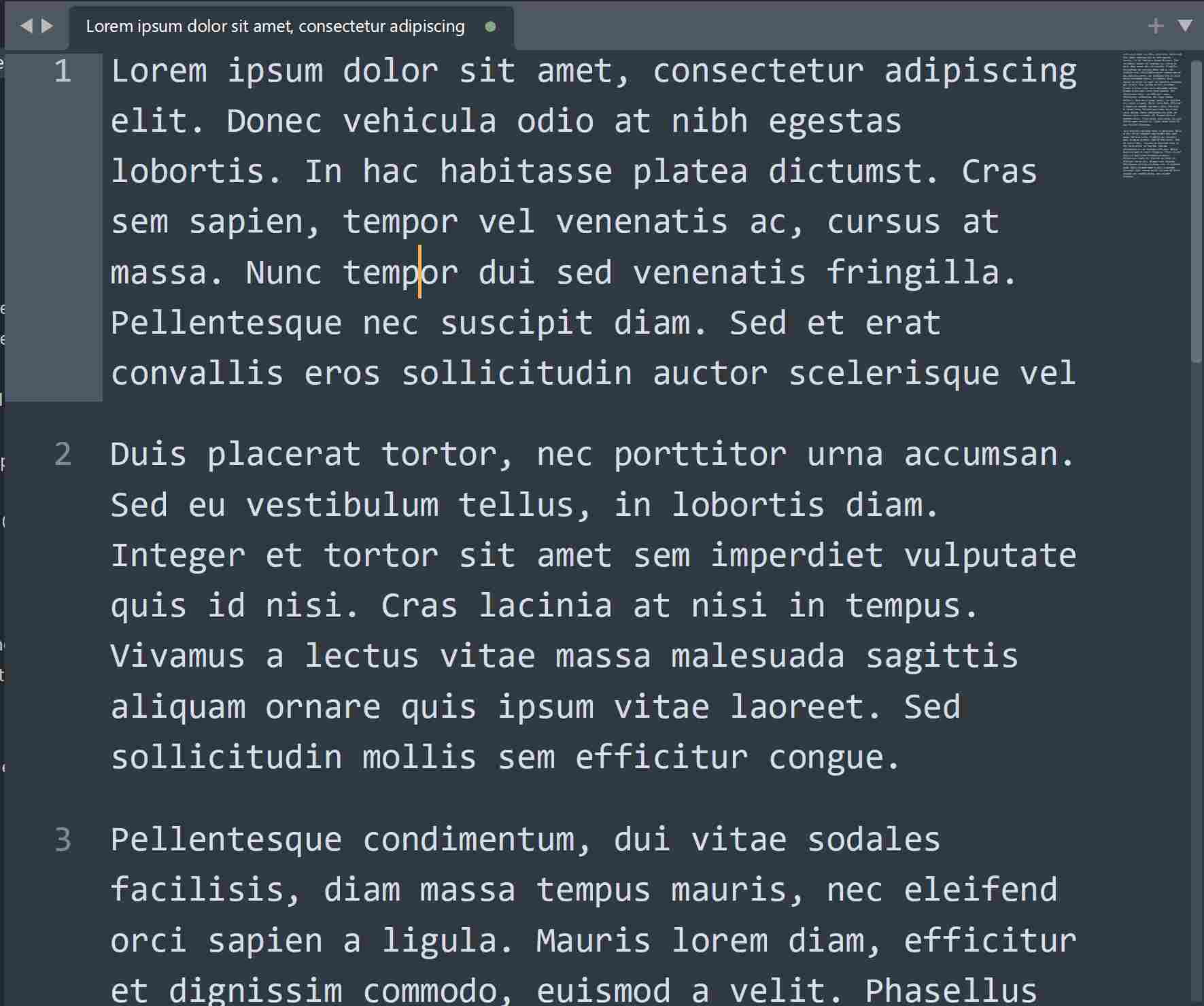
What I want to be able to do is visually separate them, like this:

(I used an image editor to emulate the result.)

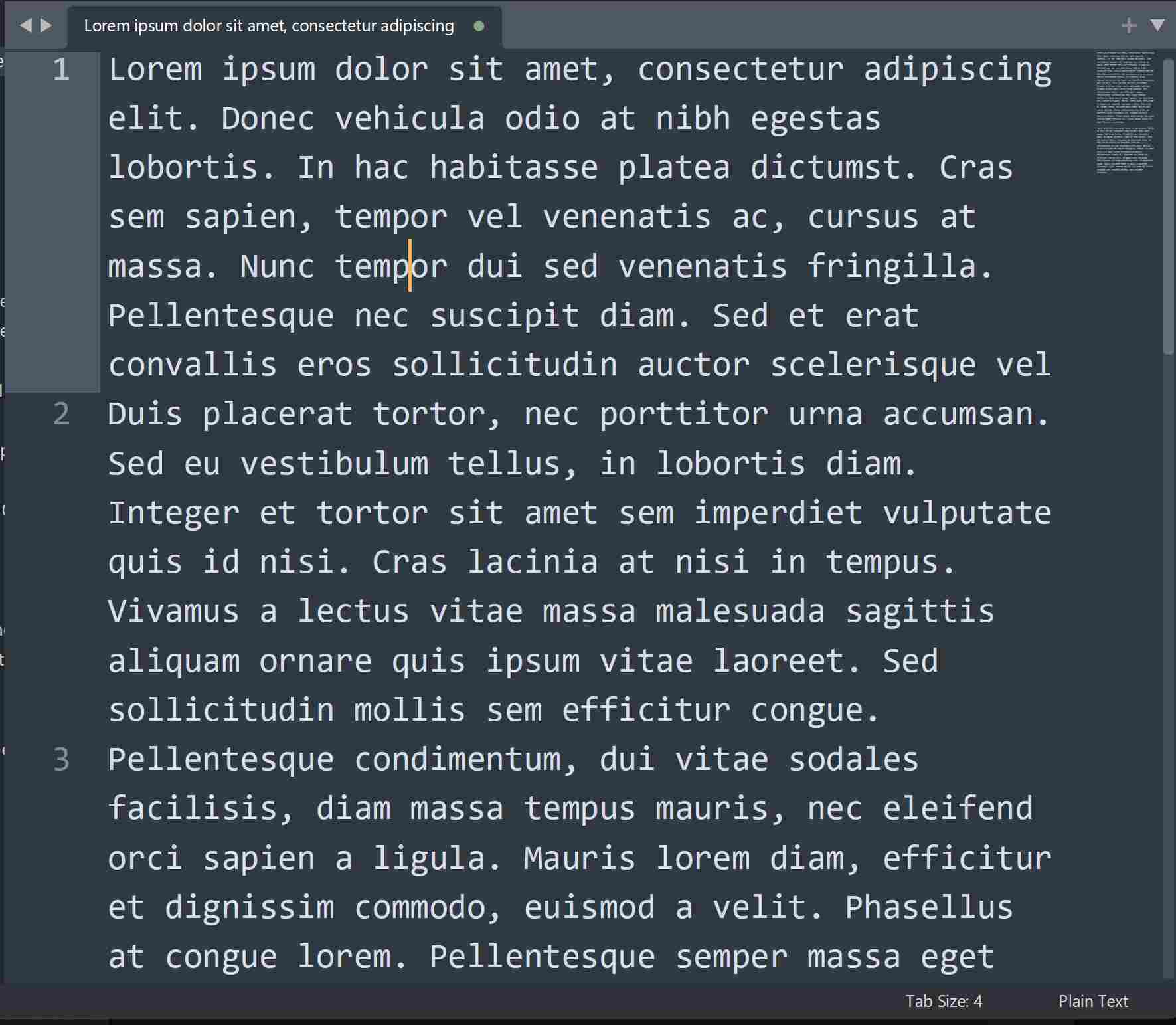
If you look at the same text in regular mode, there are line numbers attached to each paragraph, so Sublime Text does have a way of determining where they begin and end:

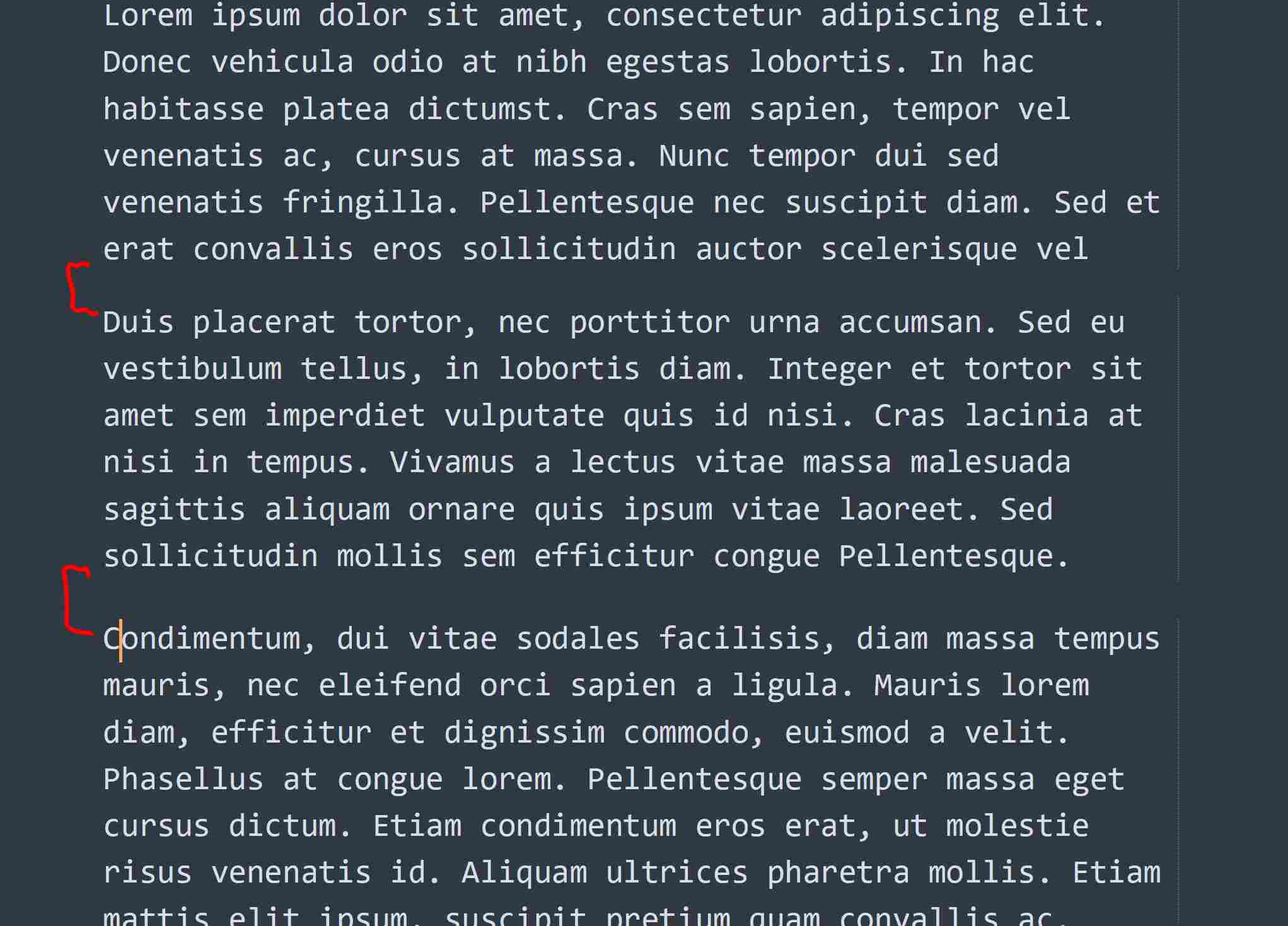
So, what I’m hoping for is a parameter in settings, like “paragraph_spacing” or something, so that I can set a distance between paragraphs, as marked here in red:

In the regular interface, the effect could be like this, though it’s distraction-free mode where this issue is of highest priority for me:

I hope that makes it more clear what kind of setting option I’m hoping for.

0 Likes

#13

davemg, although many do not tune into my thinking what you are describing is “text frames” which is seen in Scribus. What I attempted to explain, but was scolded as being off topic and feverish, is that I create text source within Subl snippets ecosystem then map them to textframes (and indeed image and render frames) within a target Scribus template (*.sla). thus I have a seamless flow from Subl Text window, then Build into Scribus then Publish to whatever medium I choose. I extend this framework (on Ubuntu) by installing Albert (Linux users only) then launch snippets (which can be text but extensions can be changed) to inject into Subl ecosystem. But Windows users will not enjoy that extra step. Again I was flagged earlier for daring to suggest this principle of Dijkstra (younger readers read his works). Building user layer upon layer. Search “Scribus textframes”.


PostScript: Even easier method, strictly Subl methods, avoiding Scribus, suggested by Claude:
Method 1 — Find & Replace for spacing:

Find:    ^(\d+)\.\s
Replace: \n\n$1.\s

Transforms:

1. First block text
2. Second block text

Into:

1. First block text

2. Second block text

This is an “Ideas” thread? Open Thought (OT).

QED

0 Likes

#14

What is called a paragraph by OP, is just a single line of text, which is auto-wrapped by Sublime Text.

Hence one and only “simple” request is to have distinct line heights for hard- and soft-wrapped lines.

ST already supports adjusting line spacing by line_padding_bottom and line_padding_top settings, which apply to all lines.

According to what sublimehq developers stated in other discussions, ST heavily relies on lines being of equal height. Hence I doubt this feature will be implemented anytime soon.

Regardless, I also sometimes feel such distinction being useful.

2 Likes

#15

Thanks for replying.

In most coding circumstances (I do Python as well as HTML/CSS) the kind of paragraph separation I’m talking about wouldn’t really provide any benefit. I understand that’s the perspective from which most feature development for Sublime Text is considered.

However, insofar as Sublime Text is also plain text file editor, I think my first image demonstrates a problem which merits a solution, so hopefully that will be recognized.

But I’m still wondering, Is it not possible to create some kind of plugin without having to wait on core functionality to be changed? Or possibly a Python script of some kind?

I don’t really fully understand how plug ins and extensibility works, but it’s hard for me to imagine a plugin that could achieve this would be impossible for any reason.

0 Likes

#16

You are on Windows, and I am on Ubuntu. In my decades of playing around with various tools where I see others getting stuck asking for “new features” from core team invariably it is often easier to look for workarounds to achieve the same effect. That is you can create a script which grabs the entire text block, do whatever operation you want, and replace (but always having a backup). This philosophy works across combinations of tools, toolchains, and you can build an external tool or one bound to Subl. Think of Subl Text as one blade in a Swiss Army Knife. You need to find other “blades” to use so that you are less dependant on requests for custom features. I write as an octogenarian with much experience in dabbling with companion tools. One tip is to look to CherryTree note editor and make it work in harness with Subl. Two steeds. And if you have CherryTree (.ctd) you can even open .ctd in Subl Text provided that you have XML package installed (.ctd extension is .xml). I use this to great effect. But it might be overkill for you since I do not know your application or your skills. Keep your text notes in different CherryTree nodes and call Subl Text for power work. But CherryTree (free) is equally powerful you will find with CodeBoxes of different syntax/builds to call upon.

0 Likes

#17

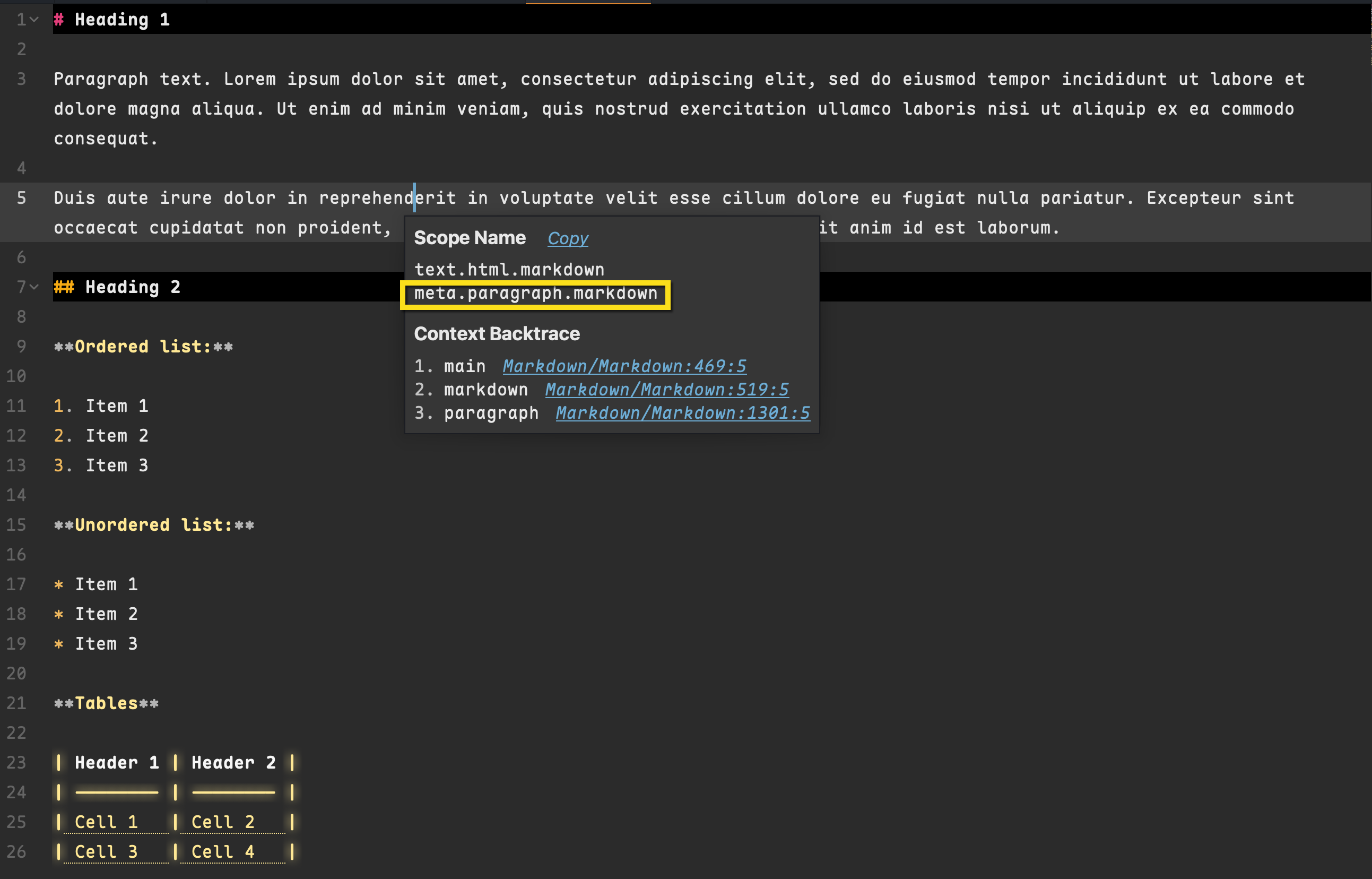
Have you considered transitioning to markdown, rather than plain text? Is there a reason that files must remain as .txt?

Markdown allows you to assign semantic formatting, with very simple to learn syntax. For instance, a paragraph is simply a double line break.

ST recognises MD syntax and assigns scopes. Many ST themes have great MD formatting, so visually differentiate different styling. It makes them very easy to read.

MD is quick to learn, widely used, highly portable and readily converts to other languages and filetypes (html, .doc, .pdf).

0 Likes

#18

I don’t want to commit styling choices to the file. Markdown requires adding special character sequences.

0 Likes

#19

Might be as basic as using these

ctrl+shift+k
ctrl+shift+up arrow
ctrl+shift+down arrow
ctrl+[
ctrl+]

For example the latter can alternate inset of textframes making it easier to discriminate textframes.

And don’t forget pandoc … pandoc input.txt -o output.html

0 Likes

#20

Thanks for offering suggestions.

I’m unable to determine what you mean by “pandoc.”

The other suggestions you offer seem to be about navigating through a file, not how it’s displayed.

0 Likes