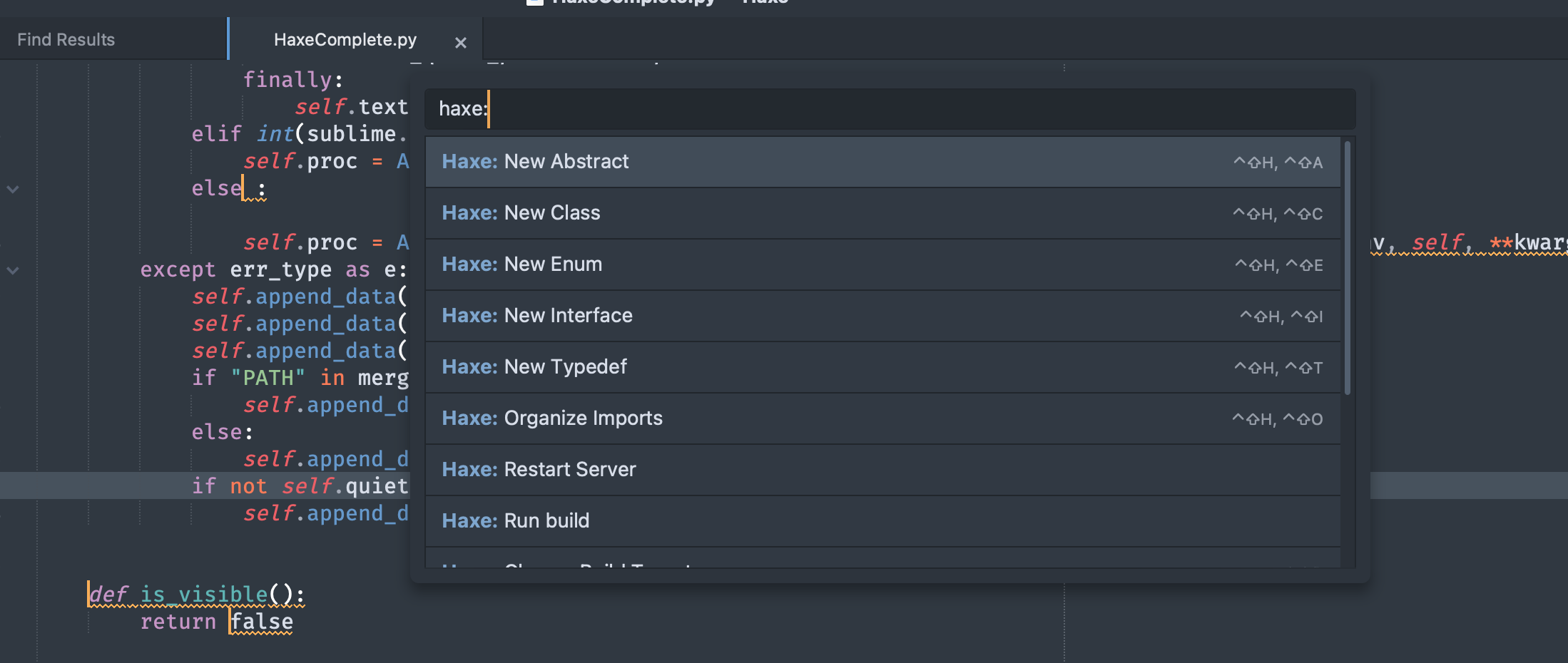
In the previous version (Sublime Text 3) I was able to build the project with those handy commands from the palette (Ctrl+shift+p)
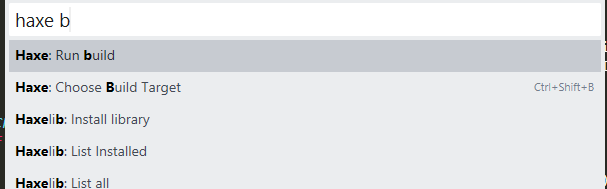
Today I upgraded to Sublime Text 4 and those commands are gone, can’t find them anywhere.
Help please

In the previous version (Sublime Text 3) I was able to build the project with those handy commands from the palette (Ctrl+shift+p)
Today I upgraded to Sublime Text 4 and those commands are gone, can’t find them anywhere.
Help please
Those aren’t there by default, do you have a package providing those? If so it would be good to find out which one so that we can ensure backwards compatibility. Perhaps there’s an error in the console?
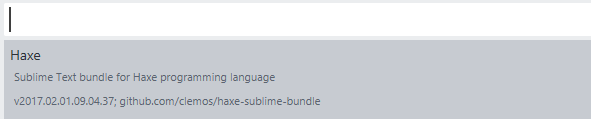
I have only the Haxe package, here it is:
In ST3 I was able to build the project without having build.hxml file, now in ST4 the only command seems to require that file
I’ve tried to re-install ST3 and the haxe commands are available again.
I’d like to update to ST4 but the missing commands are a dealbreaker for me, it’s enough to signal the problem here or there is another way to reach out to the devs?
It’s broken because it uses modules from the Default package:
Traceback (most recent call last):
  File "/Applications/Sublime Text.app/Contents/MacOS/Lib/python33/sublime_plugin.py", line 308, in reload_plugin
    m = importlib.import_module(modulename)
  File "./python3.3/importlib/__init__.py", line 90, in import_module
  File "<frozen importlib._bootstrap>", line 1584, in _gcd_import
  File "<frozen importlib._bootstrap>", line 1565, in _find_and_load
  File "<frozen importlib._bootstrap>", line 1532, in _find_and_load_unlocked
  File "<frozen importlib._bootstrap>", line 584, in _check_name_wrapper
  File "<frozen importlib._bootstrap>", line 1022, in load_module
  File "<frozen importlib._bootstrap>", line 1003, in load_module
  File "<frozen importlib._bootstrap>", line 560, in module_for_loader_wrapper
  File "<frozen importlib._bootstrap>", line 868, in _load_module
  File "<frozen importlib._bootstrap>", line 313, in _call_with_frames_removed
  File "/Users/raoulwols/Library/Application Support/Sublime Text 3/Packages/Haxe/HaxeComplete.py", line 36, in <module>
    from .features import *
  File "/Users/raoulwols/Library/Application Support/Sublime Text 3/Packages/Haxe/features/__init__.py", line 4, in <module>
    from .haxe_restart_server import HaxeRestartServer
  File "/Users/raoulwols/Library/Application Support/Sublime Text 3/Packages/Haxe/features/haxe_restart_server.py", line 5, in <module>
    from .haxe_helper import HaxeComplete_inst
  File "/Users/raoulwols/Library/Application Support/Sublime Text 3/Packages/Haxe/features/haxe_helper.py", line 62, in <module>
    stexec = getattr( Default , "exec" )
AttributeError: 'module' object has no attribute 'exec'
The Default package is now running in the Python 3.8 host, while the Haxe package is running in the Python 3.3 host.
I think the problem can be fixed simply by adding a .python-version file in the package with contents 3.8.
Actually no, now there’s a class missing
Traceback (most recent call last):
  File "/Applications/Sublime Text.app/Contents/MacOS/Lib/python38/sublime_plugin.py", line 312, in reload_plugin
    m = importlib.import_module(modulename)
  File "./python3.8/importlib/__init__.py", line 127, in import_module
  File "<frozen importlib._bootstrap>", line 1014, in _gcd_import
  File "<frozen importlib._bootstrap>", line 991, in _find_and_load
  File "<frozen importlib._bootstrap>", line 975, in _find_and_load_unlocked
  File "<frozen importlib._bootstrap>", line 671, in _load_unlocked
  File "<frozen importlib._bootstrap_external>", line 808, in exec_module
  File "<frozen importlib._bootstrap>", line 219, in _call_with_frames_removed
  File "/Users/raoulwols/Library/Application Support/Sublime Text 3/Packages/Haxe/HaxeComplete.py", line 76, in <module>
    from xml.etree.ElementTree import XMLTreeBuilder
ImportError: cannot import name 'XMLTreeBuilder' from 'xml.etree.ElementTree' (/Applications/Sublime Text.app/Contents/MacOS/Lib/python3.8.zip/xml/etree/ElementTree.pyc)
Importing it as
from xml.etree.ElementTree import TreeBuilder as XMLTreeBuilder
makes it run at least. Not sure if there’s anything broken with respect to running the commands.
The following git diff makes it work. Feel free to make a pull request at their repo
diff --git a/.python-version b/.python-version
new file mode 100644
index 0000000..cc1923a
--- /dev/null
+++ b/.python-version
@@ -0,0 +1 @@
+3.8
diff --git a/HaxeComplete.py b/HaxeComplete.py
index b7fd051..5323682 100644
--- a/HaxeComplete.py
+++ b/HaxeComplete.py
@@ -73,7 +73,7 @@ except (AttributeError):
 # For parsing xml

 from xml.etree import ElementTree
-from xml.etree.ElementTree import XMLTreeBuilder
+from xml.etree.ElementTree import TreeBuilder as XMLTreeBuilder

 try :
     from elementtree import SimpleXMLTreeBuilder # part of your codebase
By the way, there’s also a language server for Haxe https://github.com/vshaxe/haxe-language-server
thanks, I didn’t know about that one.
So it’s a problem regarding the package not ST itself