Sublime Forum

[SOLVED] New Version of Package Not Appearing For Install/Update

#1

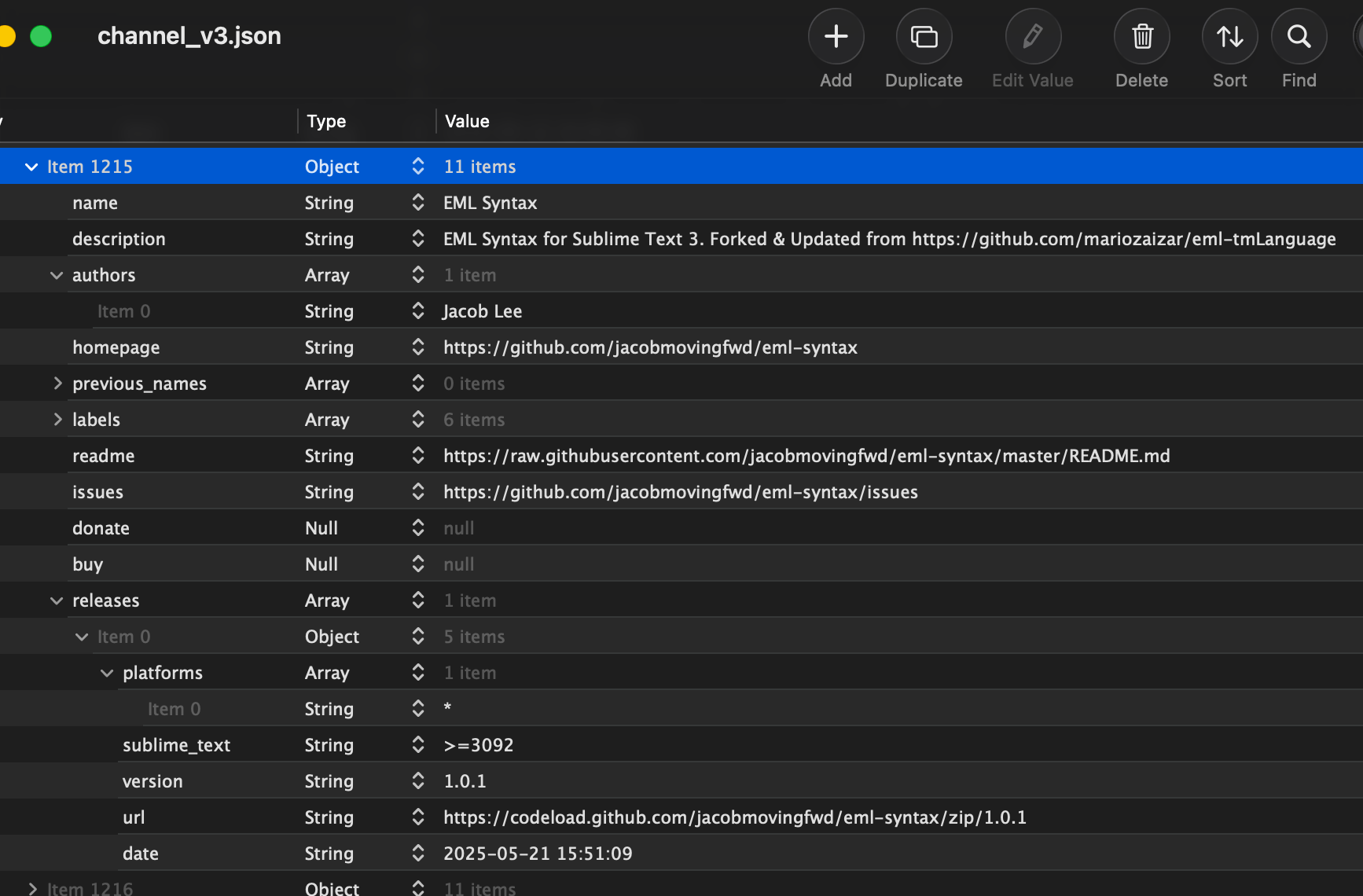
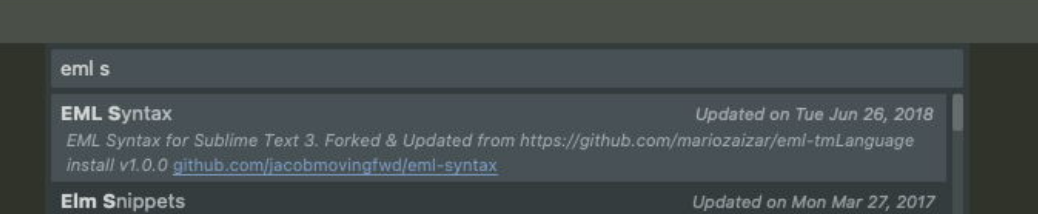
I updated the Github repo yesterday with a new tag. I can see the new tag on the Package Control website. I can also see the new tag appearing in the version field in the channel_v3.json blob. However, in Sublime Text itself, when using Package Control to install, the version shown there is the old version. For some reason the Sublime Text itself is not picking up the new version for install/update. I have checked two different installs of ST and both exhibit the same problem.

Repo:

Package Control Page:
https://packagecontrol.io/packages/EML%20Syntax

channel_v3.json Entry:
Package Control Entry in ST:
0 Likes

#2

Any errors in your ST console? (View menu -> Show Console)
Maybe you have an old version of the Package Control client plugin? (It may struggle to upgrade itself in some circumstances)

0 Likes

#3

There are no errors in ST console. The Package Control version is 4.2.2.

Can you do me a favor and look at your own package control entry for EML Syntax and tell me if you’re seeing 1.0.1 or is yours also still 1.0.0?

0 Likes

#4

Disregard. There must be some timing issue. Maybe it takes 24 hours for the update to propagate? I can see 1.0.1 available now.

Thanks for the reply @kingkeith

0 Likes

#5

There is work being done on a new crawler which should detect new versions in a timely manner:

1 Like