Sublime Forum

[SOLVED] Code highlighting and incorrect file recognition

#1

Hi,

First of thanks for the amazing IDE :slightly_smiling:

I have been using Sublime for the past few months (for PHP development using Laravel) and just today something rather strange happened. The syntax highlighting is broken and the PHP file icons are showing as R.

Please see screenshots below:
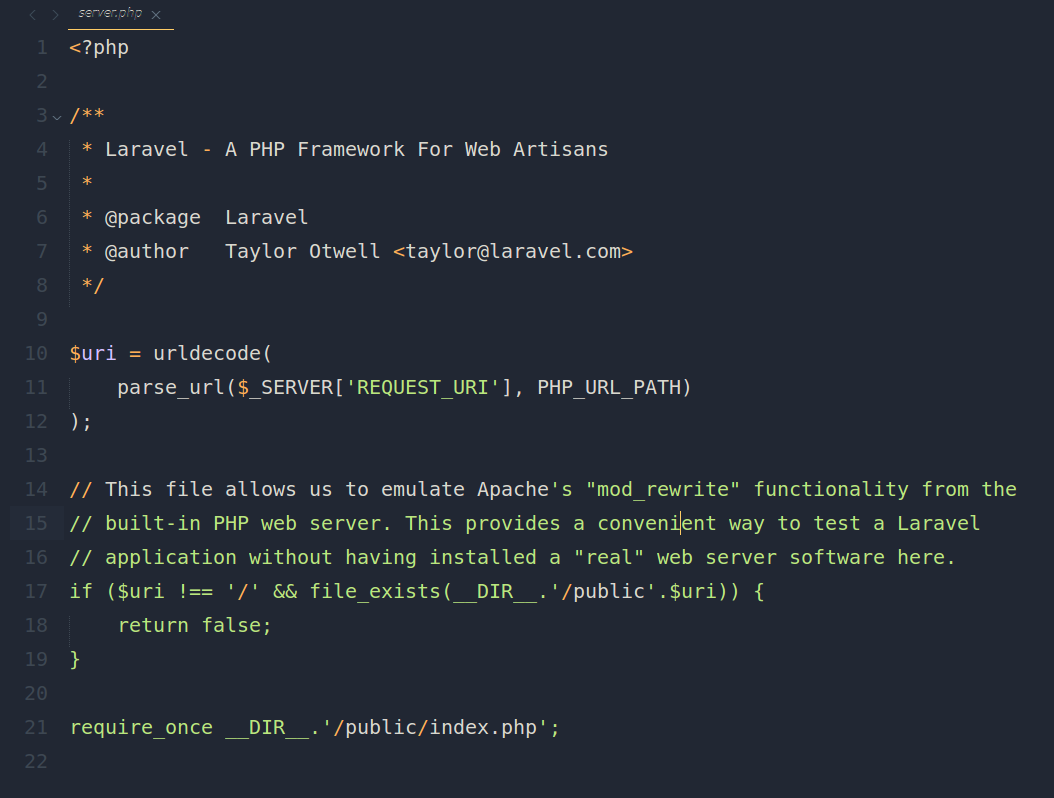
I am not sure what happened, but I am unable to fix it. Any ideas would be a great help. Thanks!

– sobers_2002
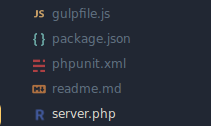
0 Likes

#2

2nd image separately posted due to 1 image per post limit

0 Likes

#3

Okay, solved it.

For some reason there was file

R.sublime-settings

in Packages/User folder, which had extension .php associated with it.

I removed it and things are back to normal.

Strange that this file was present. I don’t remember doing anything which could’ve caused it.

If anyone knows, please let me know!

Thanks,
– sobers_2002

0 Likes

#4

One way to get something like that to happen is to pick View > Syntax > Open all with current extension as... from the menu, so you may have accidentally done that.

0 Likes

#5

Thanks for your feedback OdatNurd.

I didn’t know about this so thanks for letting me know :slightly_smiling:

While I don’t think I did this, it’s definitely good to know!

– sobers_2002

0 Likes