Hi there - a new sublime text user.
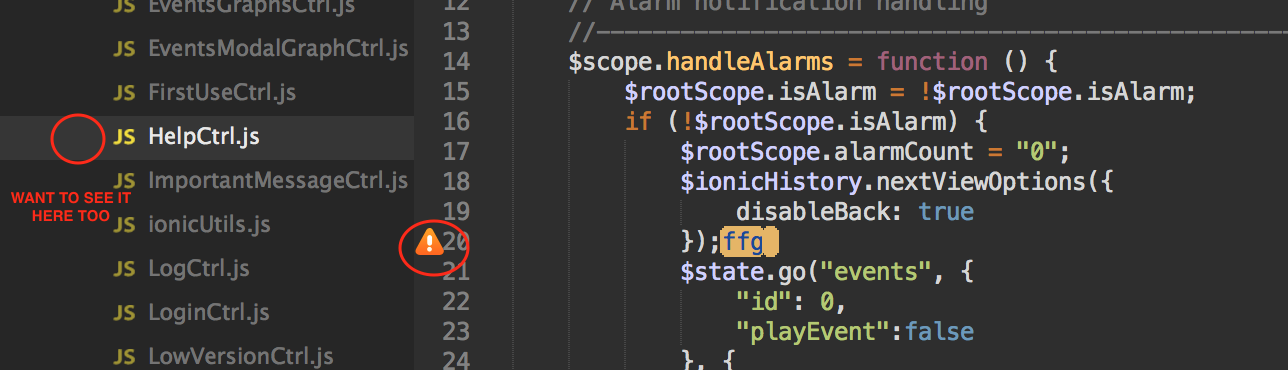
I am using sublime linter with JSHint and it is set in background mode. Is it possible to see JSHint errors next to the sidebar as well? The problem I am facing right now is that while the icons are super useful when I am viewing that particular file, its common I move to another file and then I don’t get to see a very visible icon that some other file in my project as a JSHint problem.
I’ve just switched from brackets that has a very convenient way to quickly show all my files in my project that have a JSHint problem.
So is it possible to get something similar in Sublime that visually tells me some file has a problem (even if I’m not viewing it right now). One option is to simply show the error icon next to the file in Sidebar like so: