Hi guys,
I’ve asked the same question in sublimetext.userecho.com/topic/1 … m-sidebar/ but with no luck.
So, I decide to start a thread in here.
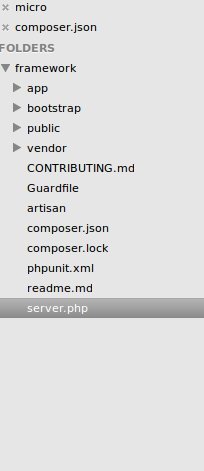
Is there any shortcut to delete a file from project in sidebar?
Thanks,
Jesse

Hi guys,
I’ve asked the same question in sublimetext.userecho.com/topic/1 … m-sidebar/ but with no luck.
So, I decide to start a thread in here.
Is there any shortcut to delete a file from project in sidebar?
Thanks,
Jesse
You need to install SideBarEnhancements package.
You can deleate files when you right-click on a file and choose Delete in the context menu or from a command palette to delete currently opened file.
Just to be clear, you can’t remove a file from a project, you can only remove a folder.
You can delete a file entirely, but that removes it from your disk.
[code]“file_exclude_patterns”:
			"mimizu/nothing.file"
		],
[/code]
AFIK, allows to remove files, SideBarEnhancements has right click -> Project -> Exclude from project. Which under windows works, wait, what I’m doing posting here…