
I started with Subl in September 2024.
I renewed a few days ago.
But still cannot access licence after invoice received confirming purchase.
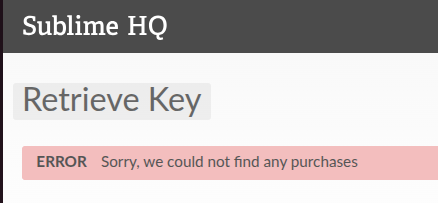
How to ginger up sales system? I have emailed.
Retrieve new licence after payment acknowledged
1 Like
bschaaf
#2
I can see your purchase form 2024, but I don’t see anything more recent. If you haven’t already, please email our support with the email address you used to make the purchase: sales@sublimetext.com.
0 Likes
I am lost in a sea of licence codes
Been there and done it. I have sent another reminder to sales.
Finally resolved, received license, found it pasted as one line into form, failed, created manually License.sublime_license, in .config/sublime-text/Local, had to remove word wrap, showed license as one line, manually inserted line breaks, submitted and it got through. This on Ubuntu. Another year. Must remember this malarkey.
0 Likes
bschaaf
#4
Note that since you’re on a business subscription you don’t get a new license key when the subscription renews, you can keep using the key issues in 2024 as long as the subscription is active.
0 Likes
I don’t know why this below was flagged so being the OP I will raise it out of the “flagged” can … as I have experienced. This is a flag free zone.
If the payment and invoice are confirmed, this is probably an order/licensing system issue rather than anything on your end. Check spam/junk, try the license-key retrieval option, and if that fails, contact Sublime’s sales/support team with your order number and purchase email. They’re the only ones who can fix the license record.
In fact the root cause was that I had overlooked that I changed email address since I was earlier using a mail forwarding through a domain which was fickle at times. So my fault in forgetting that change. But the act of pasting is still valid. Licence content in fact is unchanged I learn today. Much to do about nothing. … “for want of a horseshoe nail the kingdom was lost”. Benjamin Franklin. Tiny events can screw up…
0 Likes