Is there a way to help me remove these excess numbers from the end, highlighted in the red box? I have over 400 lines, and would prefer not to do them manually. I just need the first four “x.xxx”
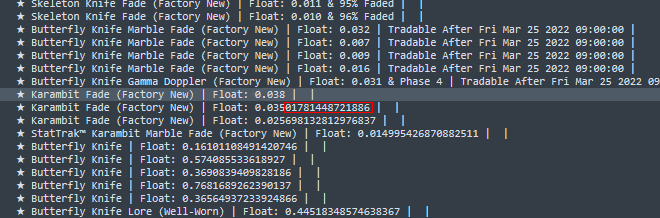

Is there a way to help me remove these excess numbers from the end, highlighted in the red box? I have over 400 lines, and would prefer not to do them manually. I just need the first four “x.xxx”
You can use the Find & Replace panel to do it. Open the panel using Find -> Replace ... from the main menu. Then
Find input, enter Float: (\d\.\d{3})(\d*)
Replace input, enter Float: $1
Click Replace All.