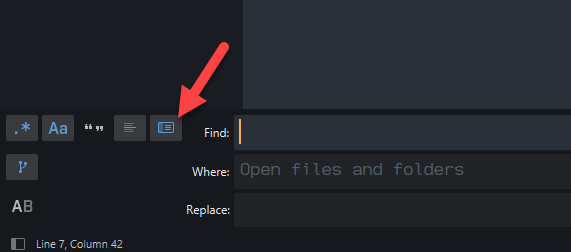
Am trying to get regex to work in find in files. Having finally got it to work, instead of bringing up a new tab with a list of all the matches, it displays the matches in the same panel, ie the dialog box of the find in files function.
Interestingly if the regex doesn’t work the behaviour is as expected (ie new tab with “0 matches found …” etc)
Here as some screen shots:
Here I’m searching for small_texture and imagePs, (there’s a match in Mandelbrot_Resourcer.cpp, line 179)
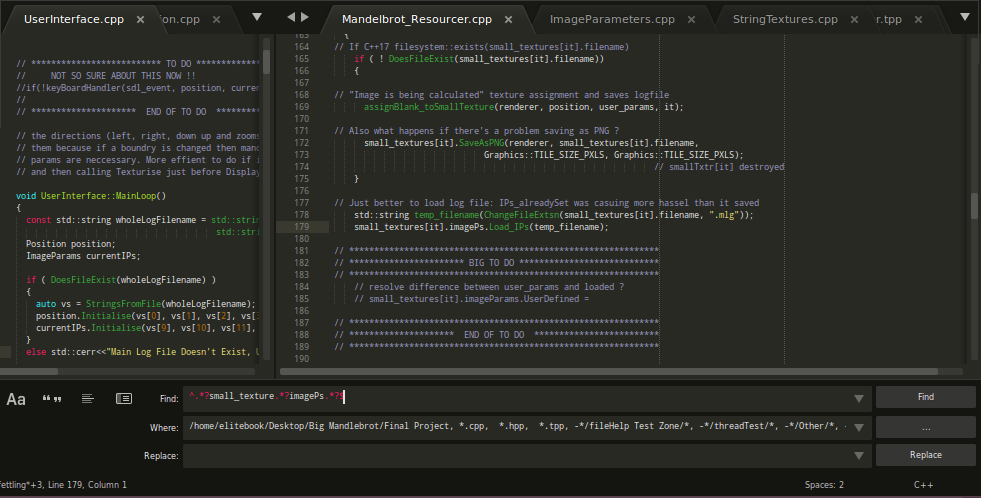
As you can see the find results are at the bottom of the screen !
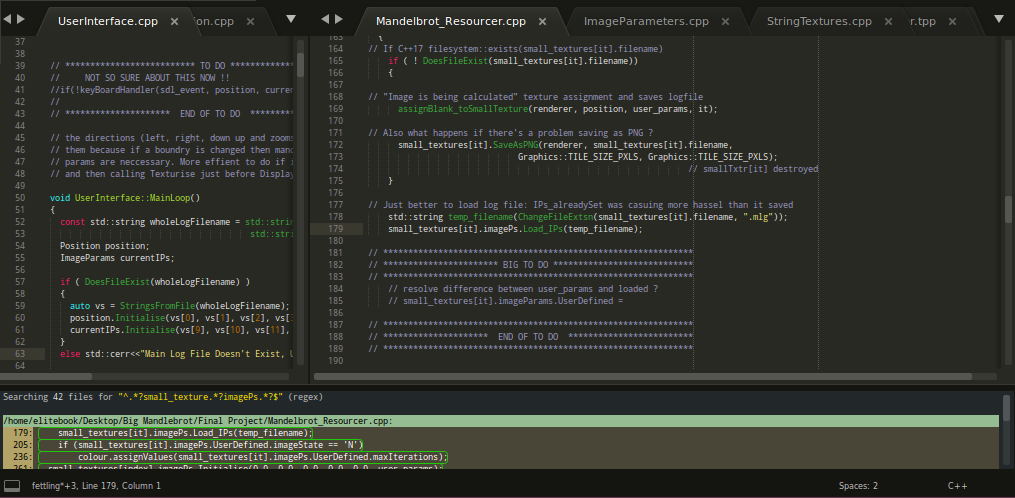
If I use regex, then all subsequent finds appear in the wrong dialog box. If I quit ST3, I still can’t use find in files. Am gonna turn on and off again, but obvs then won’t be able to continue writing this, so am gonna post now…
ATB 

Ps “Find in Files is now broken”, even after turning my machine on and off, Find in Files now doesn’t bring up the search in a new tab anymore. SIGH.
I know newly installed state…
Pps Before newly installed state
(I want to avoid, as I’m trying to do some work and it’s extra work as I can’t quite remember how to do it off the top of my head)
there is some good news it’s only in that current project, in the other projects Find in Files works as expected, I wonder if I can hunt through the workspace file an find something…