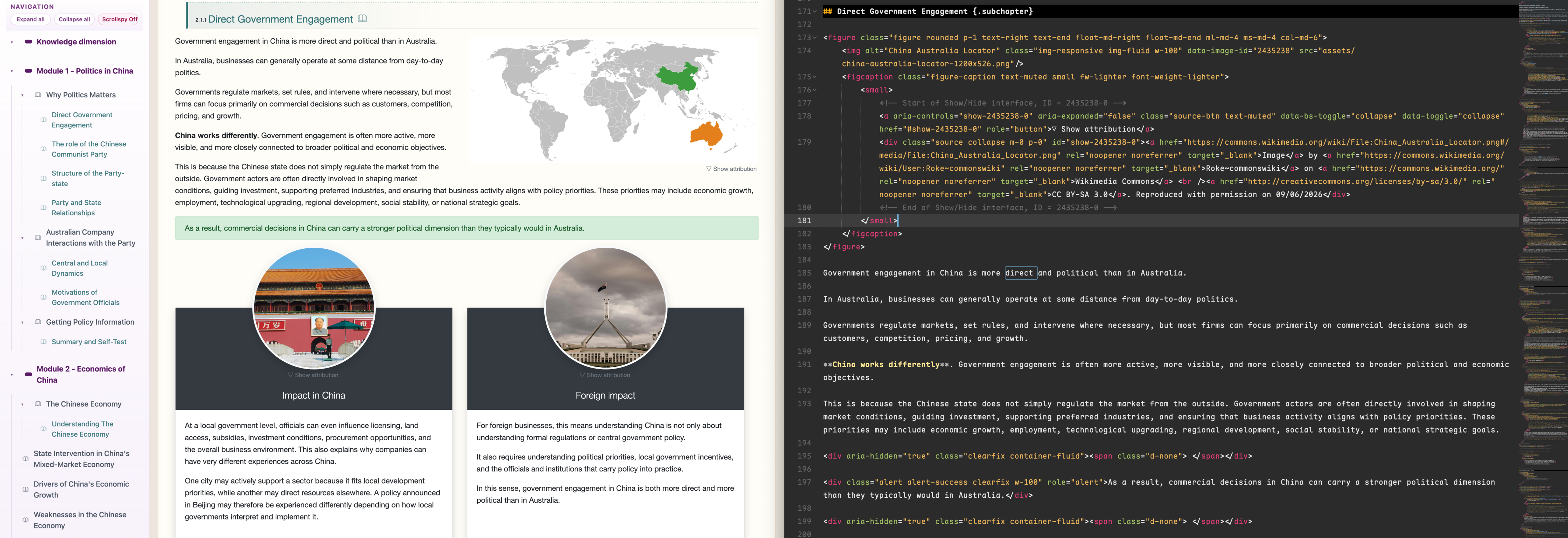
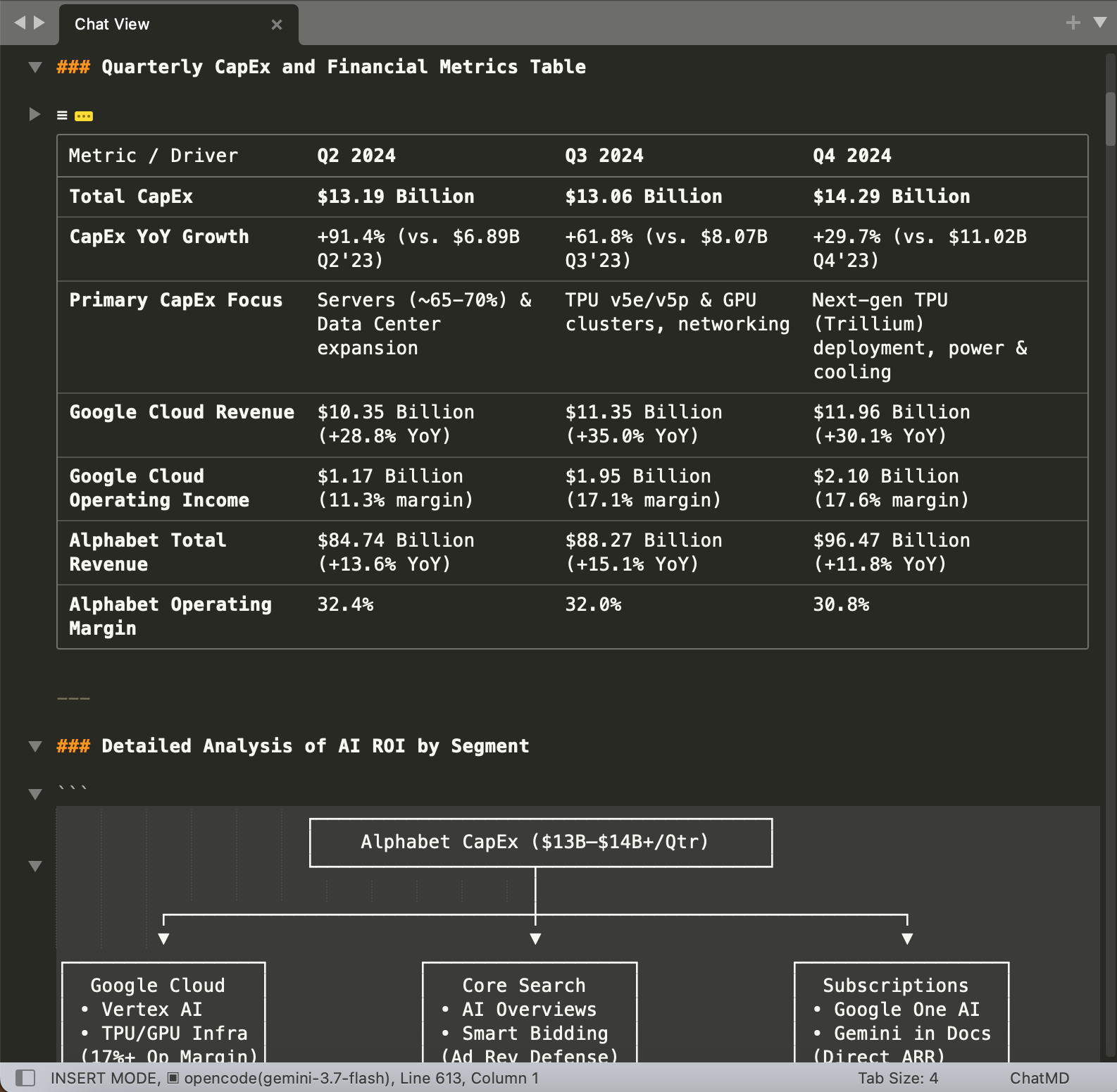
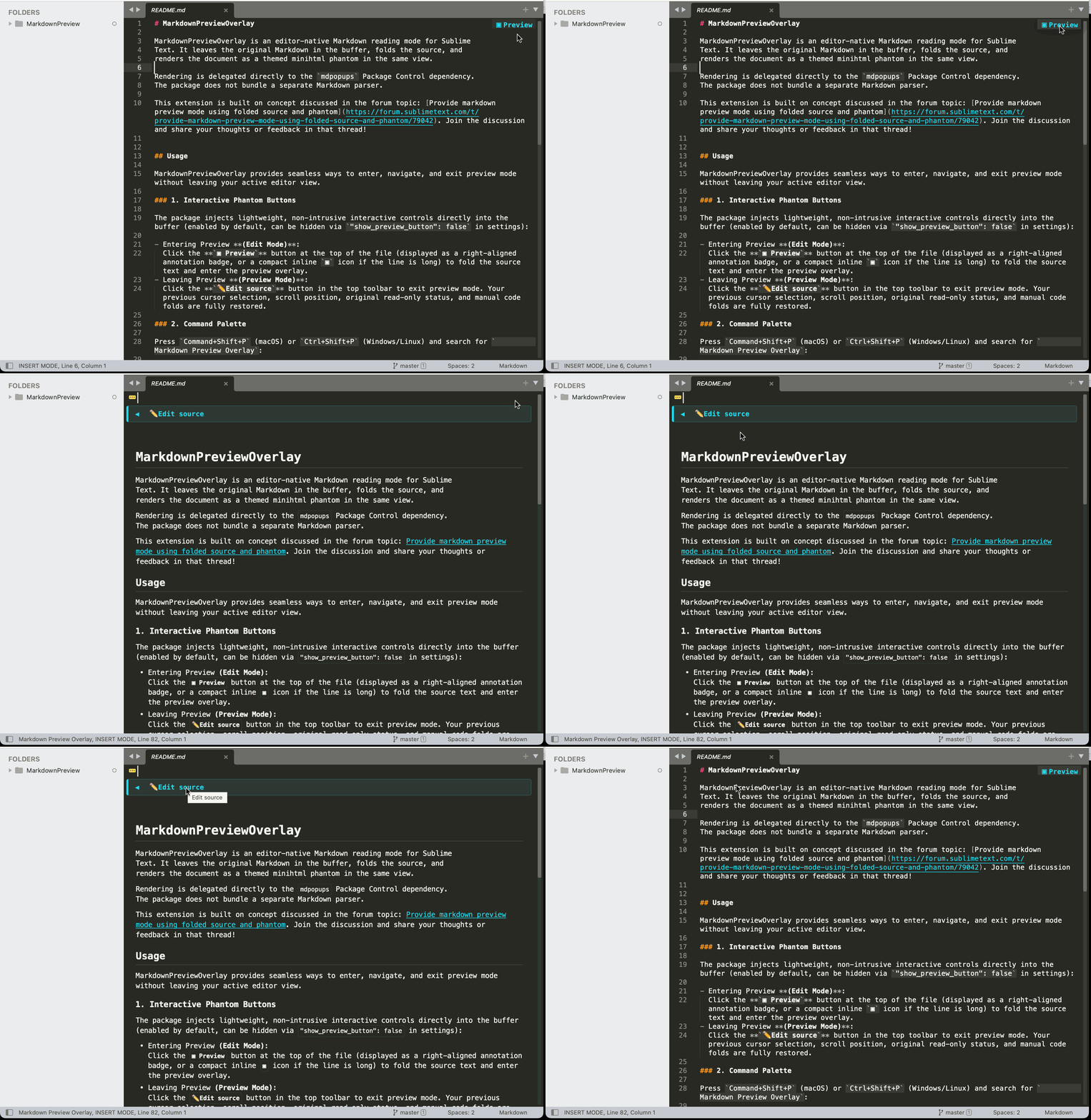
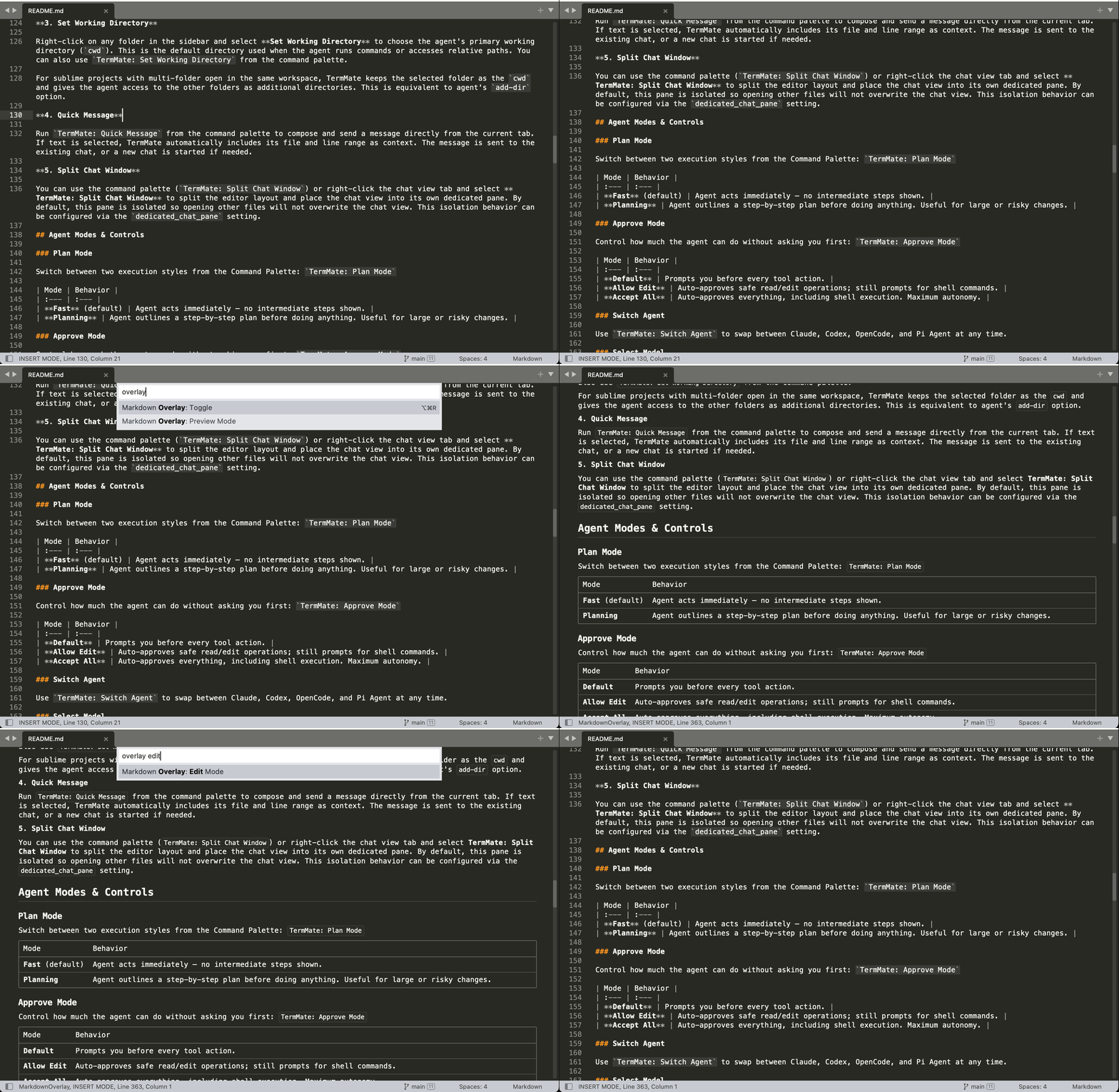
I’d like to know whether it makes sense to provide a new markdown preview mode. A new plugin to hide the Markdown source and display a rendered preview in the same Sublime Text tab view. It’s similar to vscode markdown preview mode.
Idea is from the gbird’s post . This approach is to provide formatted Markdown preview directly inside the original Sublime Text view. It preserves the markdown source in the text buffer, but fold and hide it temporarily and replacing its visual presentation with a read-only minihtml phantom.
The design is simple:
…folded Markdown source…
┌────────────────────────────┐
│      Phantom Preview       │
└────────────────────────────┘
And user can toggle the phantom review by some kind of button or command.
The screenshot here has folded source code and use minihtml to render a markdown preview.
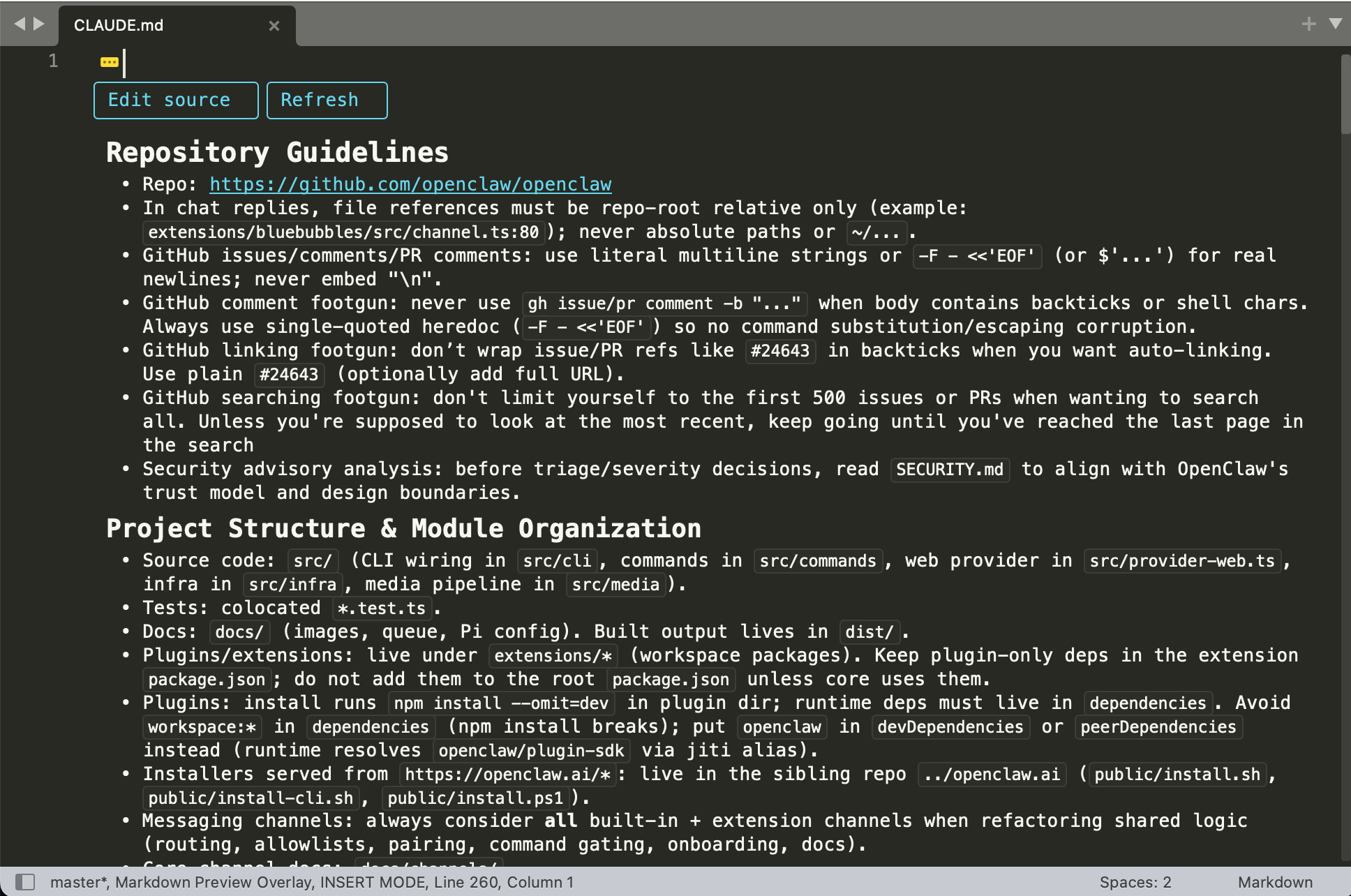
Folding the markdown source isn’t elegant. But could provide a way to display the preview over the original source code without making major changes.
The extension: https://github.com/flashmodel/MarkdownPreviewOverlay
package control: https://packagecontrol.io/packages/MarkdownPreviewOverlay