Sublime Forum

Problem getting SQL tools to work

#1

I set up this connection in “Preferences -> Package Settings -> SQLTools -> Connections” like this:

    "connections": {
        "MyMariaDB": {
              "type": "mariadb",
              "host": "localhost",
              "port": 3306,

Then to run a sql file I opened one and hit CTRL-E twice and nothing happened.
Then I tried CTRL-SHFT-P and entered ST: Execute and nothing happened.

ST: About said I was using SQLTools V.0.9.12

The thing that is missing is how to point a SQL file to my connection. There is only one but…
0 Likes

#2

Have you defined the cli command?

What’s in your “Preferences -> Package Settings -> SQLTools -> Settings”?

0 Likes

#3

I don’t know anything about the cli command, and my settings is empty.

0 Likes

#4

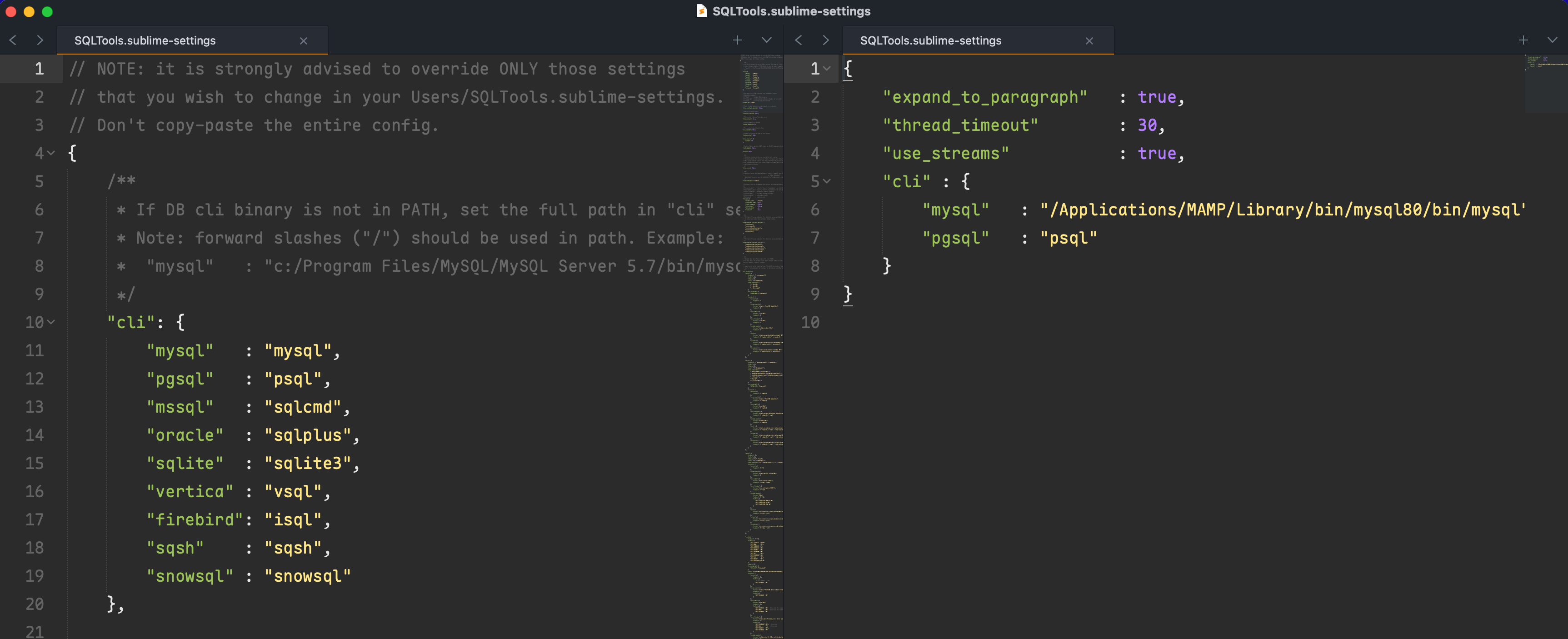
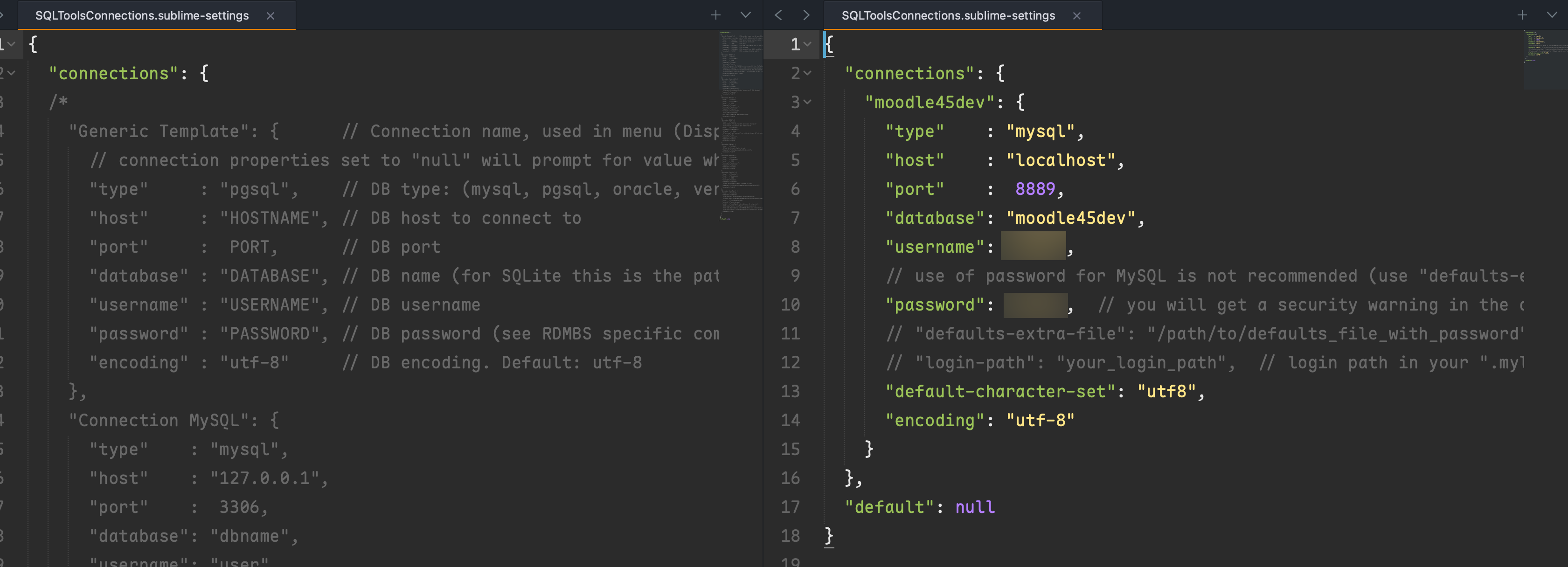
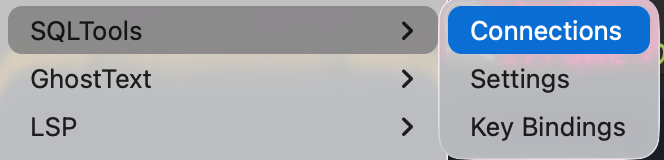
It has been a loooooooooong time since I used SQL tools, but you need to configure Settings and Connections:
image

Under settings, you need to set the cli path to whatever SQL you are using, so that it can execute the request:

Then under Connections, the credentials for each DB

8 years ago (wow!) I recorded this screen video, that might help:
SQLTools and Sublime Text - Executing SQL, directly in your editor - YouTube

0 Likes

#5

I have added your suggestions to the settings file:
{
“expand_to”: “file”,
“thread_timeout”: 30,
“use_streams”: true,
“cli”: {
“mariadb” : “mariadb”
}
}
(I have tried the cli line like this as well: “mariadb” : “/usr/bin/mariadb”)

(My settings are a little different based on the settings template file)

Also I updated my connections file to: (Just added the utf lines)
{
“connections”: {
“MyMariaDB”: {
“type”: “mariadb”,
“host”: “localhost”,
“port”: 3306,
“username”: “***_user”,
“password”: “******”,
“database”: “***_data”,
“default-character-set”: “utf8”,
“encoding”: “utf-8”
}
}
},
“default”: null
}

Now CTLR-E twice gives me a message: SQLTools failed to parse SQLTools.sublime-settings file

Same result whether I use “/usr/bin/mariadb” or just “mariadb”

0 Likes

#6

Further research I discovered an error with with JSONLint.com

From my /home/dave/.config/sublime-text/Packages/User directory;

SQLToolsConnections.sublime-settings looks like this:

{
“connections”: {
“Connection MyMariaDB”: {
“type”: “mariadb”,
“host”: “localhost”,
“port”: 3306,
“username”: “***_user”,
“password”: “************”,
“database”: “***_data”,
“default-character-set”: “utf8”,
“encoding”: “utf-8”
}
}
}

SQLTools.sublime-settings like this:

// Settings in here override those in “SQLTools/SQLTools.sublime-settings”
{
“expand_to”: “file”,
“thread_timeout”: 30,
“use_streams”: true,
“cli”: {
“mariadb”: “/usr/bin/mariadb”
}
}

Now with I run it I get a message that says: Executing SQL Query

It takes longer that I would think for a simple query that returns 16 row.

When it comes back there are no results and it doesn’t even have a results pane.

Also, I found a couple of places that said to save with encoding with UTF-8.

I have tried saving with the encoding and with the normal save and always get the same results.

0 Likes

#7

I discover the console and these are the entries:

Traceback (most recent call last):
File “/home/dave/.config/sublime-text/Packages/SQLTools/SQLTools.py”, line 468, in
Window().show_quick_panel(menu, lambda index: onConnectionSelected(index, callback))
File “/home/dave/.config/sublime-text/Packages/SQLTools/SQLTools.py”, line 463, in onConnectionSelected
ST.setConnection(connectionName, callback)
File “/home/dave/.config/sublime-text/Packages/SQLTools/SQLTools.py”, line 354, in setConnection
createConnection(connectionName, config, settings, callback)
File “/home/dave/.config/sublime-text/Packages/SQLTools/SQLTools.py”, line 351, in createConnection
ST.loadConnectionData(callback)
File “/home/dave/.config/sublime-text/Packages/SQLTools/SQLTools.py”, line 427, in loadConnectionData
ST.conn.getTables(tablesCallback)
File “/home/dave/.config/sublime-text/Packages/SQLTools/SQLToolsAPI/Connection.py”, line 111, in getTables
self.runInternalNamedQueryCommand(‘desc’, callback)
File “/home/dave/.config/sublime-text/Packages/SQLTools/SQLToolsAPI/Connection.py”, line 88, in runInternalNamedQueryCommand
query = self.getNamedQuery(queryName)
File “/home/dave/.config/sublime-text/Packages/SQLTools/SQLToolsAPI/Connection.py”, line 232, in getNamedQuery
return cliOptions.get(‘queries’, {}).get(queryName, {}).get(‘query’)
AttributeError: ‘NoneType’ object has no attribute ‘get’

Does anyone see the problem?

0 Likes

#8

I don’t use SQL myself … but looking for clues all I can see is that my installation has /sublime-text-3/Packages/ path … not sure if that matters to your Package.

0 Likes

#9

Well this is a surprise. I changed mariadb to mysql and it works.

I don’t know if there will be any limitation by this solutions, but it seems to work.

0 Likes