
Well, this is a mind-boggler.
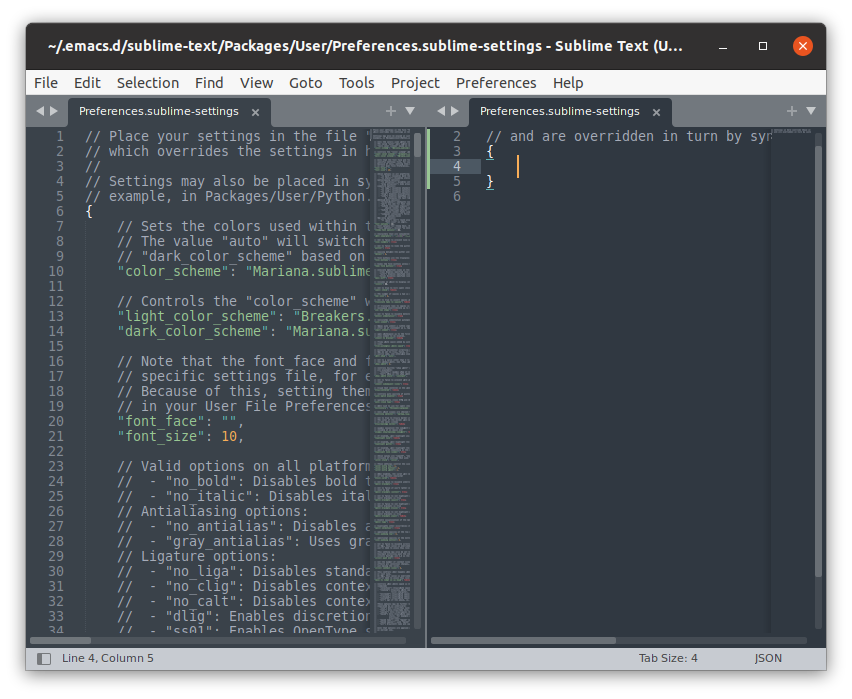
I installed ST4 on a brand new Ubuntu installation to evaluate it before purchase. It is for some reason insisting on preferences being places in ~/.emacs.d/*. To install it I follow this guide.
I have used emacs in the past and have dotfiles related to it. I have removed them entirely and it STILL recreates the folder and then places the sublime-text settings folder there. I have done nothing to this install but start it.
Associated hardware information:
5.8.0-53-generic #60~20.04.1-Ubuntu SMP Thu May 6 09:52:46 UTC 2021 x86_64 x86_64 x86_64
GNU/Linux
description: Notebook
product: XPS 15 9560 (07BE)
vendor: Dell Inc.
serial: 8M6Z3M2
width: 64 bits
capabilities: smbios-3.0.0 dmi-3.0.0 smp vsyscall32
configuration: boot=normal chassis=notebook family=XPS sku=07BE uuid=44454C4C-4D00-1036-805A-B8C04F334D32
Any ideas? I have no idea what could cause this and have not seen it.