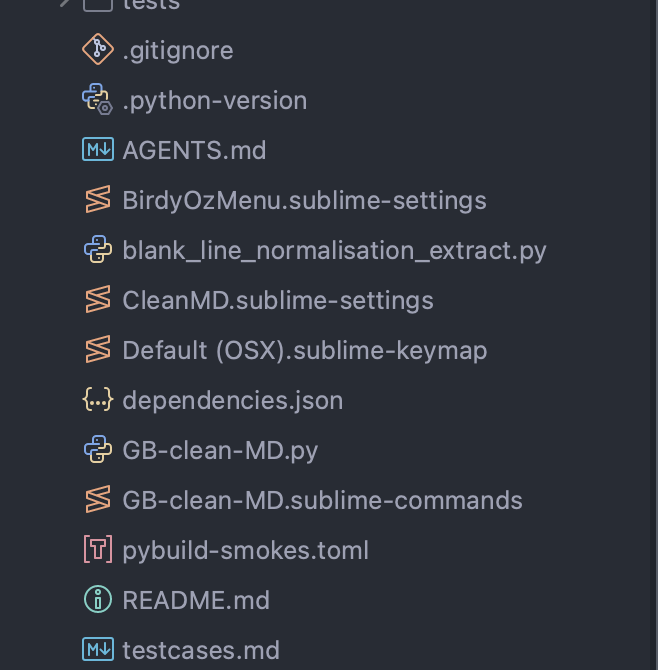
Hiya,
I was excited to see that there’s better support for ‘file icon themes’ but when I came to look at the specification it seemed a bit less exciting to me.
The specification is in https://www.sublimetext.com/docs/themes.html#file-icon-themes and (at least here) appears in grey for 4.0 - although that’s probably just that it’s not been updated. Anyhow, the specification says:
{
    "icons": {
        // This matches any file with a .txt extension
        "txt": "file_type_text",
        // This matches any file called "Makefile"
        "Makefile": "file_type_make",
        "make": "file_type_make",
    }
}
Which seems interesting until I started to dig into it. The specification implies that a file txt and something with a .txt extension will get the same styling. That doesn’t feel very helpful. If I were to use t to match the .t extension commonly used to mark perl tests, then all of my temporary files (which I call t when redirecting) would also be styled that way.
I commonly have Dockerfiles for different purposes, labelled DockerfileLarge for example. There’s no way to match those - yes, I can change style to Large.dockerfile but that’s not quite as flexible as I was hoping.
Similarly, it’s not clear whether the key in the mapping was meant to match the whole name and the suffix of the name, or the whole name and the characters after the final (or first?) period. If it’s the suffix, then a file such a msgtxt would be coloured as txt, but I don’t think it would be suffix, because if it were suffix, the example would have been .txt to make such things safe. And if it’s not suffix, then I cannot match the suffix names like ,fd1 (a RISC OS BBC BASIC file in text format, eg Mandelbrot,fd1), which makes the new file icon themes less interesting.
And, there’s no way to mark files within directories as all being a given type - again, in RISC OS it is common to use c/* for C files, or s/* for assembly files.
The file icon themes seem like they’re useful for package authors, but sadly they’re less useful than I’d hoped.
Are there any hooks to be able to expand the file icons through plugins in these way so that I could expand the sidebar icons myself - I hadn’t found any, but that doesn’t mean I just haven’t looked hard enough.