
Where I can find full list of available context.key options?
Key bindings context list
FichteFoll
#3
Is this what you are looking for?
http://docs.sublimetext.info/en/latest/reference/key_bindings.html#context-operands
0 Likes
r-stein
#5
Every package can define it’s own context key so there not list with all keys. You may look for the built-in keys, but I don’t know whether there is an list, which contains all of them. Some are listed in this completions file, but it may miss some others: https://github.com/SublimeText/PackageDev/blob/v3.0.0-beta.4/Package/Sublime%20Text%20Keymap/Completions/Context%20Key%20Values.sublime-completions
0 Likes
FichteFoll
#7
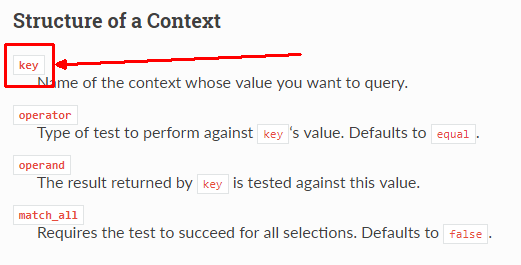
Well, this actually is a list of all known default keys but the heading is wrong. Unfortunately I can’t fix it right now, but you can see from the examples of that page that this is indeed a list of keys, not operands (which makes no sense since the operand is user-provided).
Actually, internet came back so I just fixed it. It might take a while until the site is updated, however.
1 Like
mg979
#8
A bit off topic, but can contexts be used for mouse buttons bindings as for keybindings? For example to show a different context menu on right click, depending on a context key. Thanks
0 Likes
kingkeith
#9
currently this is not possible, but you can hide menu items when they are not applicable at the caret position etc.
0 Likes
mg979
#10
Thanks. But you should know what to disable and disable items one by one, if they don’t belong to your plugin, right?
0 Likes