
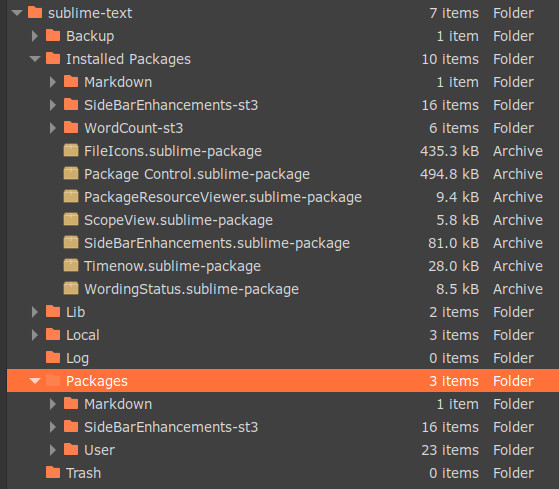
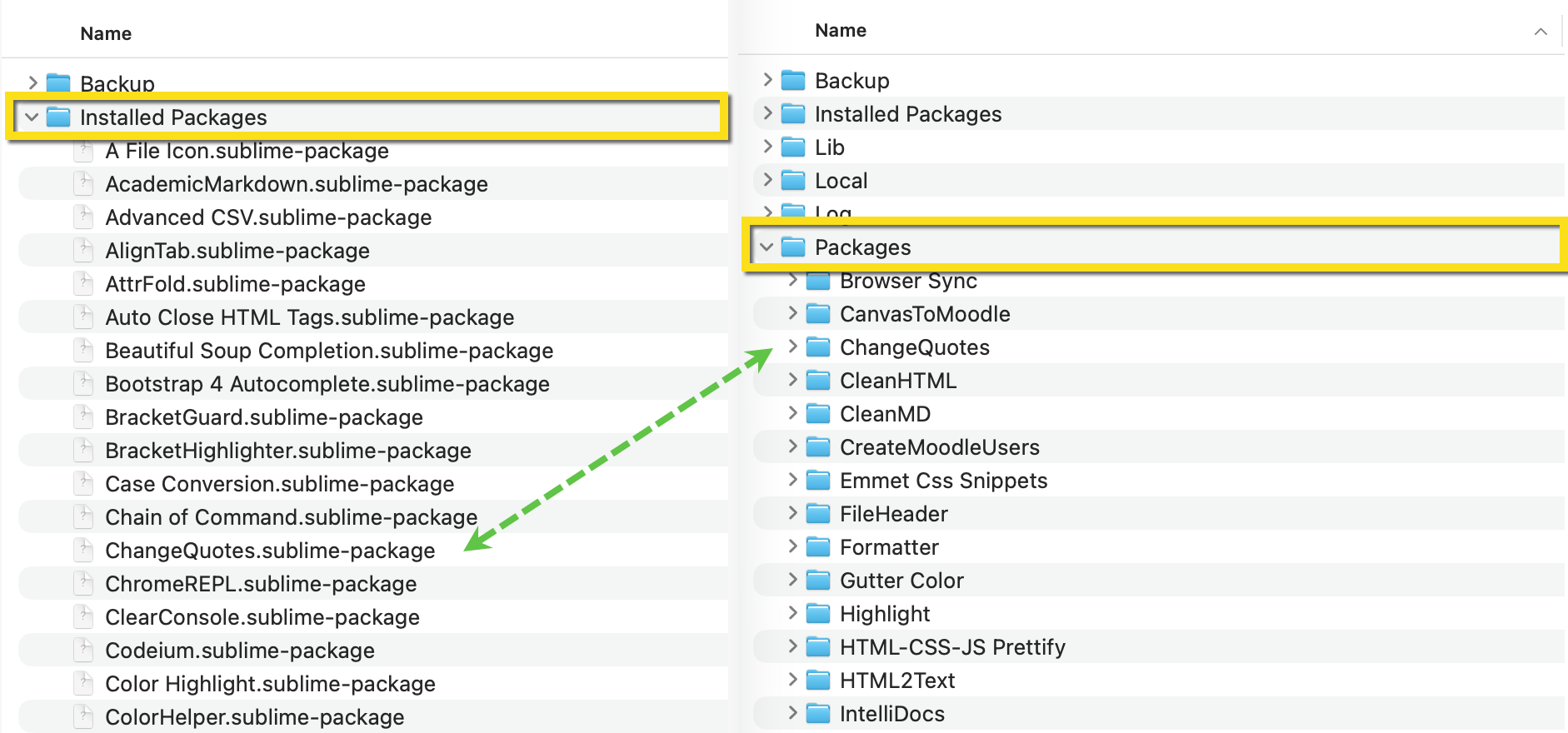
I’m a long-time but non-expert ST user using it to write prose. Recently, I was trying to copy my customization setup over to a different computer, and I discovered my folder arrangements are a little wonky. All my fault I’m sure, but I have “Installed Packages” in two location:
[A] sublime-text/Installed Packages
and
[B] sublime-text/Packages
(the packages are at same folder level as User)
see pic for clarification
FWIW, [A] seems to act as the authoritative set, as it contains more packages than [B] and they all seem to be working.
Three questions:
-
How might I have inadvertently done this semi-duplication of packages?
-
Is it safe to delete the packages (other than User) that appear in [B]?
-
When I’m reproducing my system with customizations on a different computer, will it then be sufficient to copy over the set from [A] and my packages/user directory?
Thanks for any thoughts.
 But every once in awhile, as recently, when I’m trying to replicate the setup on a different computer, I’m tempted to start unraveling the mystery.