Sublime Forum

Ignore package per project

#1

I would like to ignore a package for a particular project. I’ve read both settings and projects section from the docs.

The problem is, only settings in the category Editor Settings may be controlled by a project. The ignored_packages key falls to Application Behavior Settings category. So technically it is not possible to ignore package on a project level.

sublime-project file:

{
	"folders":
	[
		{
			"path": ".",
		}
	],
	"settings": {
		"ignored_packages": 
          [
            "Vintage",
            "TypeScript",
            "SublimeLinter-tslint"
          ]
	}
}
0 Likes

#2

I don’t know how you would ignore the TypeScript package, but you can turn off the linting with SublimeLinter settings in the project file.

Also, if the reason you want to do this is because of a different file type that uses the .ts extension, you could install ApplySyntax and set up project-level settings for that extension. Then you wouldn’t need to turn off linting because the scope wouldn’t match the linter’s TypeScript plugin.

0 Likes

#3

Thanks, going to take a look at ApplySyntax, it might help.

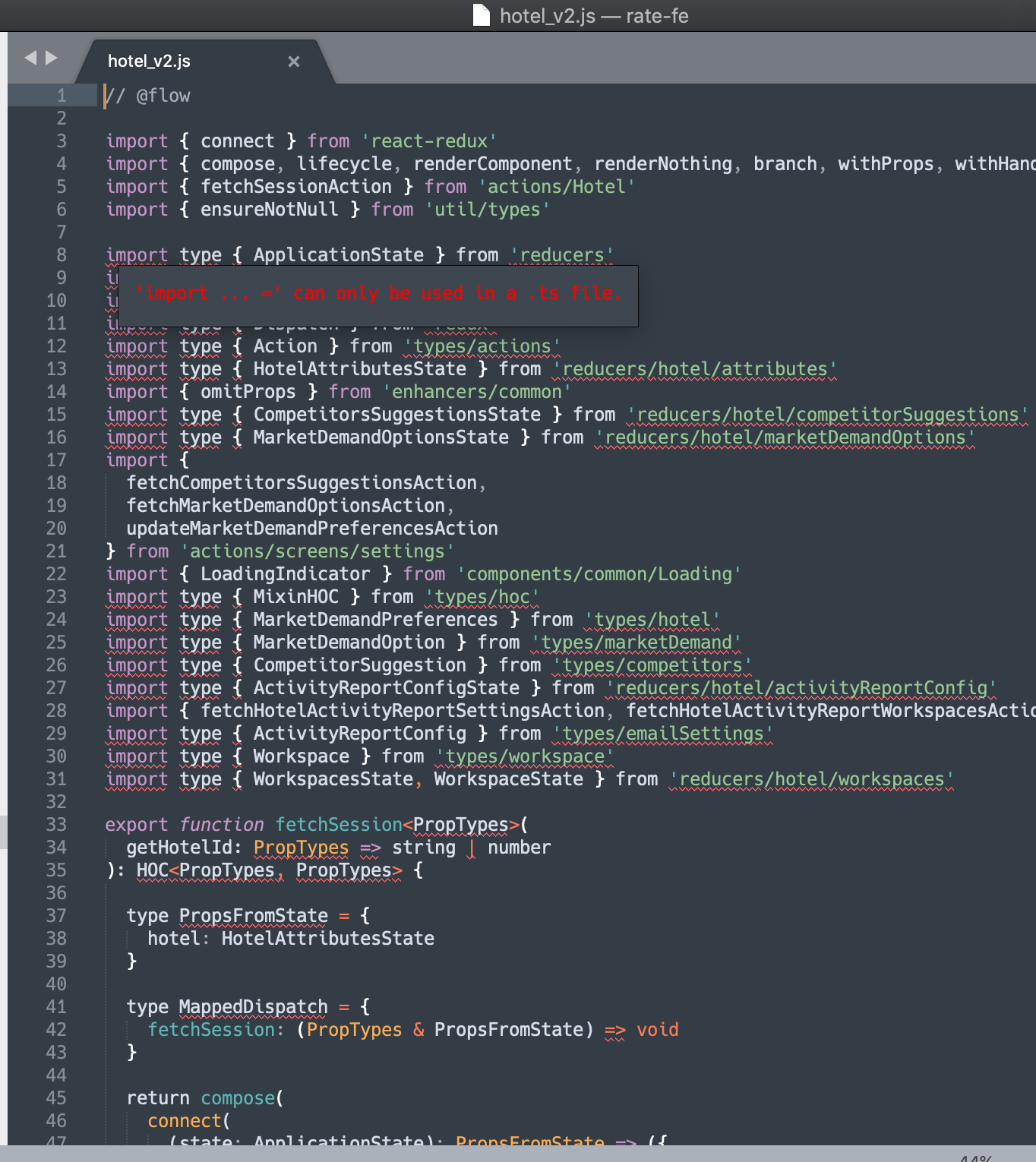
My particular issue is i got projects written in Flow and others written in TypeScript, hence i got both packages installed.

Opening the TypeScript project works fine, however it seems the TypeScript sublime package tries to parse the FlowType .js files:

0 Likes

#4

@tsm91 Did you find a satisfactory solution?

There’s a StackOverflow question - How to support Typescript and Flow simultaneously in Sublime Text - apparently the same problem as you had.

0 Likes