
I am new to Sublime. I had the free copy and CTRL-P which is used for browsing and opening new files worked fine. I bought a licence and installed it and CTRl-P stopped working!!  . Also I recall I could see the file layout in the left hand panel that is also gone after the licence install. Please advice action. Thanks
I just purchased the licence and updated and Ctrl-P stopped working
agvardha
#1
0 Likes
OdatNurd
#2
Goto Anything (what you get when you press Ctrl+P) only shows you files that the current window knows about, and the window only knows about files that you explicitly opened and the contents of any folders that you explicitly opened. If the list is empty, it’s because you’re not editing any files and you don’t have any folders open (or you do but there’s nothing inside of them), so there’s nothing to show you in there.
The side bar (that white panel that shows you a file layout) is something that you can toggle between visible and not visible using the menu items View > Side Bar > Hide Side Bar and View > Side Bar > Show Side Bar, with the option switching between the two depending on the current setting (e.g. when it is visible, the menu option to hide it appears).
The side bar can show you two sets of information:
- A list of all of the open files, as long as you have the option to show open files turned on
- A list of all of the open folders, but only if you have opened any folders.
The list of open files is only visible if you turn it on using the menu item View > Side Bar > Show Open Files (which, like above, turns into View > Side Bar > Hide Open Files when the option is currently turned on).
You may find that the side bar is not displayed, but when you look in the menu, you see it say View > Side Bar > Hide Side Bar even though the side bar is currently not visible, and the item is disabled and you can’t select it.
This is because the side bar is smart and won’t waste screen space displaying itself if it has nothing to display to you. The ultimate cause of this is these two things:
- You don’t have any folders open
- You have the option to show open files turned off
Fixing either of those things (opening a folder or turning on the option to show open files) will make the side bar appear when this is happening.
Basically, the reason you’re seeing what you’re seeing is that you have a new blank window but you haven’t opened any files in it yet.
2 Likes
agvardha
#3
Thanks thanks a lot I got it all. The fact of the matter is when I started on sublime my colleague got me up and working and I never gave much thought to it. Only after installing the licence I did it afresh and could not get back to my old state. Oh! That Nerd thanks for your patience for explaining in detail. Please consider this case as closed.
1 Like
agvardha
#4
One more question please …earlier when I did CTRL-F to find a word as I typed the pattern it dynamically found it and I did not have to type return. For example if I want to search GroupInfoArray, as I typed gro it would locate it for me. So I guess I need to do some setting for this somewhere. Google could not help me. Please advice. Thanks in advance.
0 Likes
OdatNurd
#5
Off the top of my head there should be no setting for that, it should just work. As you type it should jump you to the first instance of the found text, but you would need to press enter to go to the next one if the first found match wasn’t the one you wanted.
The only reason I can think of for that not doing this is if all of the matches are “behind” the cursor but the wrap function is turned off, which is one of the option buttons on the left side of the find panel.
Unfortunately I’m not sitting at a computer at the moment so I can’t verify.
0 Likes
agvardha
#7
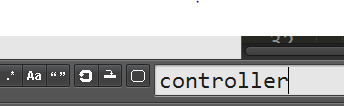
Thanks I tried and it was not behind the cursor and the wrap was in both state. Only when I hit return or click “find” button did it find it. I had many words controller. Case sensetive is turned off.
Note please: For old people such as me and people with bad sight it is very difficult to distinguish whether these options or ON or OFF. Also I observed when you close and reopen the sublime the old settings persist to bug us  so what I would suggest is when we hover over it please tell us whether some option is ON or OFF. It will make life easy. Thanks
0 Likes