you won’t be able to use this plugin without specifing the path to node.js
nodejs 路径都是改过的
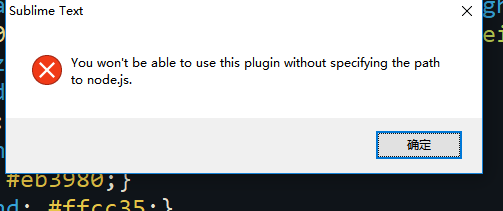
求大神指教解决办法 电脑系统 win10的

you won’t be able to use this plugin without specifing the path to node.js
nodejs 路径都是改过的
求大神指教解决办法 电脑系统 win10的
How did you set the path in the html prettify settings?
Try:
where node to get the path\ with forward slashes / ( \ -> / )[
"node_path": {
"windows": "C:/path/to/node.exe"
},
]
HTML-CSS-JS Prettify 试试这个插件,格式化前端HTML、CSS、JS、JSON代码,选中需要格式化的代码后,按下Ctrl+Shift+H触发格式化.
1.该款插件需要node.js的支持,所以请先自行安装node.js.
2.对于格式化json,需要先手动格式一下段内容再按快捷键,则该插件会按你的格式规则进行格式,否则无效.
3.若提示"Node.js was not found in the default
path.Please specify the
location.“的提示,则需要重新设置nodejs的位置,单击Preferences→Packages
Settings→HTML/CSS/JS Prettify→Set ‘node’
Path→node_path中,修改windows的地址(如果你是windows操作系统),根据安装路径进行设置,如"D:/nodejs/node.exe”.