Sublime Forum

How to append items to `<project filters>`?

#1

When searching in folder, I have to exclude some files in each different folder search. E.g. -*.min.js, -*.map. If there is a way to modify my user settings to have them included, will be helpful. Thanks.

Note: they are still needed to be uploaded when using sftp. So can’t blindly exclude them from the project.
0 Likes

#2

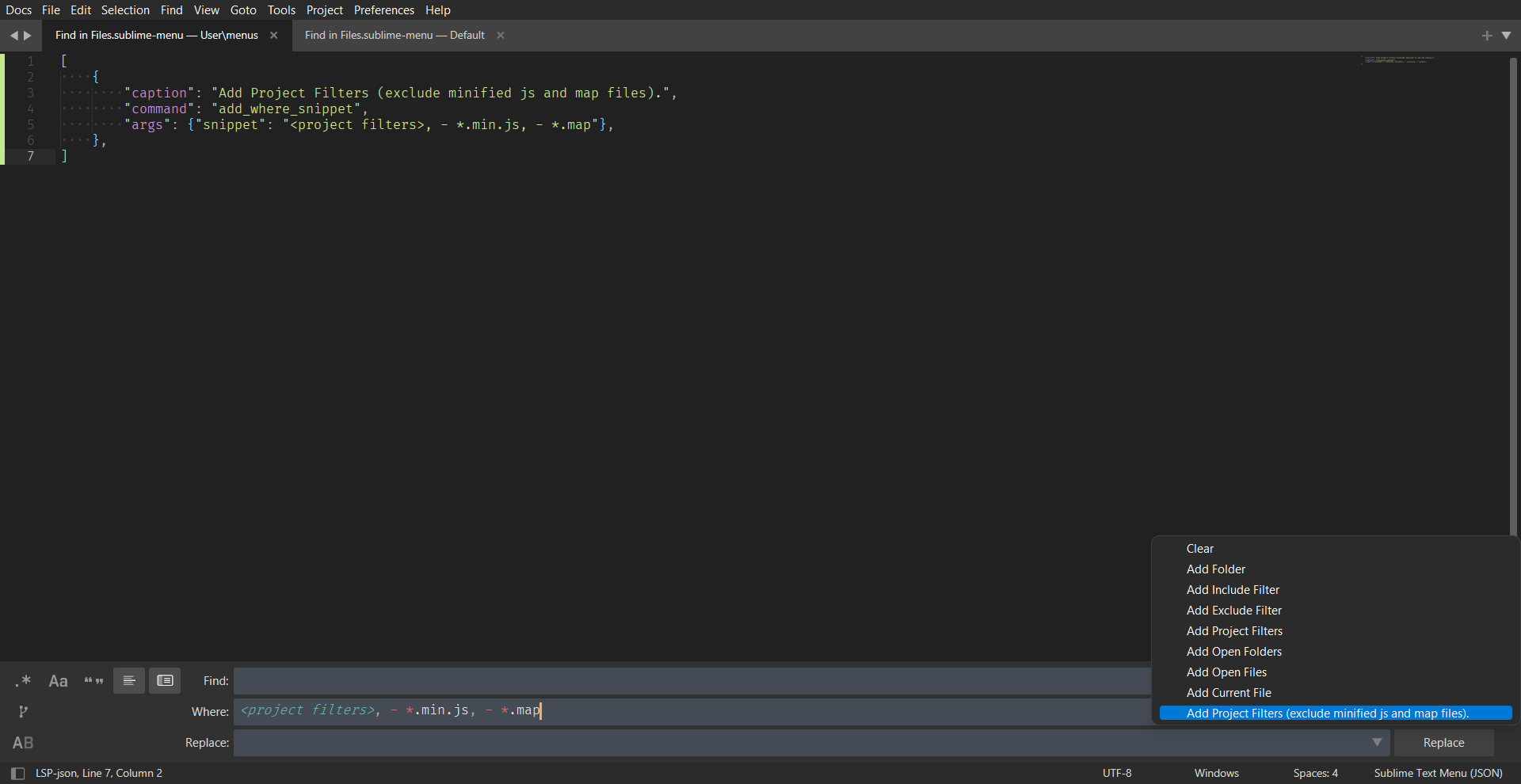
Yup. It’s simple to do. Follow the instructions.

  1. In your User folder (to navigate to the User folder, go to Preferences -> Browse Packages from the main menu. It will open a directory that has a User folder).
  2. Create a file called Find in Files.sublime-menu (Note that the name has to be correct)
  3. Paste the following content.
[
    {
        "caption": "Add Project Filters (exclude minified js and map files).",
        "command": "add_where_snippet",
        "args": {"snippet": "<project filters>, - *.min.js, - *.map"},
    },
]

You should be all set.

0 Likes