Sublime Forum

How do I change syntax specific highlight colour?

#1

13

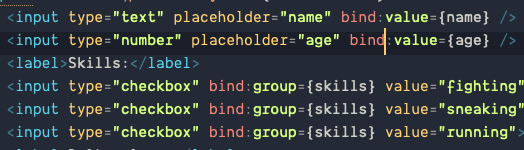
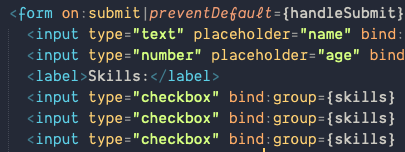
I want to adjust the colour applied to Svelte directives and text beside it such as bind:text or on:text. I’ve found that they count as Library function and String in theme file. But changing it messes up all other syntax too.

How do I pinpoint those guys?

I’m using Ayu theme and Svelte syntax plugin.
0 Likes

#2

You can use Tools > Developer > Show Scope Name from the menu to see the full scope at the cursor position. To change the highlighting only for the Svelte syntax, include the base scope of the syntax into your highlighting rule. The base scope is probably something like source.svelte or so, and a full rule for your color scheme might be something like this (just an example, I haven’t checked the actual scopes):

{
    "scope": "source.svelte support.function",
    "foreground": "blue"
},
0 Likes

#3

I was a blind man. This is so golden I have no idea how to thank you.

Now my svelte is much more readable!

31

0 Likes