
Is there any way to see only the Enabled packages in sublime text 3?
How can I see Enabled Packages?
OdatNurd
#2
If you install the OverrideAudit package, you can select Tools > OverrideAudit > Package Report from the menu or OverrideAudit: Package Report from the command palette to see a list of all packages, how they’re installed and their status.
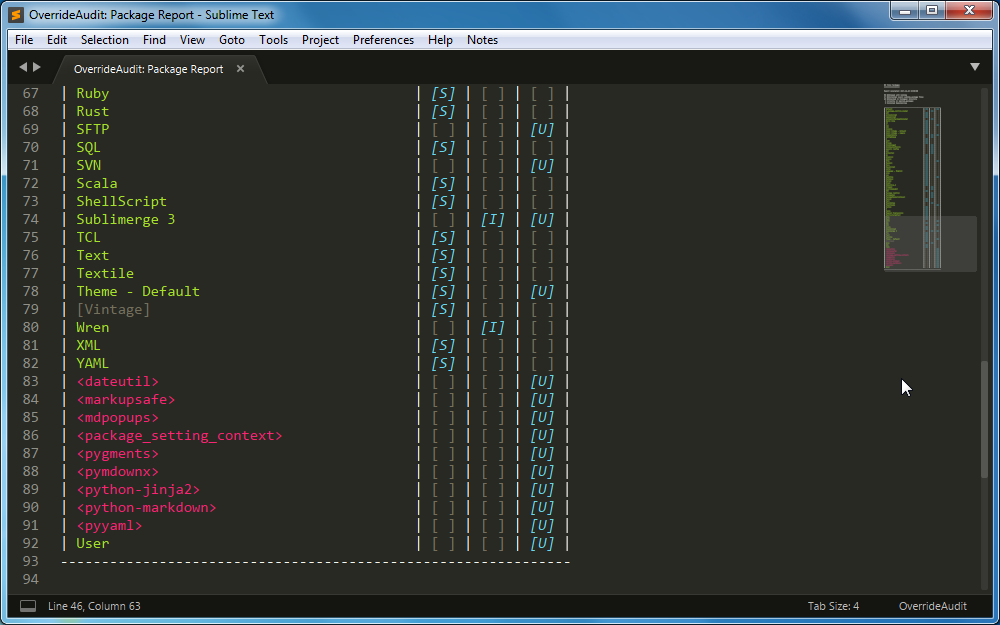
In the report view that you see, packages that are not currently enabled (i.e. in the ignored_packages setting in your user preferences) are displayed inside of [Square Brackets] and will be the color of comments in whatever color scheme you’re using.
In this sample image, the Vintage package is currently disabled:
More information is available in the documentation on the package report.
2 Likes
