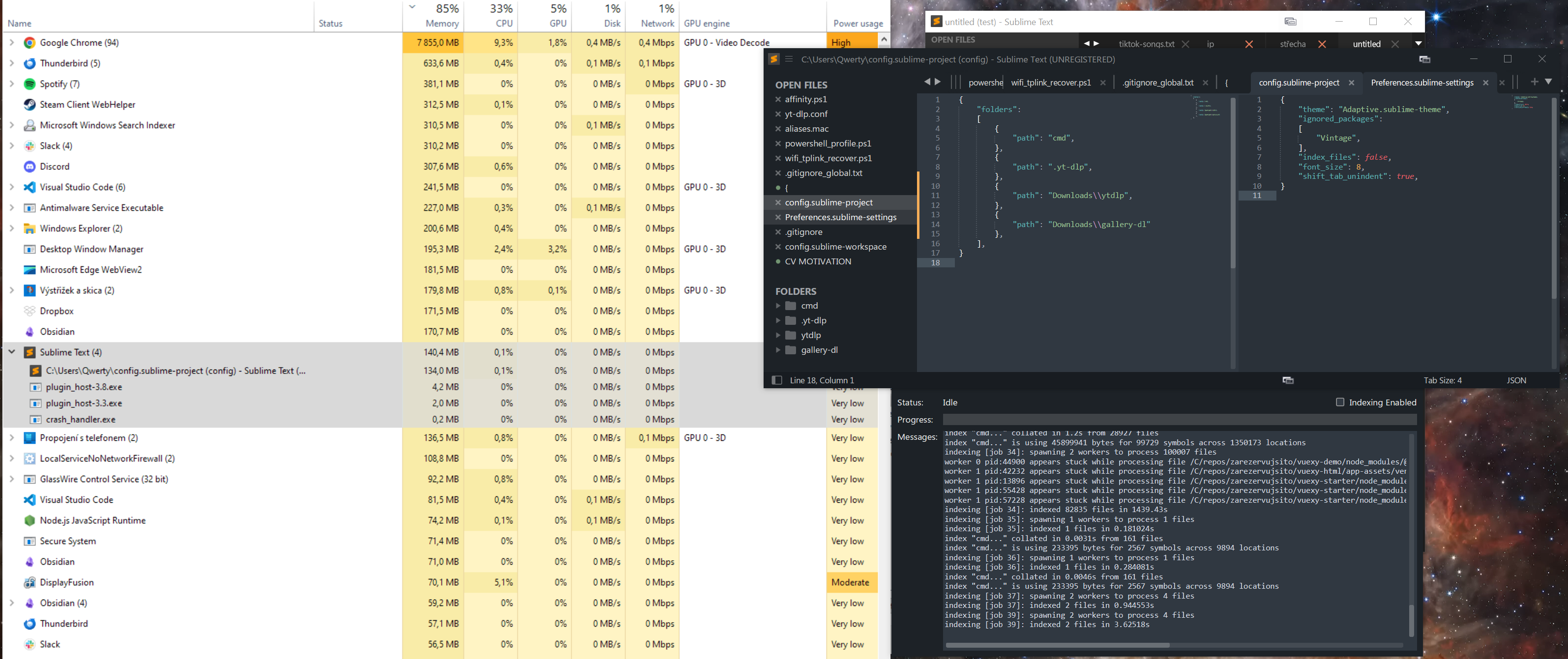
After reporting this issue (updated), I figured it was likely caused by indexing (edit: it was not indexing). However, it still bothers me.
When I add the C:\repos folder to the Sidebar:
- it takes roughly 4 minutes to index the repositories
- it clearly ignores
.gitignorecontent as it indexesnode_modules(screenshot below) - both ST3 and ST4 take ~1GB RAM
In the gif, each frame is 1s, the highlighted is ST4, the other ST3.

It scans node_modules despite being in .gitignore.
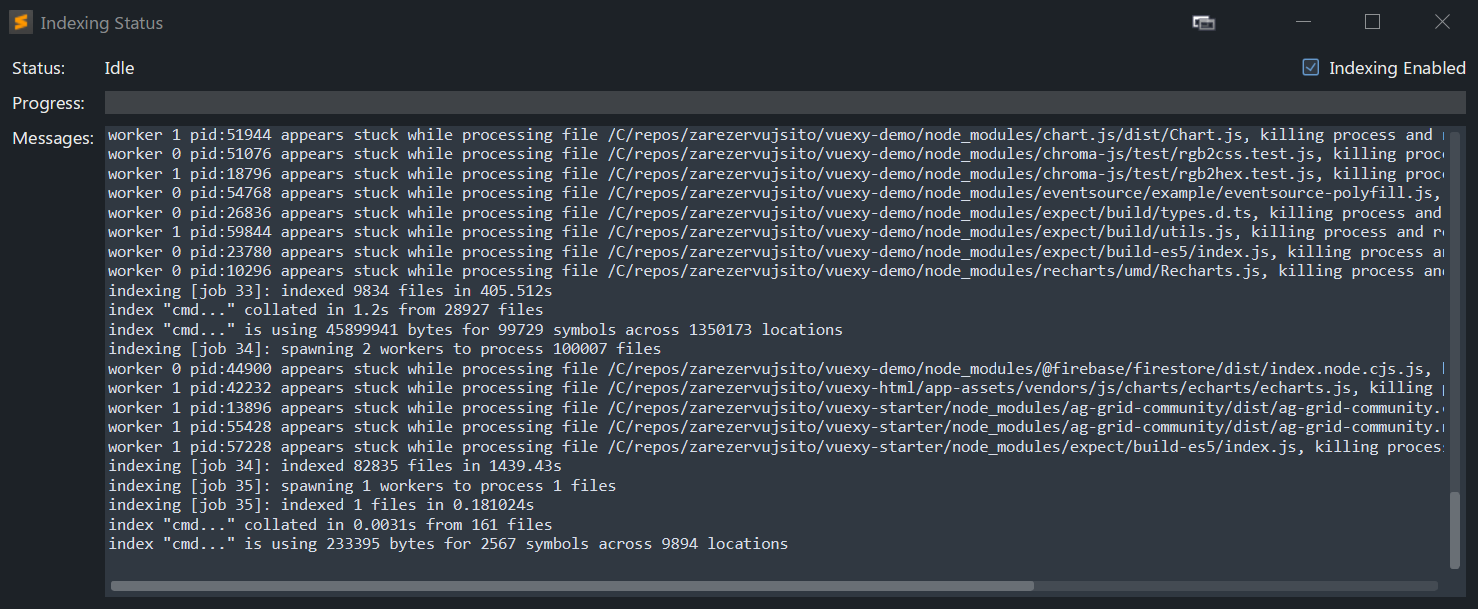
I still want to use indexing, but using 1GB of RAM, high CPU and constant Disk access is unacceptable.
What can I do?
/edit
It was NOT indexing
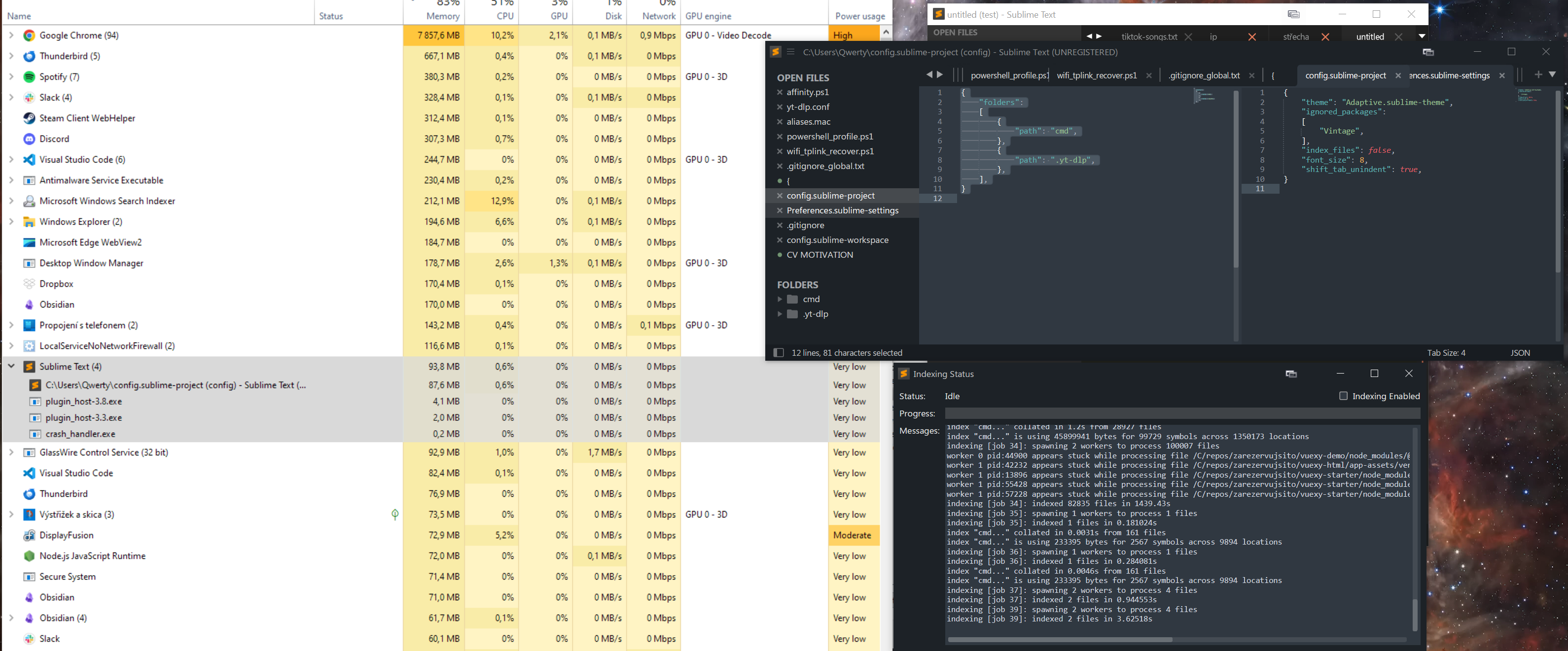
When the repo folder is NOT added, indexing disabled
After adding the repo folder, still indexing disabled
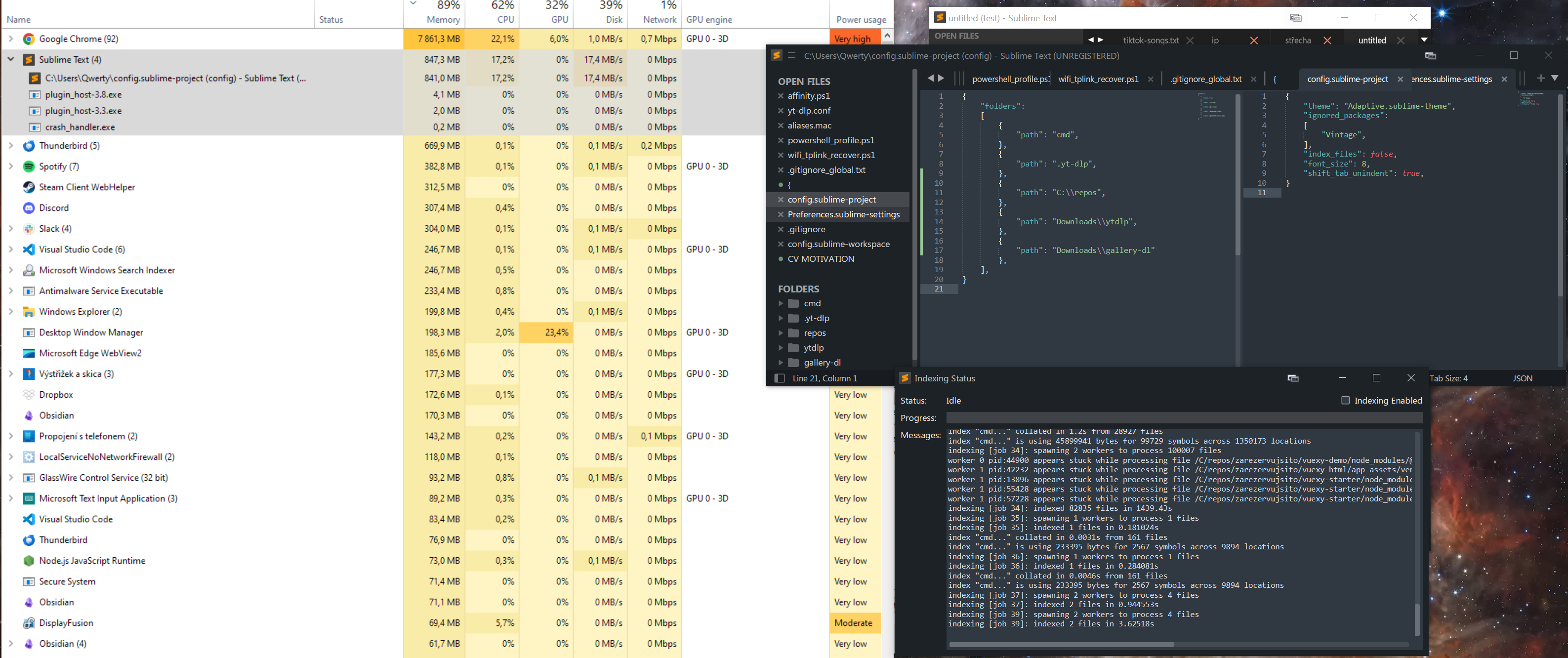
(I tested both ytdlp and gallery-dl folders, they don’t affect it)
When I remove the repo folder, it goes back after a moment. See in this screenshot that I tried to enable/disable indexing, but the only effect was that it spun two processes and eat my CPU. After disabling it, it had little effect on the growing RAM.