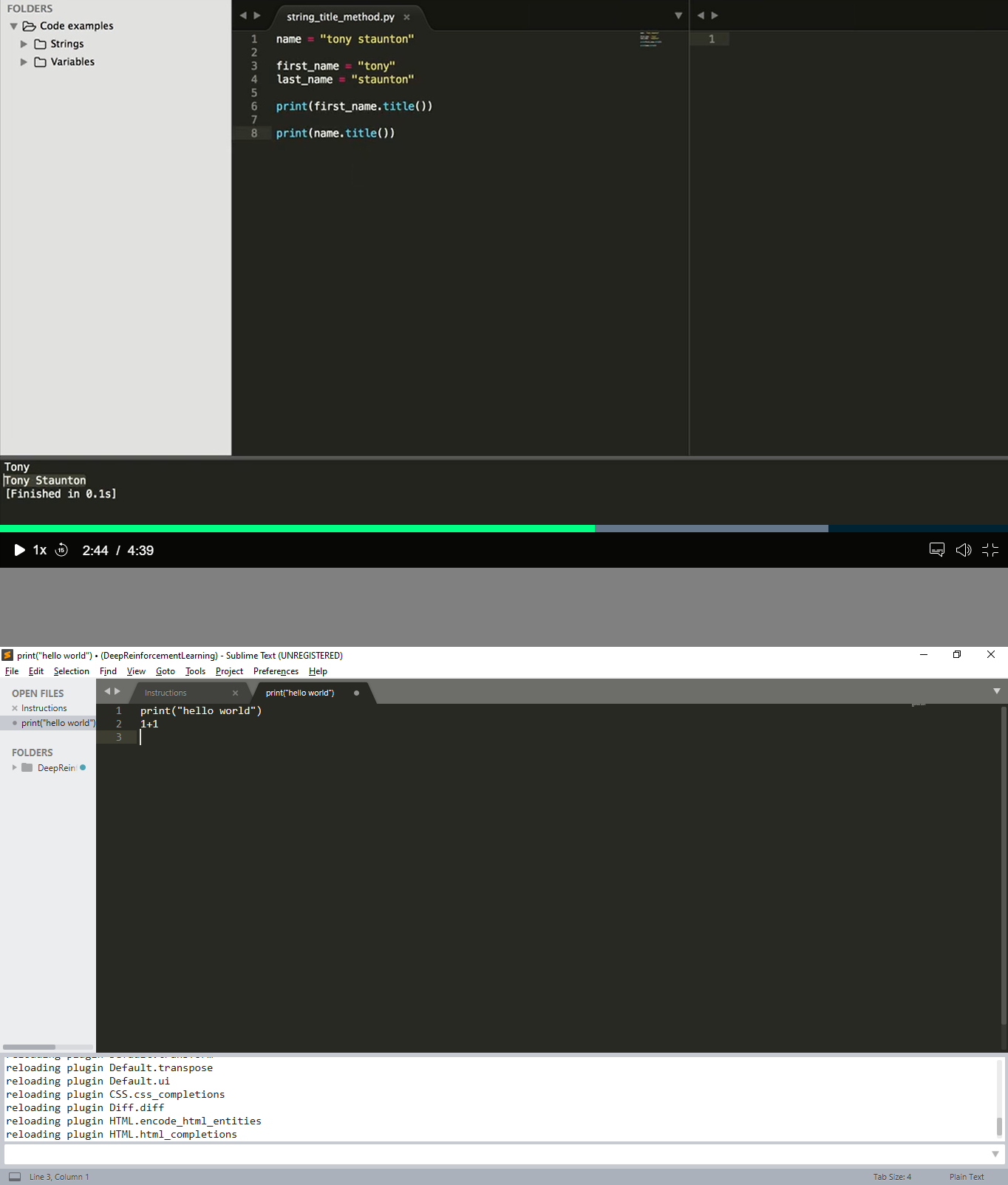
And I don’t see the printing tab on the right, only the coding tab on the left. How do I make the printing tab appear?
Thanks

And I don’t see the printing tab on the right, only the coding tab on the left. How do I make the printing tab appear?
Thanks
You’ll have to define what is meant by a “printing” tab and what is meant by a “coding” tab ?
Okay, my bad, the “printing tab” I was talking about is supposed to be below, not on the right; but anyway, I don’t see it.
In this image, the upper screenshot is from a course I take, and the lower is from my computer:
As you can see, I don’t see the results of my programming.
Few points
.py file (There is no syntax highlighting and the file doesn’t exist).