Hi, I’ve been wanting to work with Python for a long time in SublimeText 3, but I’ve had a problem from the beginning that I still can not solve.
I have the Package Controll installed.
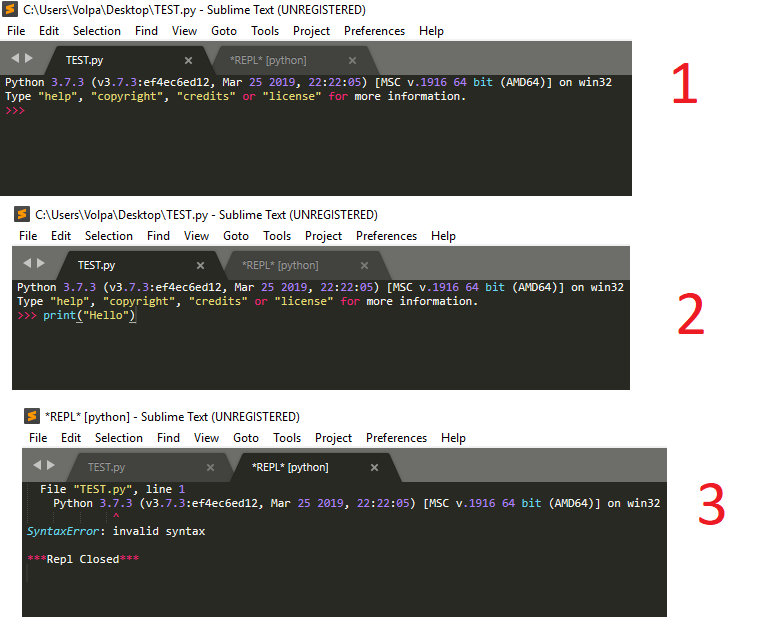
1- when in SublimeText I put: Tools> SublimeREPL> Python> Python. Sublime text gives me what he says in the image 1
Then I try to create any code, for example … (image 2)
I clarify that I save the file with .py extension
then when I try to execute the code going to Tools> SublimeREPL> Python> Python> Python> RUN current file
a syntax error appears. (image 3)
As you saw earlier, the code is correctly written.
Please help me, I need to be able to use SublimeText
Excuse me for the “bad English”, it’s because I’m Spanish.
Thanks!