
Has ‘pymdownx’ been removed from Package Control? If so, how would I go about deploying it locally?
I have a ST plugin that I have authored locally. It has been working flawlessly until now.
It is now throwing the error: ModuleNotFoundError: No module named 'pymdownx'
I have the following dependencies.json:
{ "*": { "*": [ "bs4","soupsieve","lxml","pymdownx"] } }
I have run ‘satisfy packages’ and ‘satisfy libraries’ then restarted - no success.
When I browse Package Control Rs libraries, I now see this:
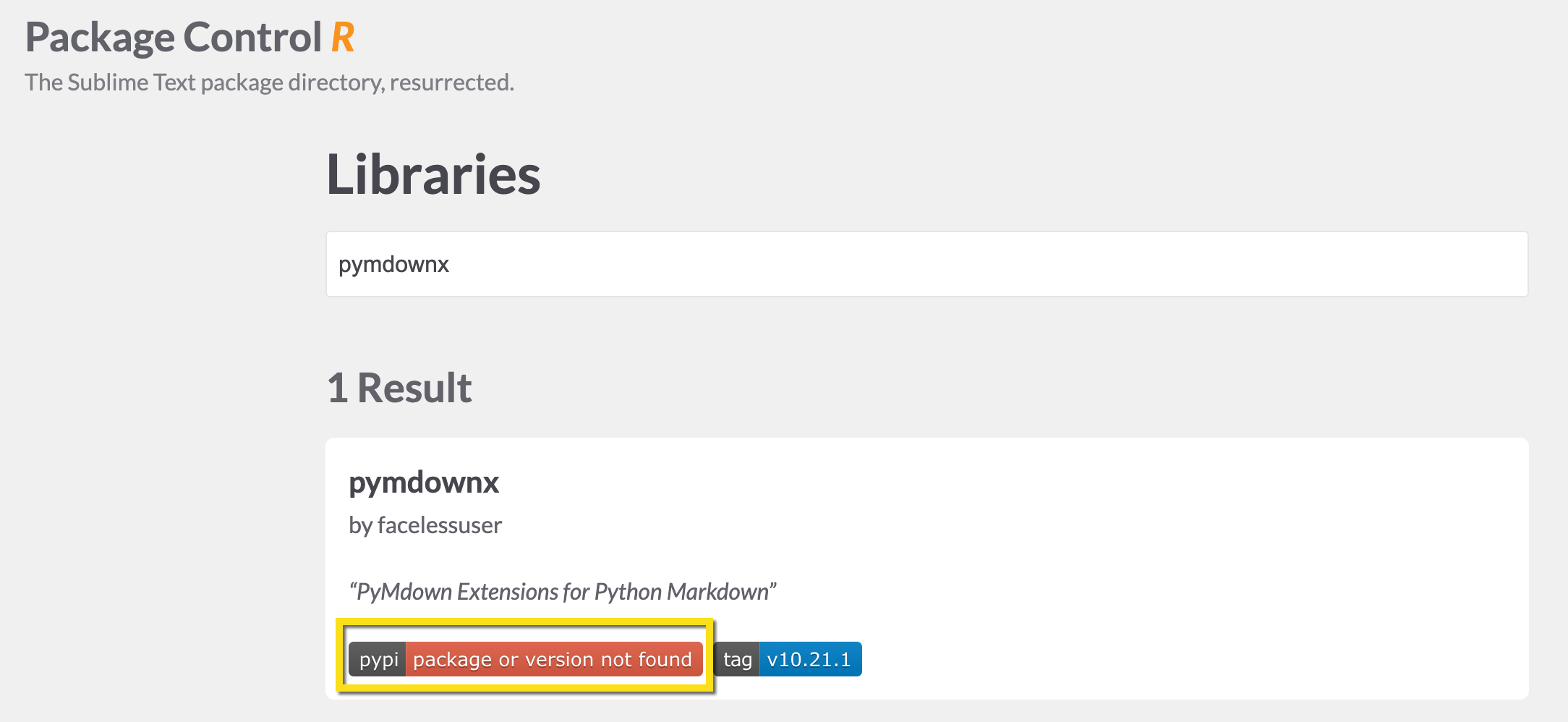
Does that mean ST cannot resolve this library? Is there any way for me to deploy it manually?
Any help greatfully received
Here is the full error:
Traceback (most recent call last):
  File "/Applications/Sublime Text.app/Contents/MacOS/Lib/python313/sublime_plugin.py", line 1637, in run_
    return self.run(edit)
           ~~~~~~~~^^^^^^
  File "/Users/gbird/Library/Application Support/Sublime Text/Packages/MD-to-Quiz/MD-to-Quiz.py", line 19, in run
    soup = md_parser(buffer_text)
  File "/Users/gbird/Library/Application Support/Sublime Text/Packages/MD-to-Quiz/MD-to-Quiz.py", line 751, in md_parser
    html = markdown.markdown(md, extensions=extensions, extension_configs=configs)
  File "/Users/gbird/Library/Application Support/Sublime Text/Lib/python313/markdown/core.py", line 481, in markdown
    md = Markdown(**kwargs)
  File "/Users/gbird/Library/Application Support/Sublime Text/Lib/python313/markdown/core.py", line 126, in __init__
    self.registerExtensions(extensions=kwargs.get('extensions', []),
    ~~~~~~~~~~~~~~~~~~~~~~~^^^^^^^^^^^^^^^^^^^^^^^^^^^^^^^^^^^^^^^^^
                            configs=kwargs.get('extension_configs', {}))
                            ^^^^^^^^^^^^^^^^^^^^^^^^^^^^^^^^^^^^^^^^^^^^
  File "/Users/gbird/Library/Application Support/Sublime Text/Lib/python313/markdown/core.py", line 179, in registerExtensions
    ext = self.build_extension(ext, configs.get(ext, {}))
  File "/Users/gbird/Library/Application Support/Sublime Text/Lib/python313/markdown/core.py", line 225, in build_extension
    module = importlib.import_module(ext_name)
  File "./python3.13/importlib/__init__.py", line 88, in import_module
  File "<frozen importlib._bootstrap>", line 1387, in _gcd_import
  File "<frozen importlib._bootstrap>", line 1360, in _find_and_load
  File "<frozen importlib._bootstrap>", line 1310, in _find_and_load_unlocked
  File "<frozen importlib._bootstrap>", line 488, in _call_with_frames_removed
  File "<frozen importlib._bootstrap>", line 1387, in _gcd_import
  File "<frozen importlib._bootstrap>", line 1360, in _find_and_load
  File "<frozen importlib._bootstrap>", line 1324, in _find_and_load_unlocked
ModuleNotFoundError: No module named 'pymdownx'