I am trying to replace a part of a literal with something else. Simply doesn’t work.
For example, someVeryBigNameThatGoesAsAPrefix_1 with someVeryBigNameThatGoesAsAPrefix_2, i.e. replace 1 with 2.

I am trying to replace a part of a literal with something else. Simply doesn’t work.
For example, someVeryBigNameThatGoesAsAPrefix_1 with someVeryBigNameThatGoesAsAPrefix_2, i.e. replace 1 with 2.
I cannot reproduce this on 3105 on Windows. (Only wrap and highlight matches are on for me.)
Have you checked the options on the left of the textboxes? Maybe you turned something on/off that influences the pattern matching. For example, whole word on will not work for what you want.
I am using a Mac. None of the options were selected when I tried it. I just tried with wrap and highlight on. Didn’t make any difference.
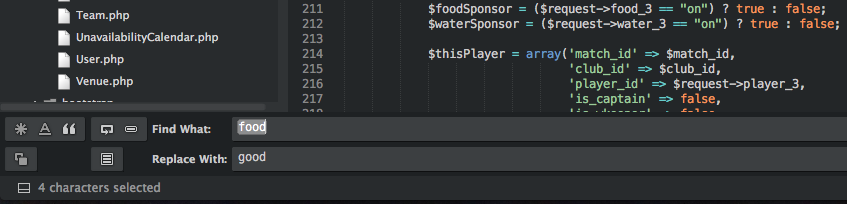
Please see the screenshot. The literal “food” is right there.
But somehow it is looking for whole word: you can see the \b around food in the taskbar: select/unselect the whole word option.