
The error started to occur just a few weeks before, also it only occurs in one of my projects. When I open the project, this just popped up.
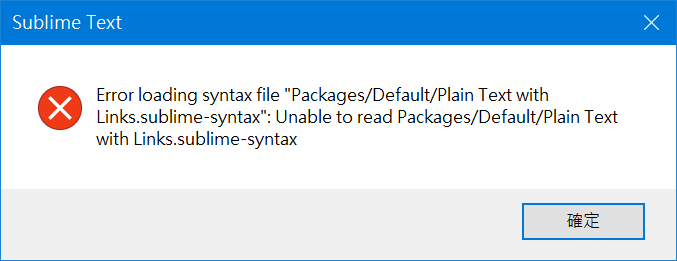
Anyone can tell me how to fix this?
Error that only occur in one of my project
0 Likes
OdatNurd
#2
The error message is telling you that no such syntax exists, and so when Sublime tries to apply it to a file, it can’t. Indeed there is no such syntax in the Default package; if such a syntax did exist it would be in the the Text package, where the Plain text syntax lives.
Presumably at some point in the past you downloaded such a syntax and placed it manually into a folder named Default in the Packages folder or something along those lines, but it’s no longer there (maybe you reverted to a fresh state?)
In any case, when hot_exit is turned on (which it is by default), Sublime remembers the state of opened files in the session information when you quit it, and it remembers the state of opened files in projects when you close them. The saved state includes a lot of things, and one of them is the syntax that was in use.
So, when you open this project and see this error, that means that one of the files that is open in the project thinks it’s syntax definition should be this one, but it doesn’t exist so you see the error.
Finding the file that’s using it and closing it should make the problem go away. Select each open file in turn and look in the bottom right of the window for the one that says Plain Text with Links, and then close that file. You can then immediately reopen it via File > Open Recent > Reopen Closed File. That should open the file with the appropriate syntax.
2 Likes