
In Preferences->Settings (User), I have:
{
    ....
    "linters": {
        "jshint": {
            "disable": true,
            "args": [],
            "excludes": [],
            "ignore_match": ["Missing semicolon"]
        }
    }
}
I save, then restart sublime, however jshint is still working:
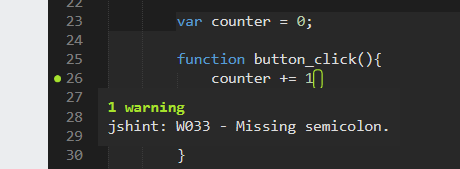
I tried: “disable”: true, and “@disable”: true, but neither work.
I also tried removing the other options there, so just:
{
    ....
    "linters": {
        "jshint": {
            "disable": true
        }
    }
}
No difference.
What is wrong? (Using 3176, Windows 7 x64)
Thanks
Rael