Sublime Forum

Disable save on unsaved tab/file

#1

If I have unsaved tab and press keyboard shortcut for save there will be a popup window asking me to specify name of the new file and where to save it. I would like to disable that.

save command will only working if file already exists and it will save changes made to that file when I press it, but it will not save new unsaved file; if will just do nothing.

I’m OK with macro, plugin or any other solution.
0 Likes

#2

I am not sure I understand the question.

If it is a new and unsaved file, then you will need to tell ST what you would like to call the new file and where you would like to save it? If you don’t wish to save the new file, why are you pressing the keyboard shortcut for save? Why don’t you simply close the tab?

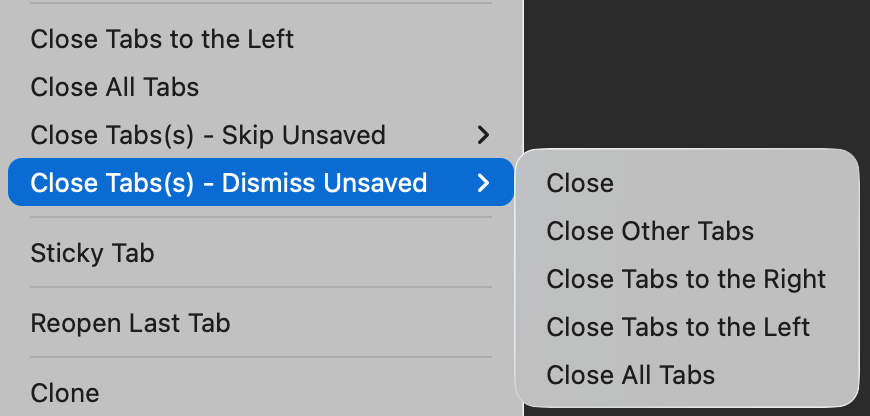
PS. If you are looking to do this for lots of tabs at once, you might be interested in the TabsExtra plugin. It add a range of new features, including the ability to close and dismiss unsaved tabs option.

Be warned howver - This will suppress the save dialog window, so you will lose any unsaved files.

0 Likes

#3

This command { "keys": ["ctrl+s"], "command": "save", "args": { "async": true } }, will only run on already saved files and will not run on open tabs that are not saved(files that still do not exist).

0 Likes

#4

Pressing ctrl/cmd + s on an unsaved file will open the save dialogue window and prompt you to to provide the filename and folder that you want to save your new file in. You have stated this yourself:

If I have unsaved tab and press keyboard shortcut for save there will be a popup window asking me to specify name of the new file and where to save it.

What am I missing here? Do you NOT want it to save these files? See my advice in the previous reply.

0 Likes

#5

Let me elaborate.

Command: save

  1. When you have open file and use save command, it will save current changes when you run it.

  2. When you don’t have saved file, just opened tab with text that is not saved anywhere, when you run save command it will prompt you to save that text/tab somewhere as a new file.

I want just first case functionality, and when you have second case, command will do nothing.

0 Likes

#6

This would be…

1 Like

#7

…ahhhh, penny-drop. I now properly understand the question and thanks to @deathaxe, the solution. Neat.

0 Likes

#8

Thanks, but I need it to reference only current tab, it should not check for other tabs.

Something like this:

import sublime
import sublime_plugin


class SaveOnlyExistingFilesCommand(sublime_plugin.WindowCommand):

  def run(self):
    if not self.window.activeView().file_name():
      pass
    else:
      self.window.activeView().run_command("save", {"async": True})
0 Likes

#9

Added.

1 Like

#10

How to I implement that.

0 Likes

#11

Sorry to spam, but I still don’t understand how to change the plug-in.

0 Likes

#12

To make use of it, either cloning the whole repo to your Packages/ directory or just copying the file.py to any location which ST loads plugins from, e.g. Packages/User/ directory.

1 Like

#13

I was able to solve it with this code:

import sublime
import sublime_plugin

class SaveOnlyExistingFilesCommand(sublime_plugin.WindowCommand):
  def run(self):
    if self.window.active_view().file_name():
      self.window.active_view().run_command("save", {"async": True})
0 Likes