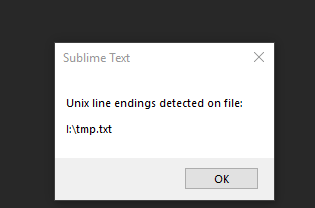
Is there a feature to disable the notification that a file has Unix line endings? For various reasons it just ends up frustrating and in the way.
Thanks in advance!

Is there a feature to disable the notification that a file has Unix line endings? For various reasons it just ends up frustrating and in the way.
Thanks in advance!
The only built-in thing related to showing line ending seems to be
    // Display line endings in the status bar
    "show_line_endings": false,
But calling it frustrating is weird, I suspect you are referring other things.
Not that. I have that pleasantly enabled.
I usually have a lot of files open, so anytime I open or restarted SublimeText(or Windows) I get multiple pop-ups notifying me that
Unix line endings detected on file:
I:\test.txt
etc
I would check if you’ve installed a package that’s trying to do you some sort of favour; perhaps a linter of some sort that’s strict about line endings?
I use Sublime on Windows, MacOS and Linux (and share files across all of them) and I’ve never seen it pop up a message like this for me, and most of my development work is on Linux so everything has Unix line endings.
Yup, that was it.  Sorry about that guys.
Turns out I had a package installed called LineEndings which that was the only setting for. I must have installed it when I switched from N++ while I was looking for something to show the non-printing characters.
Thanks!
What’s that? I cannot find it on Package Contorl https://packagecontrol.io/search/LineEndings.