
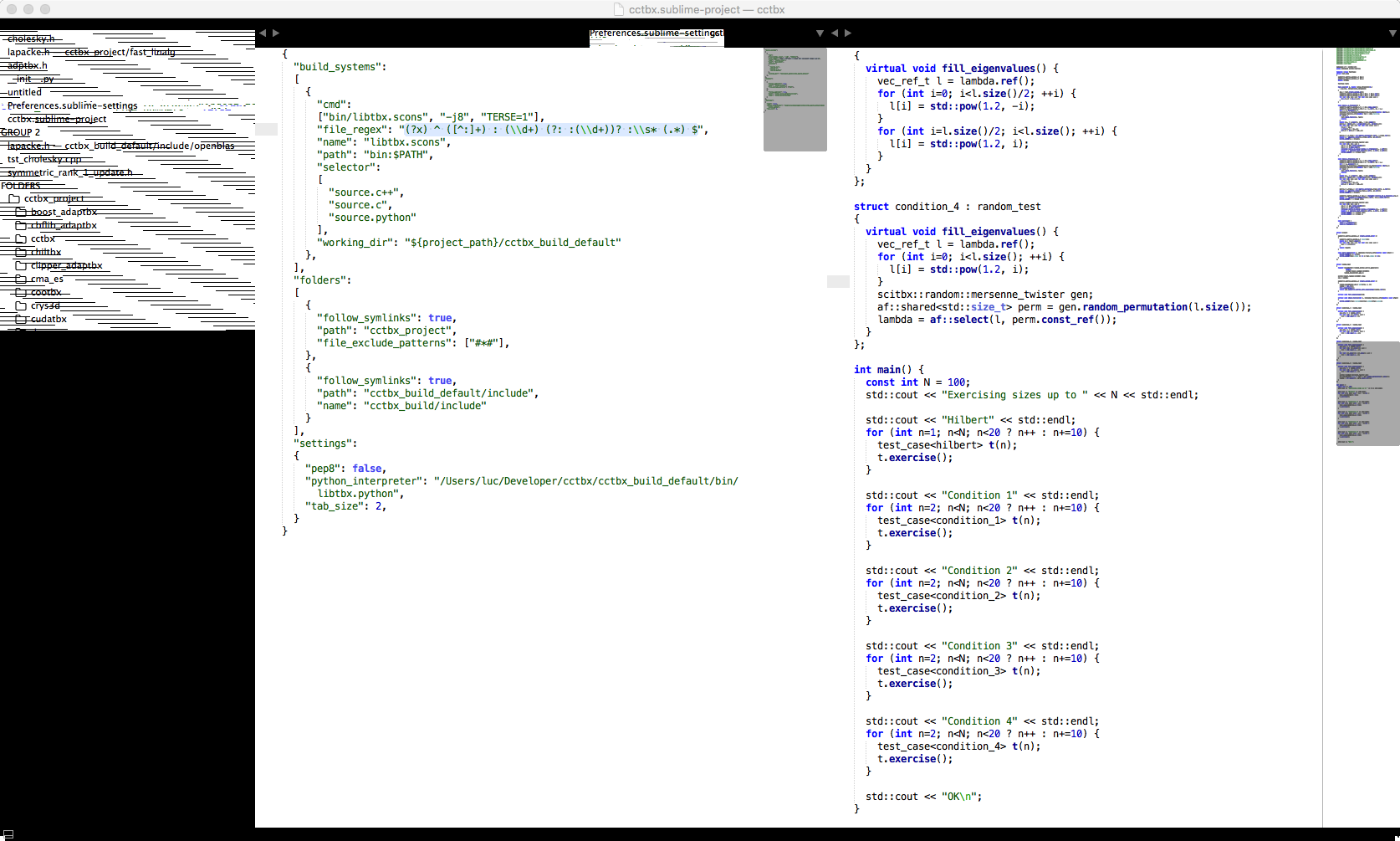
I tried to reinstall ST3 but the problem subsists. Here is a screenshot:
Did OS X update 10.11.4 break ST3?
wbond
#2
That looks like your settings are set to use a theme that you no longer have installed, or that is disabled. To confirm, check your Preferences > Settings - User and try removing any "theme" setting you see. After restarting Sublime Text it should look better.
Are you running build 3103 or 3109?
0 Likes
ljbo3
#3
You are correct: the culprit was the line
...
"theme": "SoDaReloaded Light.sublime-theme"
...
It must have got corrupted by the OS X update. Removing that line, uninstalling that theme and reinstalling it fixed it.
Thanks!
0 Likes
TIBCDEV
#4
Required a full reinstall after 10.11.14 for 3103. Theme was no theme present but color_scheme was where the hangup was. Tried to remove, comment, ridicule and it kept coming back. Packages/User is sync’d elsewhere so complete removal both app and Preferences, Saved Application State, and Application Support remnants were also removed.
0 Likes