In earlier version, chinese input works good (I use the Google Chinese Input).
But after the recent update, there is some problem.
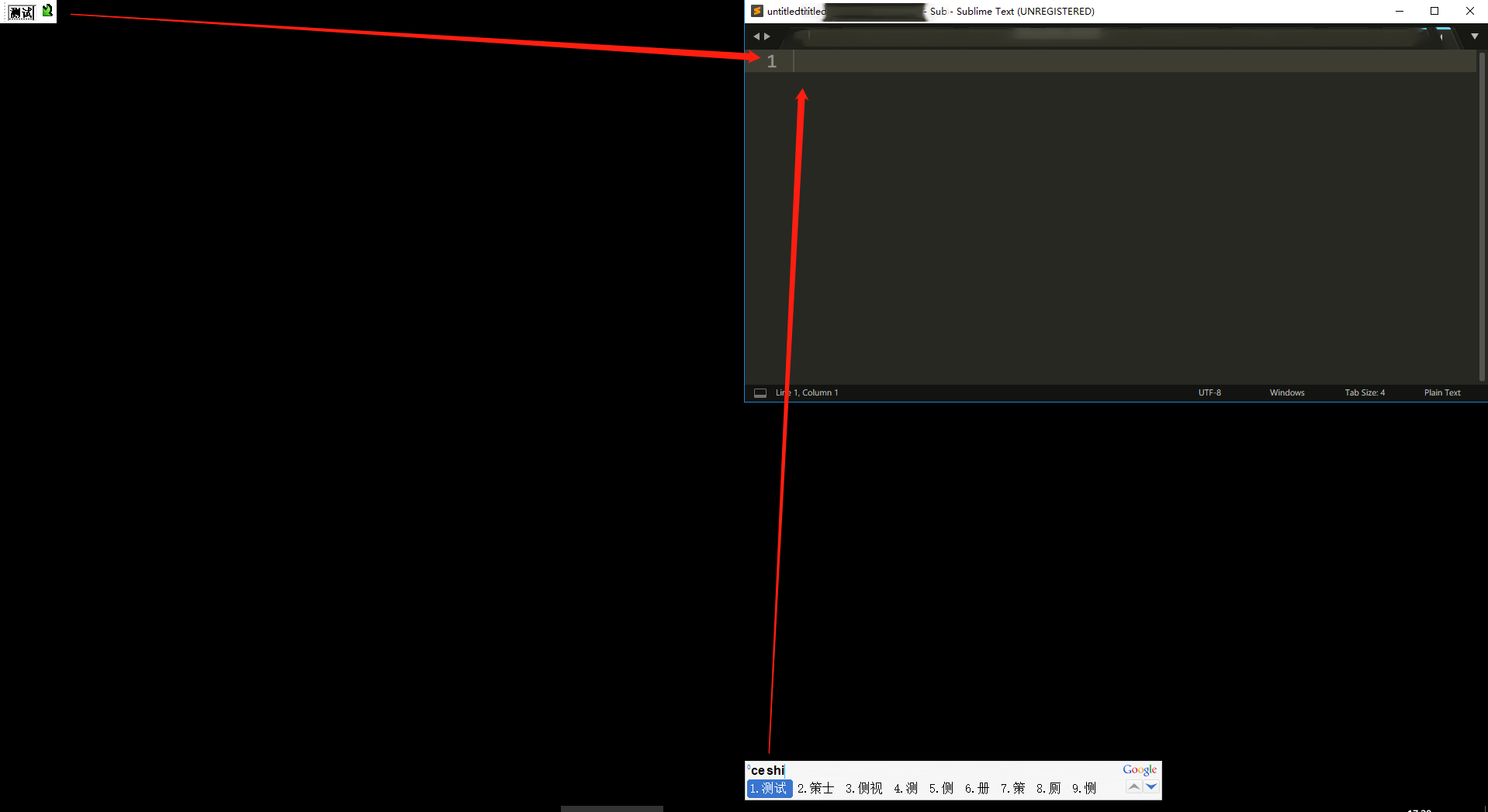
When using the chinese input method, I print alphabet, and there will show a list with the chinese word for select, and a tiny window for result. The list and the tiny window should FOLLOW THE CURSOR, so you can check it fast.
But in the new version of st3, the list shows at the top bottom of the st3 window, and the result shows at the top left of the screen. it’s hard to input, please make it better.
And japanese same, top left.
os: win10 - 1709 (16299.402)
ST: v3 b3143