Sublime Forum

Build 4142: project switch animation is too slow

#1

Hi,

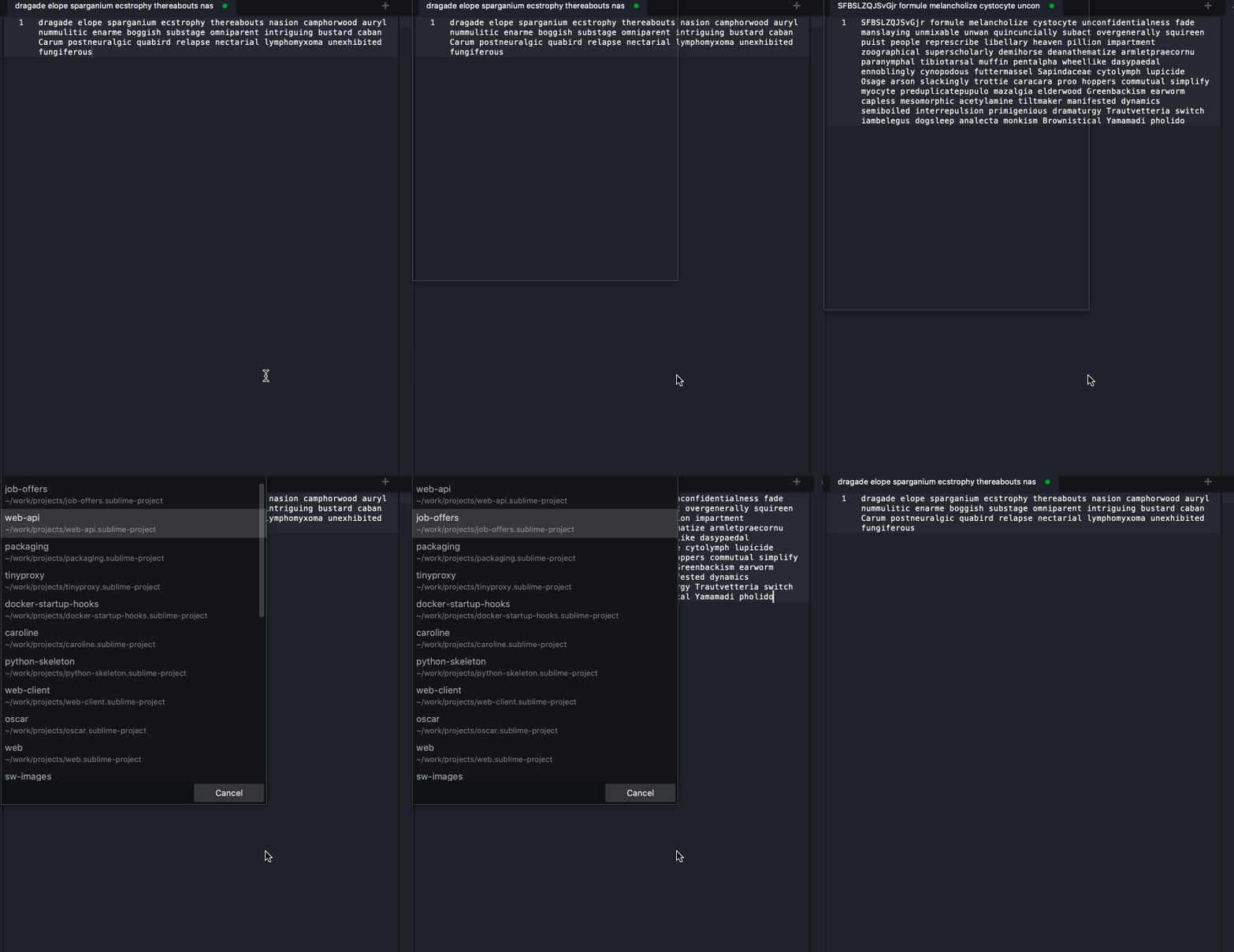
I am using Sublime Text becase it is freekin’ fast. With today’s update to build 4142, the project switch introduced an animation which takes sooo long to go away.

Please, how can I turn off this animation? I just want to quickly jump into another project. NetBeans does it currently faster that ST…

thx
0 Likes

#2

We haven’t added any animations in 4142. Can you perhaps provide a recording of it?

0 Likes

#3

Since I can upload only a gif, it is a little bit blurry. But the idea is - there was no animation before. Pls, can I get rid of it or do I have to downgrade to the previous version?

Thanks

0 Likes

#4

That’s not an animation being done by us; that’s being done by your OS. What OS/version are you using?

0 Likes

#5

Oh I hate Apple so much.

MacOS Catalina (10.15.7).

But for sure, it did change with recent update. :thinking:

0 Likes

#6

You may have some luck disabling window animations as described here: https://www.chriswrites.com/boost-your-macs-performance-by-disabling-unnecessary-animations/

0 Likes