
Hello,
this never happened to me before and even after a research I haven’t found a solution.
My syntax suddenly includes two HTML options and when I write in sublime text.
The auto-completion now doesn’t work either.
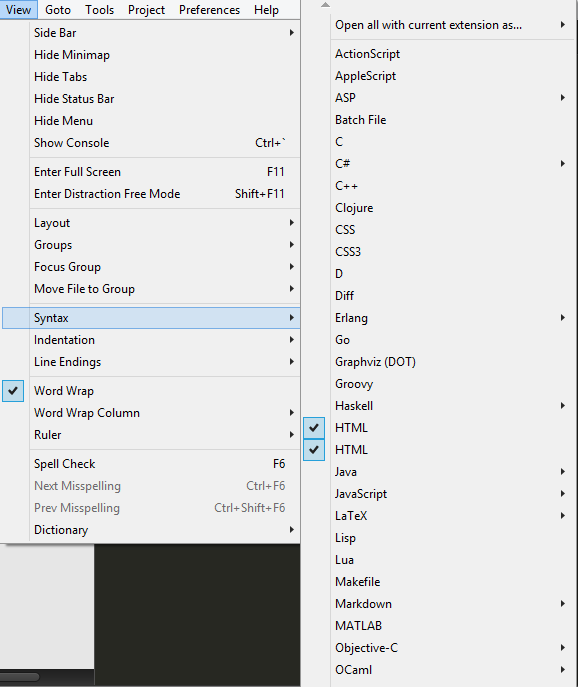
Any Idea what could solve this?
I’m using Sublime text 3 on Windows 8.1
UPDATE:
I found out that I have to manually open the “auto-completion” But now for example when I try to write
It shows me three options saying “div” and one of them makes an extra “<”
UPDATE 2:
I had to install and delete a package I used to work with, to get rid of the second HTML syntax.
But I still can’t get the auto-complete to show by itself, and there is still an extra “<”.