
Hi,
i’m new to ST2 (came from Coda and Espresso) and have a few questions about settings in ST2. I didn’t find something, so i’m asking here.
I installed the Sass package. When i type “text” the autocompletion automatically shows me all possible entries like “text-shadow”, “text-transform” and so on. When i choose an entry i expect the next window with possible entries like “lowercase”, “uppercase” and … But nothing happens. Until i type something. Here is what it looks like in Coda:
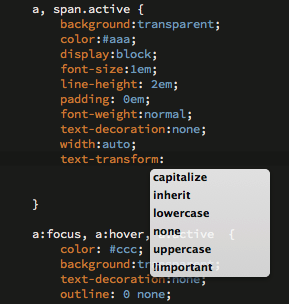
And when i’m using variables i was expecting ST2 to show me the already defined variables. But the same here. I have to type a few paragraphs to see suggestions. But what when i didn’t remember the variables i’ve already defined? Again a screenshot of how Codas handles this (colors in this example). I just type “$” and Coda shows me all available variables:
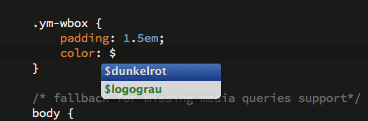
I’m sure, there are preferences for ST2 to have the same behavior, but i don’t know what to do. Could someone help me with this?
Mario


 Go to “Tools -> New Plugin”. Copy paste the code and save it as something like “SASS Autocomplete.py” or something (the actual name of the file doesn’t matter. It should work immediately, but you can always try restarting ST. I don’t know if this is something that would want to be integrated into whatever SASS package you are using. I’d be happy to take a quick look to make sure it doesn’t conflict with whatever completions SASS does if you can point me to the package you are using. I did a quick google search and to my dismay…there are many listed